

Government and public agencies deal with constant staff movement, shared responsibilities, and strict communication requirements.
Yet contact management often relies on outdated processes that create confusion and risk. Numbers change, roles shift, and devices stay out of sync longer than anyone admits.
Gal sync for government and public agencies addresses this gap by keeping directory contacts consistent across systems and mobile devices automatically.
In this article, you’ll see how agencies typically handle GAL sync today, where those methods fall short, and how automatic syncing works in a secure, policy-driven environment.
How government and public agencies usually handle GAL sync today
1. Relying on staff to manually save and maintain contacts
Many agencies still depend on employees to save contacts on their own devices.
A number gets shared in an email or internal message, and staff members decide whether to save it. Some do. Some forget.
Over time, contact lists drift apart. When roles change or someone transfers departments, updates rarely make it to every phone.
2. Distributing contact lists through shared files or internal portals
Some agencies publish contact lists on shared drives, intranets, or internal portals. On paper, this feels centralized. In reality, the files go out of date quickly.
Staff have to download them, open them, and manually use the information. Mobile access is limited, and most people fall back to old numbers already stored on their phones.
3. Using directory or Outlook search without automatic syncing
Directory search helps staff look up contacts when they are at their desks. On mobile devices, the experience is slower and less reliable.
Even when users find the right contact, they still have to save it locally.
Any future changes in the directory never update the saved version, which creates outdated records across devices.
4. Legacy systems, scripts, or partial sync tools managed by IT
Some IT teams rely on older tools, scripts, or custom workflows to push contacts to devices.
These solutions often require constant monitoring. Updates to operating systems or security policies can break them without warning.
Over time, fewer people understand how the setup works, increasing risk and making changes harder to manage.
How to automatically sync GAL for government and public agencies
Automatic GAL sync removes a lot of hidden risk for government and public agencies.
Instead of relying on staff to save contacts or search directories every time, contacts are delivered directly to user devices from a central directory.
When someone changes departments, updates a role, or leaves an agency, those changes propagate automatically.
That consistency matters when agencies depend on accurate communication across departments, locations, and mobile staff.
This is where CiraSync is commonly used.
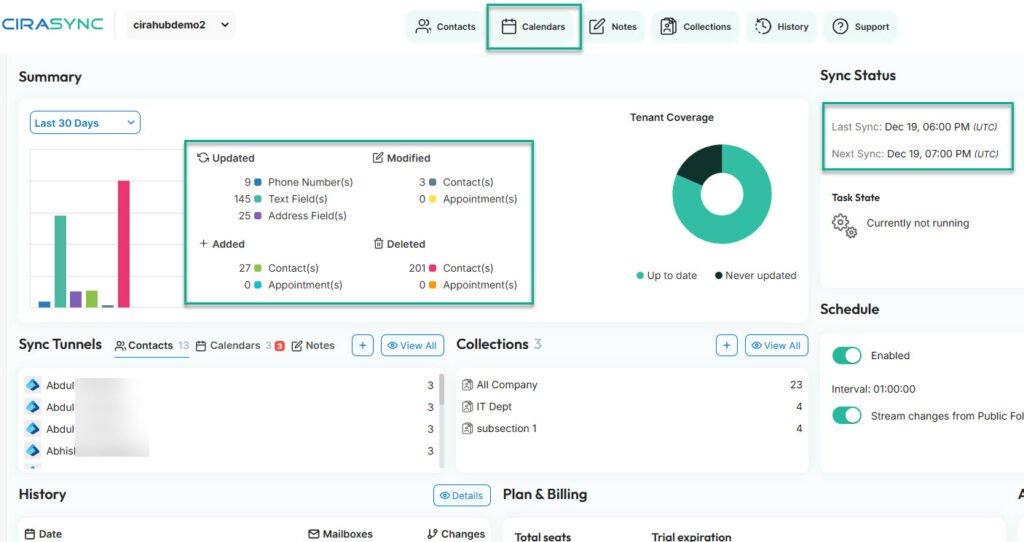
CiraSync integrates directly with Microsoft 365 and Azure Active Directory, using the Global Address List as the authoritative source. Administrators configure sync rules once through a centralized dashboard.
From there, contact and calendar data is read from Azure Active Directory and Microsoft Exchange using Exchange Web Services, then pushed to user mailboxes, which in turn sync to Outlook-enabled devices and smartphones.
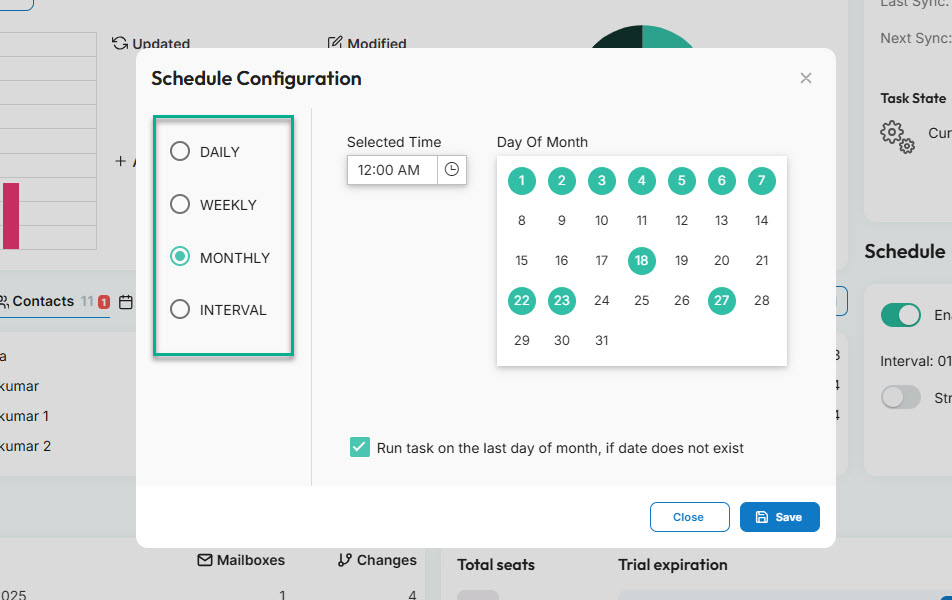
Syncing schedules are configurable based on operational needs. Agencies can run syncs multiple times per day to ensure near real-time updates or choose less frequent schedules if that aligns better with policy.
Security and compliance are central to how CiraSync operates, which is especially important for public-sector environments.
CiraSync is registered with Microsoft Azure and uses the Azure Consent Framework for authentication. Users are redirected to the Microsoft login page, and CiraSync does not store passwords.
All data remains within the Microsoft Cloud, and connections to Exchange Web Services use HTTPS without traversing the public internet.
For agencies operating under regulatory requirements, CiraSync supports GDPR principles including the right to be forgotten, data portability, data storage compliance, and informed consent.
Taken together, automatic GAL sync with CiraSync gives government and public agencies centralized control, predictable updates, and a security model that aligns with Microsoft identity and cloud standards.
Learn more: What is CiraSync?
Learn more: CiraSync FAQ – all questions answered
Learn more: Security and compliance at CiraSync
Frequently Asked Questions
For government and public agencies, GAL sync automatically distributes contacts from Microsoft 365 and Azure Active Directory to user devices, so staff always have the correct contact information without manual saving.
Why is GAL sync important for government and public agencies?
Agencies operate across departments, locations, and roles. GAL sync reduces miscommunication by ensuring everyone works from the same, current directory data.
Does GAL sync work on mobile devices used by field staff or remote workers?
Yes. Contacts sync to Outlook-enabled devices and smartphones, which is critical for inspectors, field officers, and remote personnel.
What solution is commonly used to automate GAL sync for government and public agencies?
Many public agencies use CiraSync to automate contact syncing from Microsoft 365 while maintaining centralized control, security, and compliance.