

If you work in a nonprofit, contact chaos probably feels familiar. People join and leave often, roles shift, and phones rarely match the directory.
This article breaks down why GAL sync becomes painful for nonprofits, how it actually works in a nonprofit environment, and what to look for in a reliable solution.
You’ll see where most teams struggle, what automation fixes, and how the right GAL sync setup keeps staff, volunteers, and mobile users aligned without adding more work for IT.
Why GAL Sync Is a Constant Pain for Nonprofits
Frequent Staff Turnover, Volunteers, and Role Changes
Nonprofits change people fast. Someone joins for a campaign, a volunteer rotates out, a program lead moves to a new grant. But the address book on phones doesn’t update at the same speed.
So you end up with people calling the wrong person, emailing someone who left months ago, or saving contacts manually. It sounds small, but it turns into daily friction across the whole team.
Shared Mailboxes, Departments, and Distribution Lists that Keep Changing
A lot of nonprofit work runs through shared inboxes like info@, donations@, and programs@, as well as team distribution lists for committees or regions. Those lists change constantly. When that reality doesn’t sync cleanly, staff keep guessing who owns what.
Messages get stuck, forwarded, or answered twice. And the worst part is, you only notice after something breaks, like a donor request going unanswered.
Mobile Users Relying on Outdated or Incomplete Contact Data
Nonprofits do a lot on the move. Field staff, fundraisers, coordinators, even execs. If their phones carry stale contacts, they can’t reach the right person when it matters.
They start searching old email threads, texting coworkers, or adding contacts by hand. That leads to duplicates, wrong numbers, and missing titles. Eventually, nobody trusts the directory, which defeats the whole point of having one.
Limited IT Time to Manually Fix Sync Issues Again and Again
Most nonprofit IT teams already juggle everything: onboarding, permissions, devices, email issues, security, and helpdesk requests. Manual contact fixes become another annoying chore.
Someone says, “I can’t find our volunteer coordinator,” and IT has to troubleshoot device settings, account sync, or a one-off export.
It’s repetitive work. You solve it once, and it pops up again next week with a different person.
How GAL Sync Works in a Nonprofit Environment
In a nonprofit, the central directory acts as the single place where all contacts live and stay current.
GAL sync automatically pushes those contacts to staff and approved volunteer devices without anyone exporting or importing files. You define simple rules so people only see the contacts relevant to their role or team.
When someone joins, changes roles, or leaves, updates happen once in the directory and flow everywhere. Over time, this removes manual fixes, reduces duplicate contacts, and keeps everyone working from the same list.
Sync Your Nonprofit GAL With CiraSync
For nonprofits that need reliable GAL sync without adding risk or admin overhead, CiraSync fits naturally.
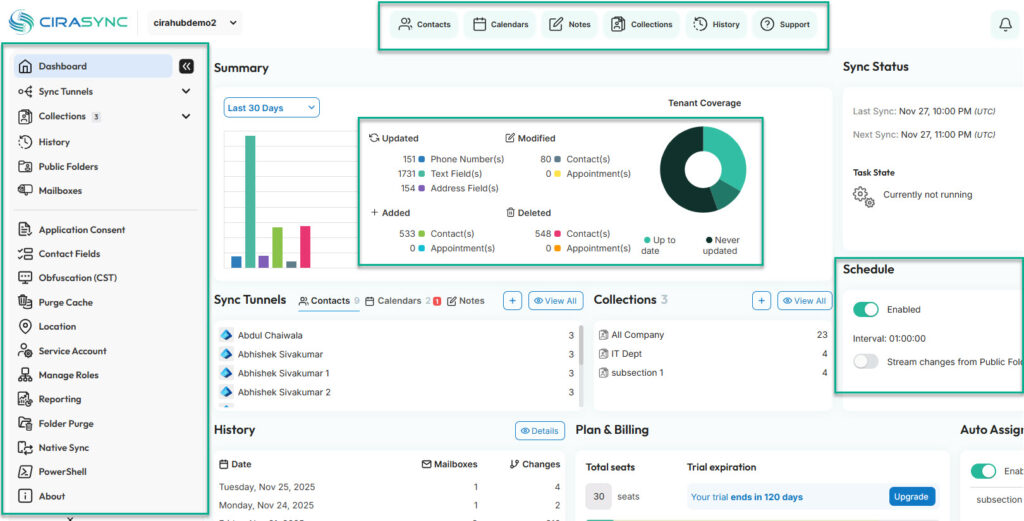
It automatically syncs Microsoft 365 contacts and calendars to mobile devices on configurable schedules, so updates can run as often as needed without manual triggers.
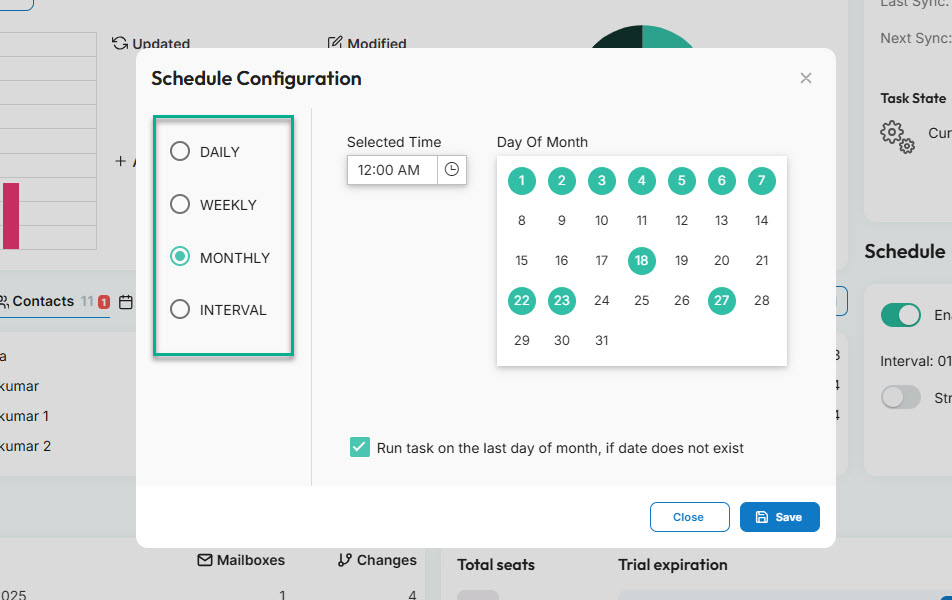
IT teams control which users, groups, or contact folders sync, instead of pushing everything to everyone.
From a compliance standpoint, CiraSync uses modern authentication and Microsoft-approved permissions, without storing user passwords. It operates as a cloud service, so there is no on-prem infrastructure to maintain.
Once configured, syncing runs automatically in the background, which matters when IT teams are small and user changes happen constantly.
Learn more: What is CiraSync?
More questions about CiraSync: Check out our CiraSync FAQ or contact our support team.
Frequently Asked Questions
GAL sync keeps contacts from Microsoft 365 automatically updated on staff and volunteer devices. It removes manual saving and outdated entries.
Why do nonprofits struggle with GAL sync more than other organizations?
Nonprofits struggle with GAL sync because of high turnover, rotating volunteers, and shared inboxes that constantly change. Manual processes cannot keep up.
Does syncing a non-profit GAL also sync to mobile devices?
Yes, you can sync a non-profit GAL to mobile devices using the right GAL sync tool, like CiraSync.
Is there a purpose-built GAL sync tool for nonprofits?
Yes. CiraSync is commonly used by nonprofits to automate GAL sync.