TL;DR: CiraSync’s latest update delivers more control across contacts, calendars, and compliance. New Audit Logs provide a searchable, six-month activity history without contacting support. CardDAV-powered Mobile Direct and Native Sync push contacts directly to iOS and Android native apps without requiring Outlook. Group Calendar syncing, event subject masking, and seamless public folder migration round out the release.
CiraSync is continuously evolving to provide users with customizable synchronization tools and an improved experience. Here’s what’s new:
Detailed Audit Logs on Your Dashboard
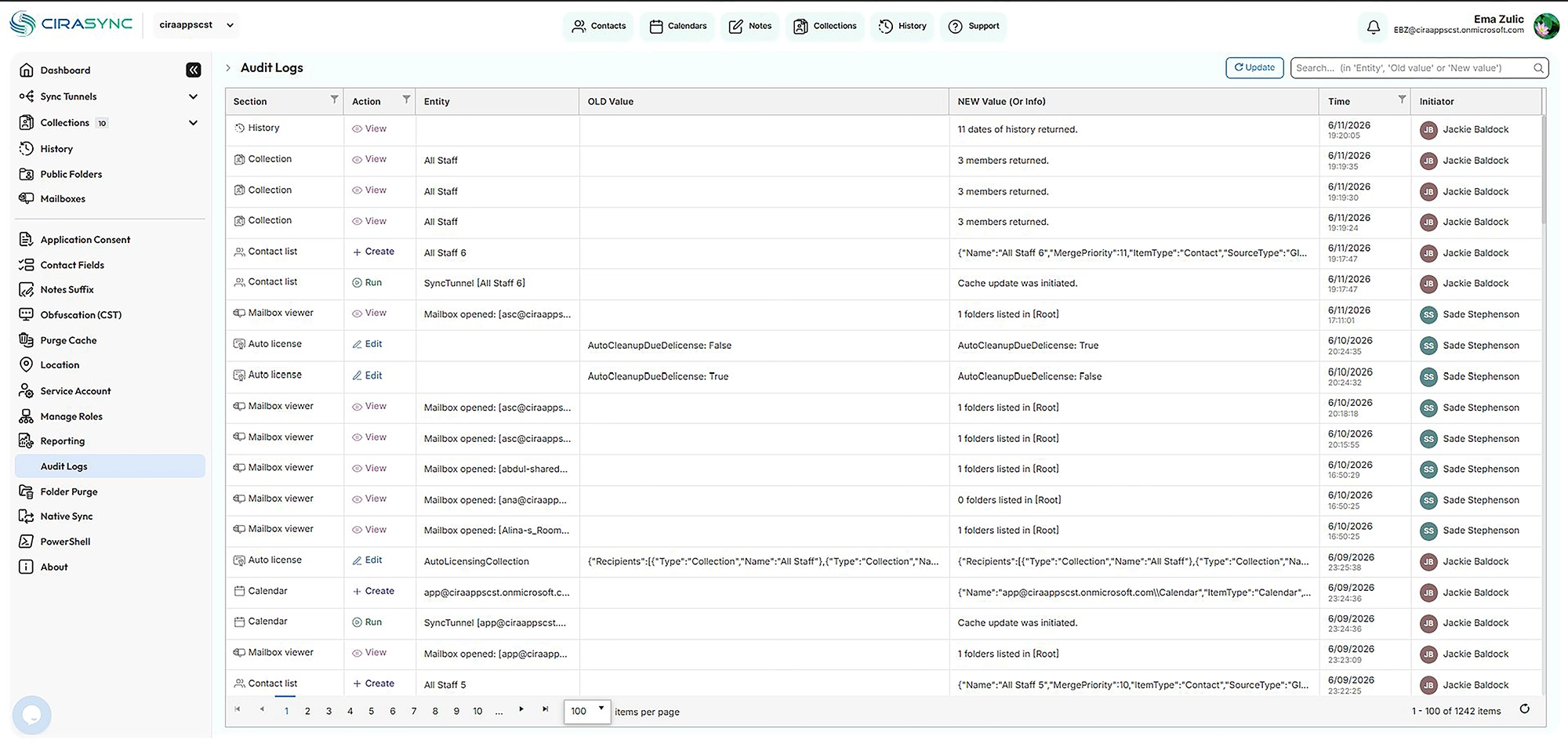
Keeping track of account activity is now easier than ever. The new Audit Logs page gives you a complete, searchable record of everything happening in your account: who performed each action, what was affected, the exact time, and the before-and-after values across areas like sync tunnels, collections, contact lists, mailboxes, and licensing. Simply search by entity or value to find what you need, and page through your full history at a glance. Plus, your logs are now retained for six months, giving you a wider window for reviewing changes, troubleshooting, and meeting your audit and compliance needs, all without contacting support.
SMS Chat Enhancements
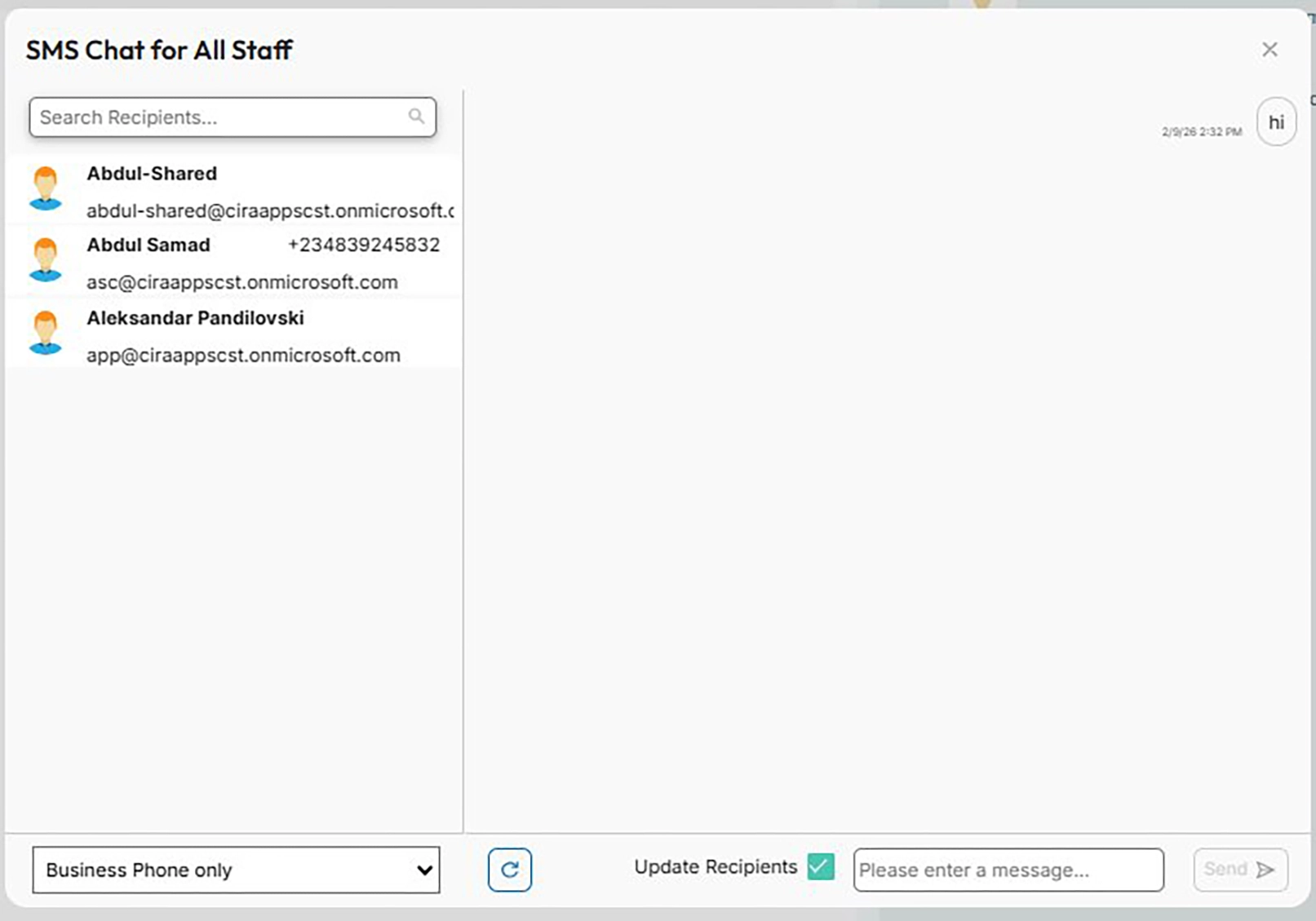
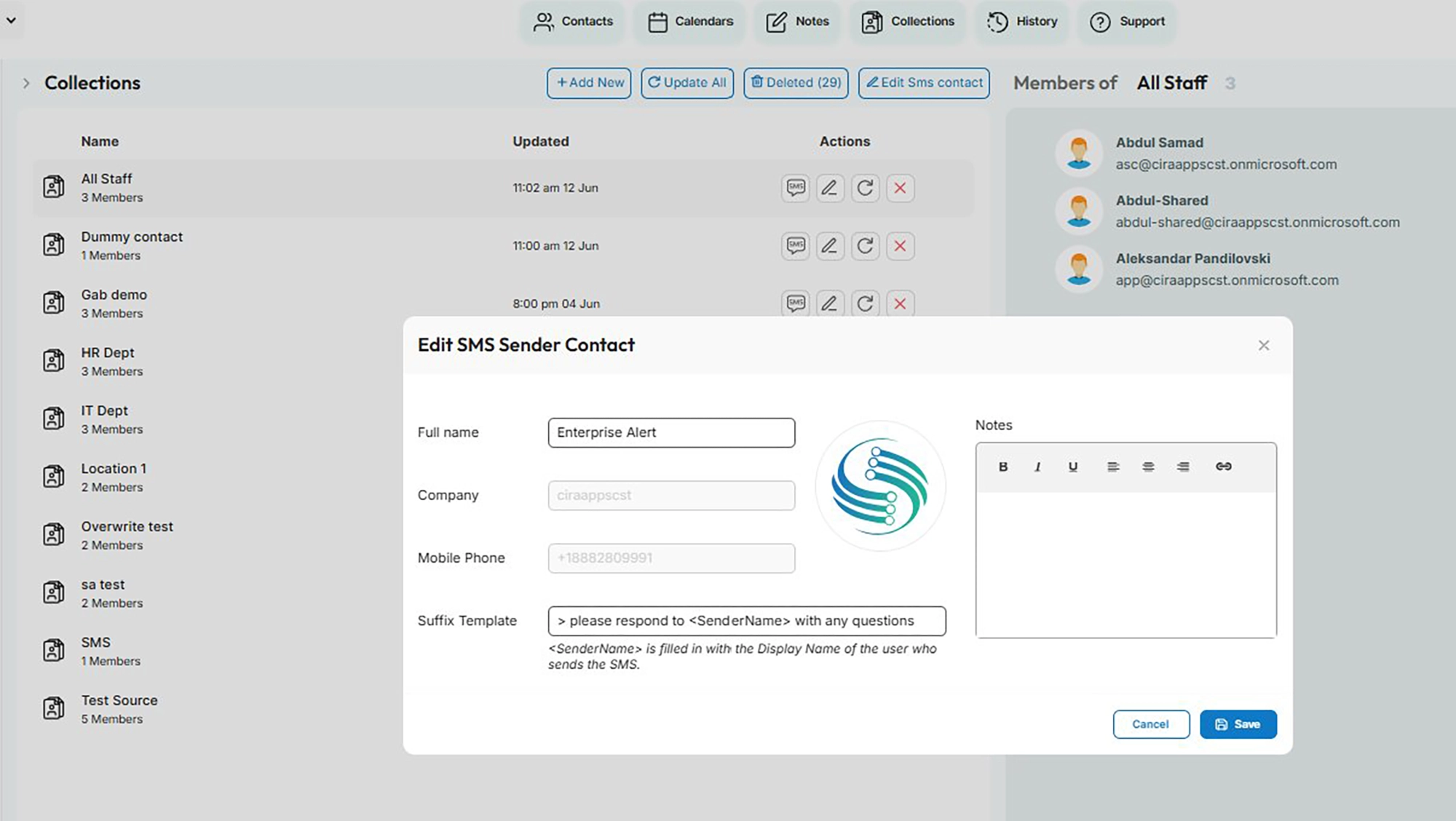
We’ve made our Collections SMS chat even more flexible. With the new Edit SMS Sender Contact options, you can personalize how your messages appear to recipients. You can now set a custom sender name that represents your organization (such as “Enterprise Alert”), add company details, and create a Suffix Template that’s automatically appended to your messages. The suffix even supports a <SenderName> token that fills in the display name of the person sending the SMS, so recipients always know who reached out. Right from the SMS Chat window, you can search for recipients, choose whether to message their business phone, mobile phone, or both, and send messages in a familiar chat-style view. Together, these updates make it easier to connect with the contacts in your collections in a way that fits your business.
Sync Contacts Straight to Mobile Devices — No Outlook App Required
Keeping contacts up to date on users’ phones no longer means installing the Outlook mobile app. Powered by CardDAV, CiraSync delivers contacts directly into each device’s native contacts app, so they’re always available right where users expect them — and kept in their own dedicated space, cleanly separated from users’ personal contacts. No commingling, no cleanup headaches.
Two flexible options let you sync the contacts that matter most:
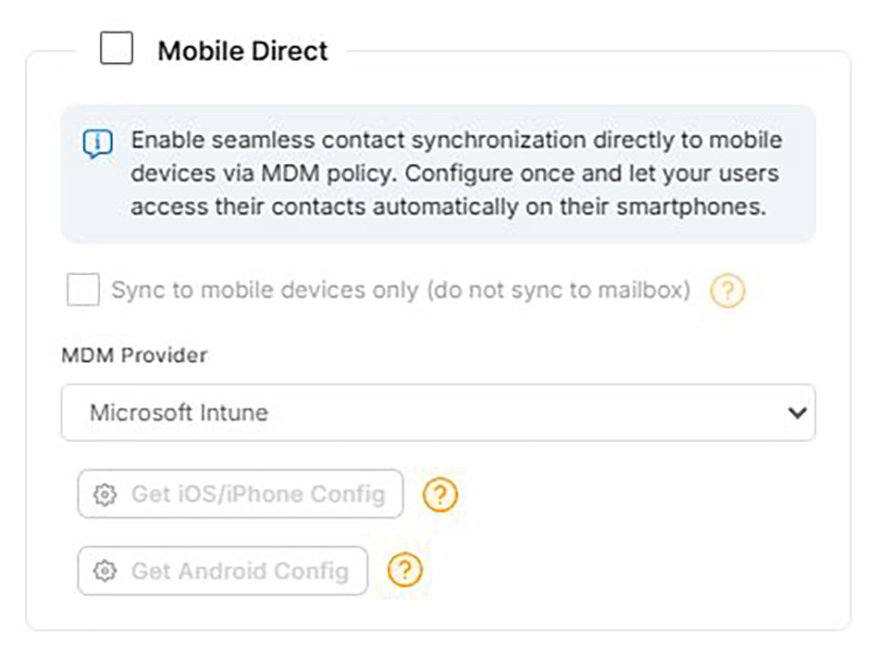
- Mobile Direct takes the contacts from your sync tunnel and pushes them straight to users’ phones. This is ideal for sharing company directories and shared contact lists.
- Native Sync takes the contacts from a user’s own mailbox contact folder and keeps them in sync on their device. Perfect for personal and team contacts.
This works across both iOS and Android, with synced contacts always landing in their own separate, organized container within the phone’s built-in contacts app — named after the MDM policy you configure, so it’s easy to recognize and manage. For managed environments, syncing integrates smoothly with all the major mobile device management (MDM) platforms, including Microsoft Intune, VMware Workspace ONE, SOTI, Jamf, and Mosyle — making it easy to roll out automatic contact delivery across your entire fleet of devices. We’ve also added support for syncing contact groups, so your organization’s structure carries over too.
More Control Over Native Sync
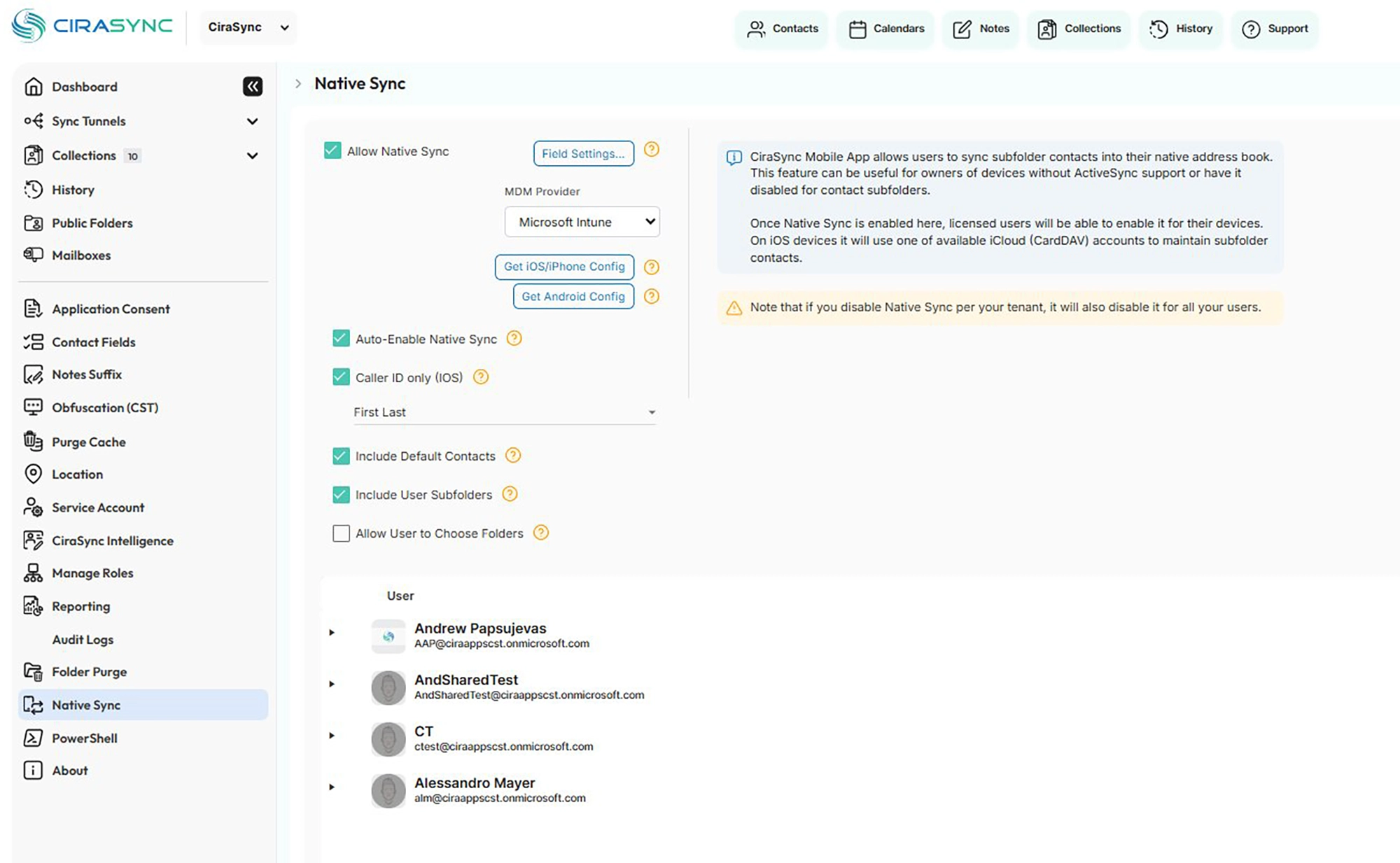
Native Sync gives your users a simple way to bring their mailbox contacts (including those organized in subfolders) straight into their phone’s native address book, without relying on ActiveSync. We’ve expanded the options so you can tailor exactly what syncs and how:
- Choose which contacts sync: Include default contacts, pull in user subfolders, or let users decide for themselves which folders to sync with the new “Allow User to Choose Folders” option.
- Customize the fields that matter: With Field Settings, you control which contact data fields are included in the sync, so your users see exactly the information they need.
Combined with options like Caller ID support and flexible name formatting, Native Sync makes it easy to deliver a clean, personalized contacts experience on every device.
Sync Group Calendars
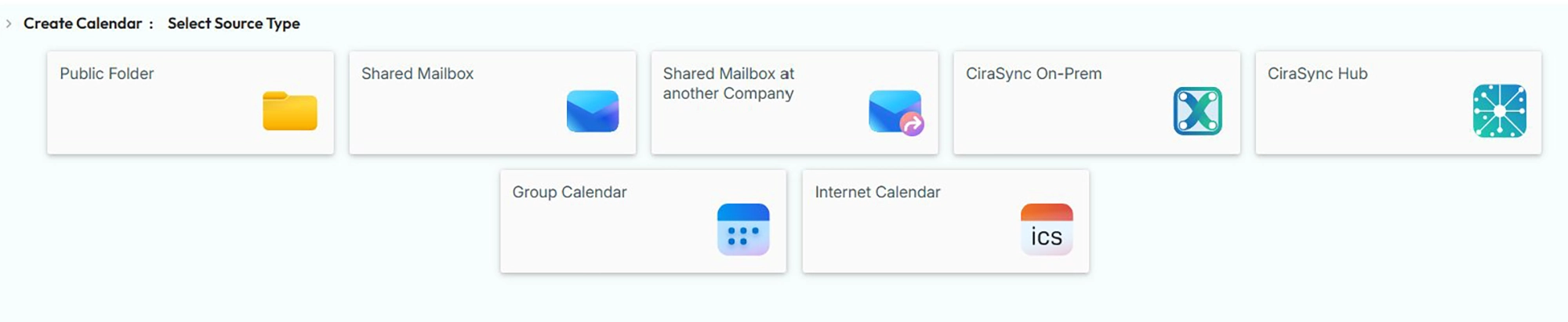
You now have even more flexibility in choosing what to sync. Group Calendar is available as a new sync tunnel source — joining options like public folders, shared mailboxes, and more — so you can keep the calendars your teams rely on in sync wherever they need them. Built on the modern Microsoft Graph API, Group Calendar syncing is fast, reliable, and ready for the future.
Customize How Calendar Events Appear
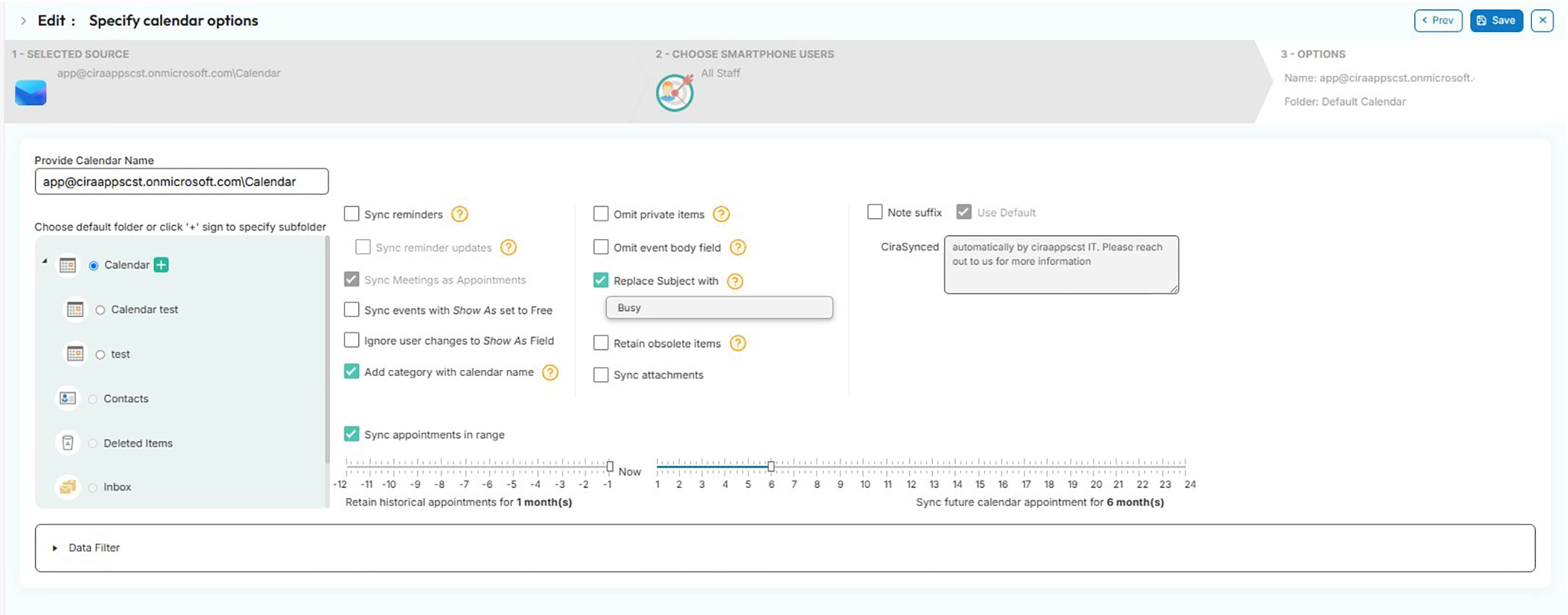
Privacy and consistency just got easier to manage. For any calendar sync tunnel, you can now choose to replace the original event subject with a generic label of your choosing so synced calendars show availability without exposing the details of every meeting. It’s a simple setting that gives you control over exactly how much information is shared when calendars sync across your organization.
Seamless Public Folder Migration
As Microsoft phases out Exchange Web Services (EWS), CiraSync makes moving your public folder syncs to a modern, future-ready setup effortless. When you’re ready to migrate, simply let our support team know which shared or user mailbox your public folder data should move to, and we’ll handle the rest. Your data is migrated and the new mailbox source is set automatically in your existing sync tunnel, with no changes needed on your end. Syncing continues exactly as before — no cleanup, no duplicates, no interruption.
To get started, book a time with our Customer Success team and we’ll guide you through the move.
More Control Over Your Collections and Sync Tunnels
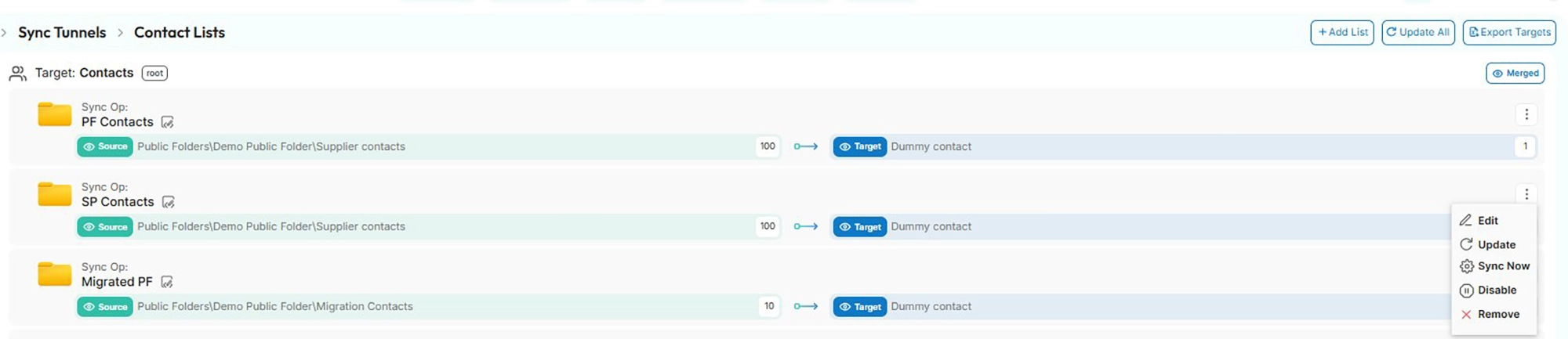
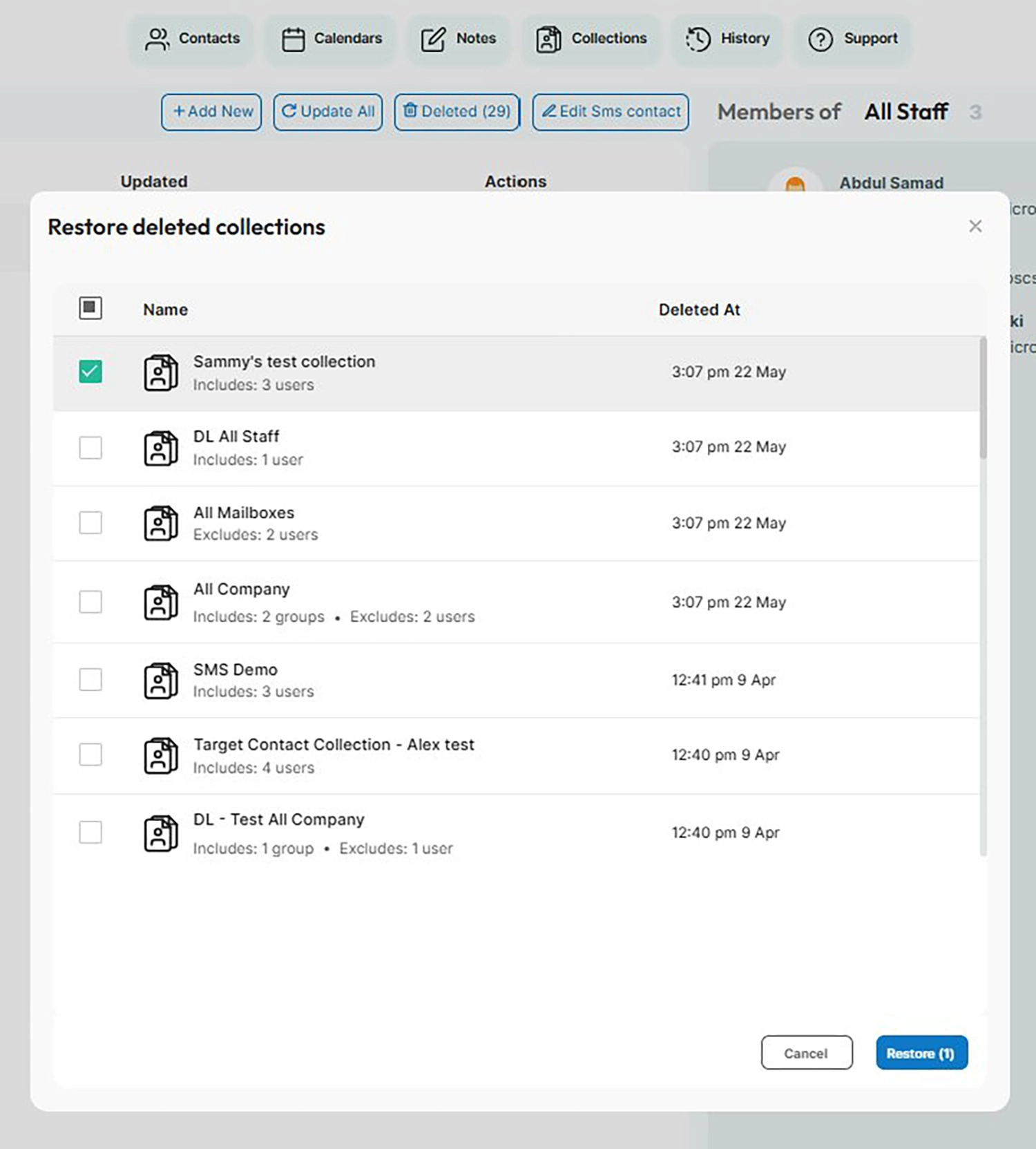
Managing your collections and sync tunnels is now more flexible and forgiving. If a collection is deleted, you can now restore it from the Deleted view. This gives you a safety net against accidental removals, with no need to rebuild from scratch. You can also enable or disable individual sync tunnels whenever you need, making it easy to pause syncing temporarily without deleting your configuration. And to keep your dashboard clear and accurate, disabled tunnels no longer count toward the error badge, while the tunnels page now displays target item counts so you can see at a glance how much data each tunnel is keeping in sync.