


When your Outlook calendar not syncing problem hits, it’s never just annoying. You miss meetings, double-book yourself, and then you start wondering which calendar is even real.
The tricky part is that sync can break in a few different places: Outlook itself, your phone settings, or the way Google Calendar pulls events.
In this guide, you’ll pinpoint the cause fast and fix it on iPhone, Android, and Google Calendar.
Key Takeaways:
- To fix Outlook calendar syncing on your iPhone, first check basic settings like internet, Background App Refresh (Outlook Settings > Account > Refresh), and ensure the Calendar toggle is ON (iPhone Settings > Calendar > Accounts > Outlook)
- To fix Outlook calendar syncing on your Android, first check basic settings like internet, reset the account in Outlook (Outlook app Settings → tap the account → Reset Account), and make sure Calendar permission is allowed (Android Settings → Apps → Outlook → Permissions → allow Calendar)
Find Where the Sync is Actually Breaking
Before you change settings, do this quick test:
- Open Outlook on the web (Microsoft 365 or Outlook.com) and check if the event is there.
- Missing on the web too: the issue is usually the meeting invite, permissions, or a server-side problem.
- Shows on the web but not on your phone: it’s almost always an app, account, or device setting.
- Check you’re looking at the right calendar: It sounds silly, but it happens a lot. You create events in one calendar, then view another (Work vs Personal, “Calendar” vs “Birthdays,” or a shared calendar).
Fixes that Solve Most Outlook Calendar Sync Problems
1. Check for a Microsoft 365 Outage
If Outlook on the web feels slow, events appear late, or multiple people complain, check your org’s Microsoft 365 Service health page. Admins can find it in the admin center under Health > Service health.
2. Make Sure You’re Not Using IMAP or POP for a Work Mailbox
This one causes endless confusion. If an account was added as IMAP/POP, your mail may sync, but calendar and contacts won’t. You usually need to add the account as Exchange/ActiveSync instead.
Fix Outlook Calendar not Syncing on iPhone
There are two common setups on iPhone:
- You use the Outlook app.
- You use Apple Calendar with a Microsoft Exchange account.
If You Use the Outlook App on iPhone
1) Reset the account inside Outlook
- Outlook app Settings → tap the account → Reset Account.
2) If that fails, delete and re-add the account
- Outlook app Settings → tap the account → Delete Account → add it again.
3) Turn on Background App Refresh for Outlook
If iOS blocks background refresh, calendar updates can feel “stuck” until you open the app.
- iOS Settings → scroll to Outlook → toggle Background App Refresh on.
Also, try not to force-close Outlook from the app switcher. Microsoft notes that background downloading can stop when you force-quit the app.
4) Confirm Outlook has Calendar permission
- iOS Settings → Privacy & Security → Calendars → make sure Outlook is allowed.
5) Check Low Power Mode (or other power modes)
- Power-saving modes can limit background activity, which affects syncing.
If You Use Apple Calendar with a Microsoft Exchange Account
1) Confirm the Exchange account exists and Calendar sync is enabled
Apple’s path changes slightly by iOS version, but generally:
- iOS Settings → Calendar → Calendar Accounts → choose your Exchange account → make sure Calendars is on.
2) Remove and re-add the Exchange account
If the password changed, the token expired, or the account got “half signed-in,” removing and re-adding fixes it fast.
- iOS Settings → Calendar → Calendar Accounts → remove Exchange → add it again.
3) Make sure new events are going to the calendar you think of.
Set the default calendar so you don’t keep creating events in a calendar you never look at.
- iOS Settings → Calendar → Default Calendar.
How to Fix Outlook Calendar Not Syncing on Android
Android adds one extra headache: battery restrictions vary a lot by phone brand.
1) Reset the account in Outlook
Same idea as iPhone:
- Outlook app Settings → tap the account → Reset Account.
2) Make sure Calendar permission is allowed
Android Settings → Apps → Outlook → Permissions → allow Calendar.
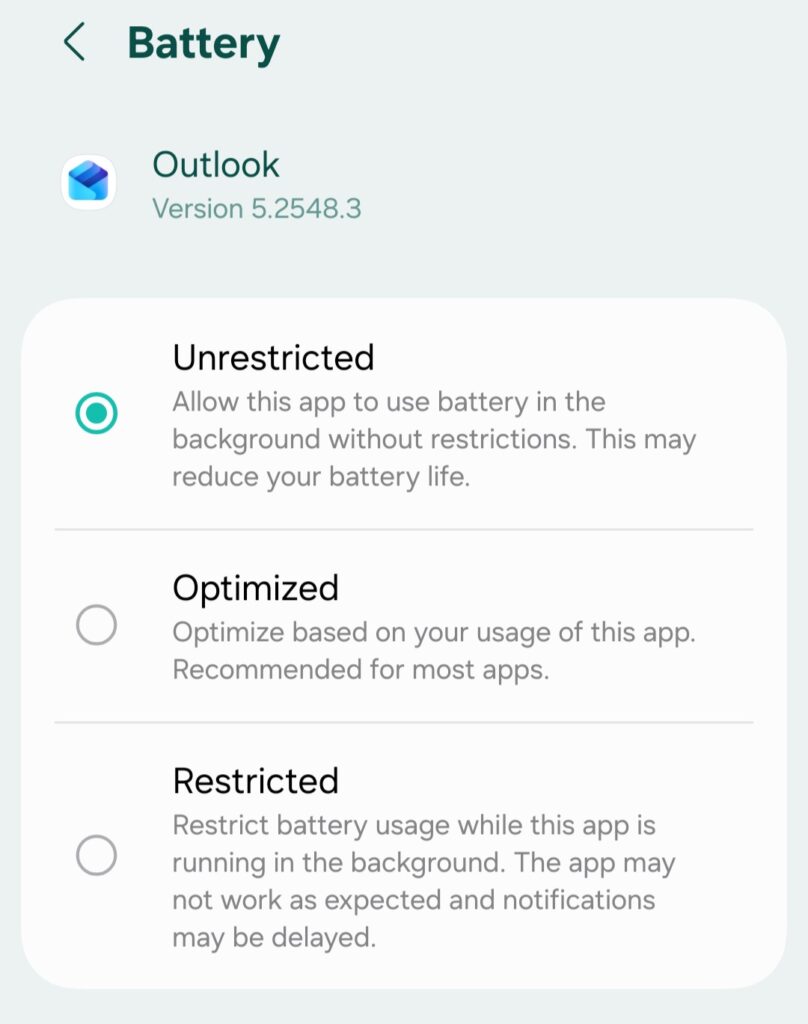
3) Remove battery restrictions for Outlook
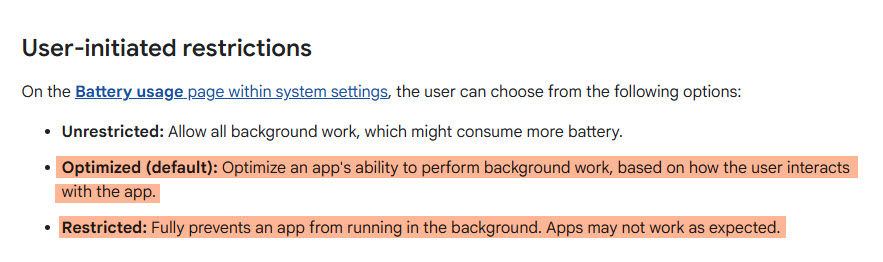
If Outlook is “restricted” in the background, sync can pause until you open the app. Android’s own docs describe how background optimization can prevent apps from running in the background.
And Google Pixel support guidance points users to allow background usage in the app’s battery settings.
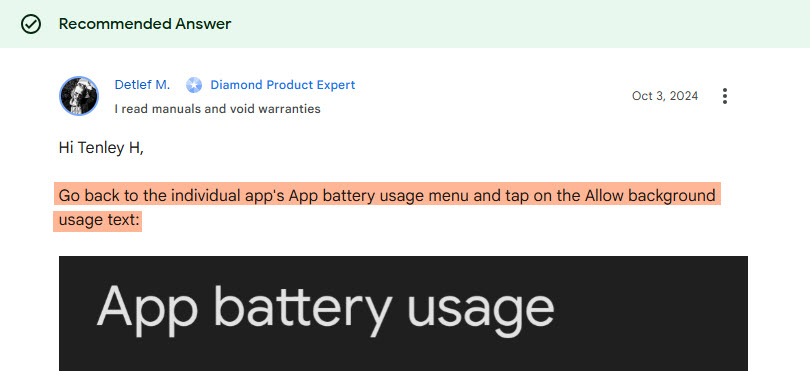
A practical route (wording varies by phone):
- Android Settings → Apps → Outlook → Battery → set to Unrestricted or Allow background usage.
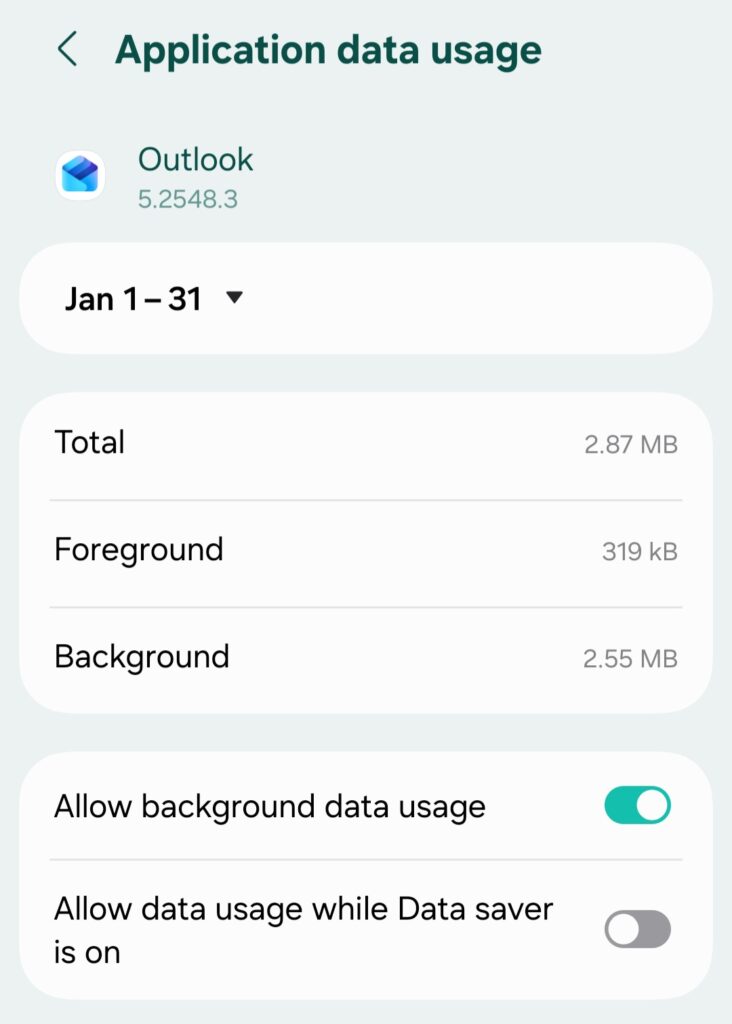
4) Make sure Outlook isn’t restricted on data
- Android Settings → Apps → Outlook → Mobile data & Wi-Fi → allow background data usage.
How to Fix Outlook Calendar Not Syncing to Google Calendar
First, a quick reality check: most “Outlook ↔ Google Calendar” setups are not true two-way sync. They’re usually subscriptions (ICS). That means view-only in many cases, and updates can lag.
One of the only ways to access Outlook Calendar events in Google Calendar is through subscription. You need to subscribe to the Outlook Calendar.
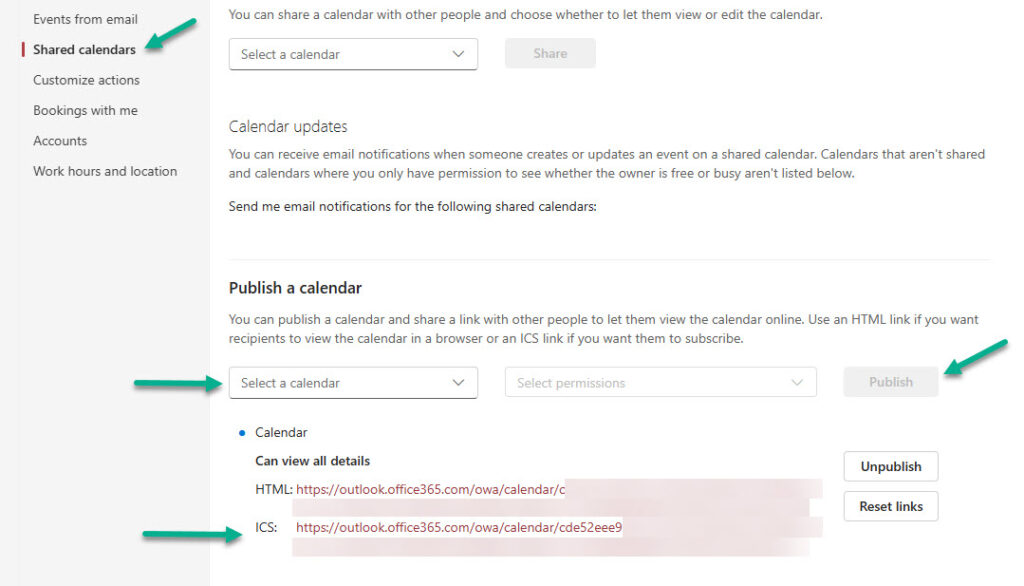
1) Publish your Outlook calendar (get an ICS link)
In Outlook on the web / Outlook.com, go to Calendar settings → Shared calendars → Publish a calendar → Publish. You’ll get a link (often an ICS link). Copy it.
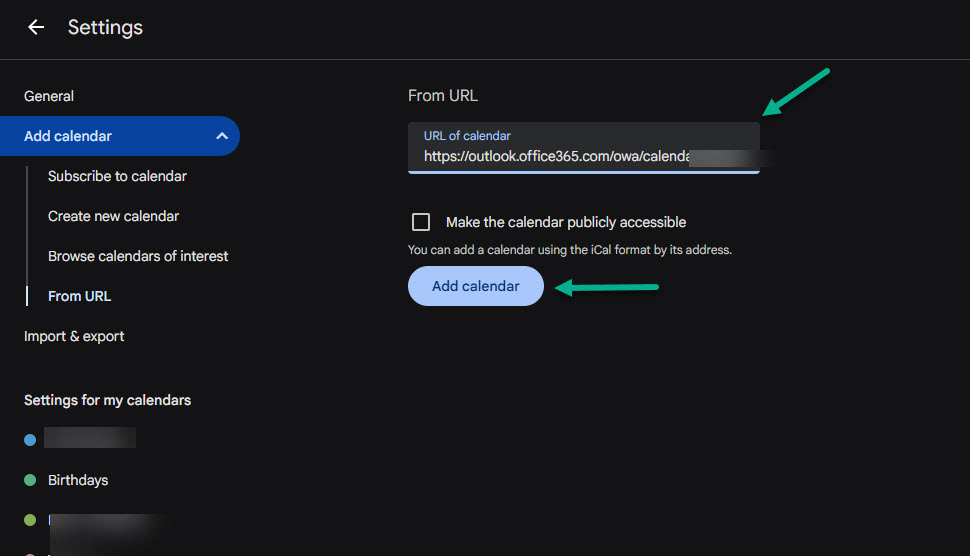
2) Add it to Google Calendar by URL. Go to Google Calendar (web) → Other calendars (click the + sign) → From URL → paste the published calendar URL → Add calendar.
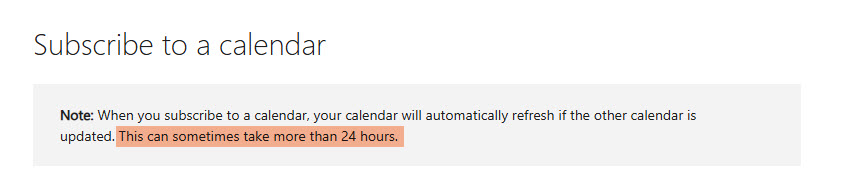
Heads up on delays: even Microsoft says subscribed calendars can sometimes take more than 24 hours to refresh.
To Sum Up
If your Outlook calendar isn’t syncing, you don’t need to guess. Check where the event exists first (web vs phone), then fix the exact link in the chain: account type, permissions, background refresh, battery limits, or calendar subscriptions.
On iPhone and Android, small device settings often block sync quietly. For Google Calendar, expect delays with ICS subscriptions. Try the steps above, and you should see updates start flowing again.
Frequently Asked Questions
Most of the time, the event exists in Outlook on the web but your phone blocks updates. That can happen from disabled calendar permissions, background refresh being off, battery restrictions, or a stuck account sign-in. Check the event on Outlook web first, then reset or re-add the account on your device.
How do I know if the issue is with Outlook Calendar or my device?
Open Outlook on the web and look for the missing event. If it’s missing there too, the issue is usually server-side, permissions, or how the event was created. If it’s there, the problem is with your device setup (app sync, permissions, battery, or account type).
Why does Outlook sync email but not calendar?
This usually happens when the account got added as IMAP/POP instead of Exchange/ActiveSync. IMAP/POP can sync mail, but it won’t properly sync calendars and contacts. Remove the account and add it back using the Exchange option.
How do I fix Outlook calendar not syncing on iPhone?
To fix Outlook calendar syncing on your iPhone, first check basic settings like internet, Background App Refresh (Outlook Settings > Account > Refresh), and ensure the Calendar toggle is ON (iPhone Settings > Calendar > Accounts > Outlook)
How do I fix Outlook calendar not syncing on Android?
To fix Outlook calendar syncing on your Android, first check basic settings like internet, reset the account in Outlook (Outlook app Settings → tap the account → Reset Account), and make sure Calendar permission is allowed (Android Settings → Apps → Outlook → Permissions → allow Calendar)