This page is not available for the language you chose. Would you like to view a Google Translate version for pages lacking translation?

CiraSync vs Contactzilla: Which Sync Solution Fits Microsoft 365?

The Better Microsoft 365
Contact Sync for Enterprise

See why IT teams choose CiraSync to keep the entire org
connected — on any device, with or without MDM.

GDPR Compliant

SOC 2 certified

✓ Sync GAL, shared contacts, and calendars to iOS & Android
✓ Microsoft 365 Native
✓ Azure Hosted
✓ No MDM Required

Microsoft 365 doesn’t push contacts to phones. We do.

CiraSync focuses on delivering Microsoft 365 contacts and calendars to employee smartphones with precision and control. By limiting scope to what IT teams actually need, it reduces complexity, lowers risk, and improves reliability.

GAL not on mobile

M365’s Global Address List never reaches iOS or Android natively. Employees are left guessing.

Stale contact data

Manual exports go stale fast. Automatic sync keeps everyone’s phone current without IT touching it

BYOD headaches

Not everyone is on MDM. CiraSync works for managed fleets and personal devices alike.

Calendar access too

Contactzilla only does contacts. CiraSync adds shared calendar sync — schedules, resources, on-call rotations.

CiraSync vs Contactzilla

Feature-by-feature breakdown for Microsoft 365 environments

Feature CiraSync Contactzilla
Microsoft 365 native ✓ Full integration Partial import only
Calendar sync ✓ Contacts & calendars ✕ Contacts only
Works without MDM (BYOD) ✓ Mailbox-based sync MDM required
CardDAV + MDM option ✓ Available ✓ Available
Source of truth Microsoft 365 GAL Contactzilla database
End-user setup required ✓ None ✓ None
Compliance SOC 2 & GDPR SOC 2, GDPR & HIPAA
Hosting infrastructure Microsoft Azure Contactzilla cloud
CiraSync advantage

Only CiraSync offers both contact and calendar sync, works without MDM, and keeps Microsoft 365 as your authoritative source of truth — not a third-party database.

Choose CiraSync if you...

·Run primarily on Microsoft 365
·Need contacts AND calendars on mobile
·Support BYOD or mixed device environments
·Want GAL as the single source of truth
·Prefer not to rely on MDM

Contactzilla may suit you if...

·All devices are fully MDM-managed
·You only need contact distribution
·Users are primarily frontline / shared devices
·HIPAA compliance is a hard requirement
 

Most enterprise M365 environments will outgrow these limits quickly.

Trusted by 3,000+ global enterprises to securely sync 375M+ contacts for 350,000+ users.

We are highly rated on all of your favourite platforms

What Our Customers Say

CiraSync is the functionality Microsoft 365 should have built in.

“This software is one of those “best things since sliced bread.” We have eliminated probably 12-25 hours a month of somebody doing busywork maintaining contacts to push out to mobile devices.”

Ed H. Senior Network Administrator/ IT

Once it is set up, it flows seamlessly.

“I have used this software across multiple companies. It works well for what it does and solves the issues of having to copy contacts to users’ Outlook profiles. Once it is set up, if flows seamlessly.”

Matthew M. IT Director

CiraSync, always available information, on- or off line.

“CiraSync is our solution to mainly sync contact information to our organization’s iDevices. Rather than depending on a Global address list (which is not really fast in delivering information), CiraSync pushes information, on- or off line. We are happy customers.”

Eddy K. Facility Manager & IT

Ready to sync your Microsoft 365 contacts?

Join thousands of IT teams who’ve simplified contact management with CiraSync

FAQ's
Does CiraSync require an MDM solution to work?
No. CiraSync supports a mailbox-based sync path that works without any MDM. Contacts are written directly into each user’s M365 mailbox and accessed via Outlook Mobile or native mail apps. MDM-based CardDAV is available for managed fleets.
 
How is CiraSync different from Contactzilla for Microsoft 365?
CiraSync is built natively for M365 and keeps your GAL as the source of truth. It also syncs shared calendars, which Contactzilla does not support. Contactzilla requires MDM and focuses solely on contact distribution.
 
Is setup required from end users?
No. IT configures CiraSync centrally and sync runs automatically in the background. Employees never need to install anything or log in.

Total Control: From Contact Creation to Syncing

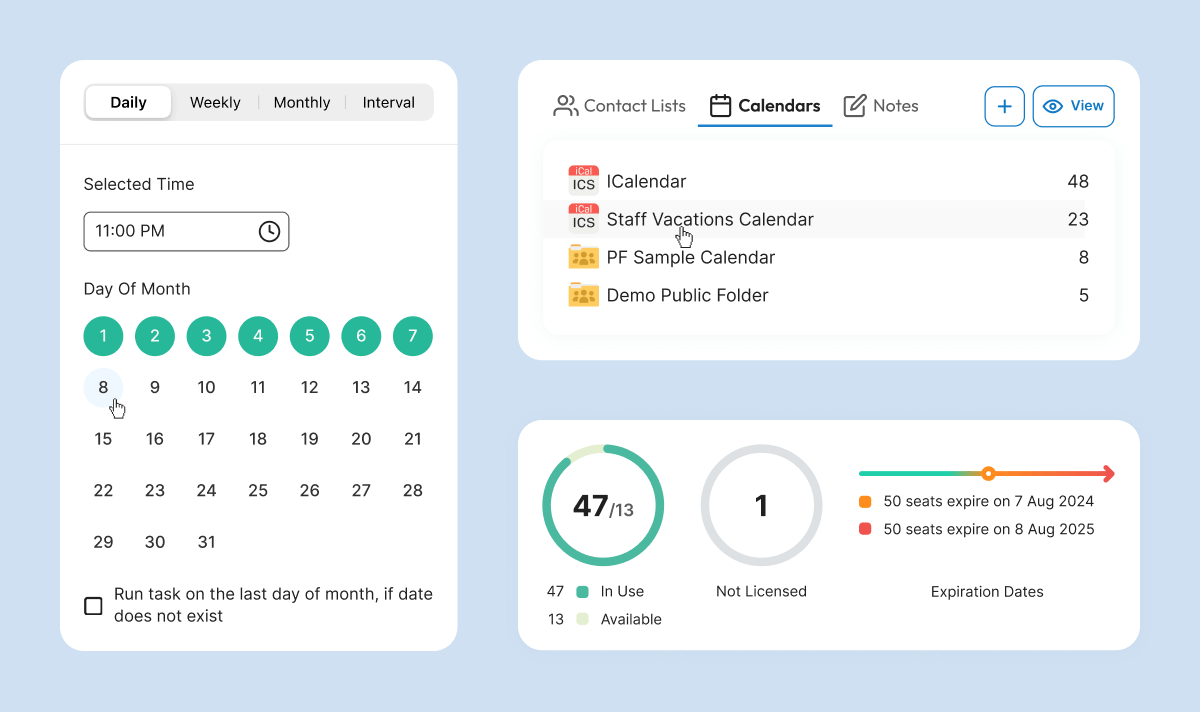
CiraSync puts you in the driver’s seat of your organization’s contact management. Our intuitive dashboard offers full control over the process to sync Microsoft contacts with iPhone or Android, allowing you to customize schedules to suit your needs; whether that’s hourly, daily, or on-demand.

Leverage existing distribution lists for precise control over which contacts sync to specific users or groups. Real-time monitoring and detailed reporting provide a clear picture of your Global Address List iPhone or Android sync status.

For organizations with compliance requirements, CiraSync ensures secure, audited syncs, supporting compliance with data protection regulations like GDPR.
How CiraSync Syncs the Microsoft Global Address List to Smartphones

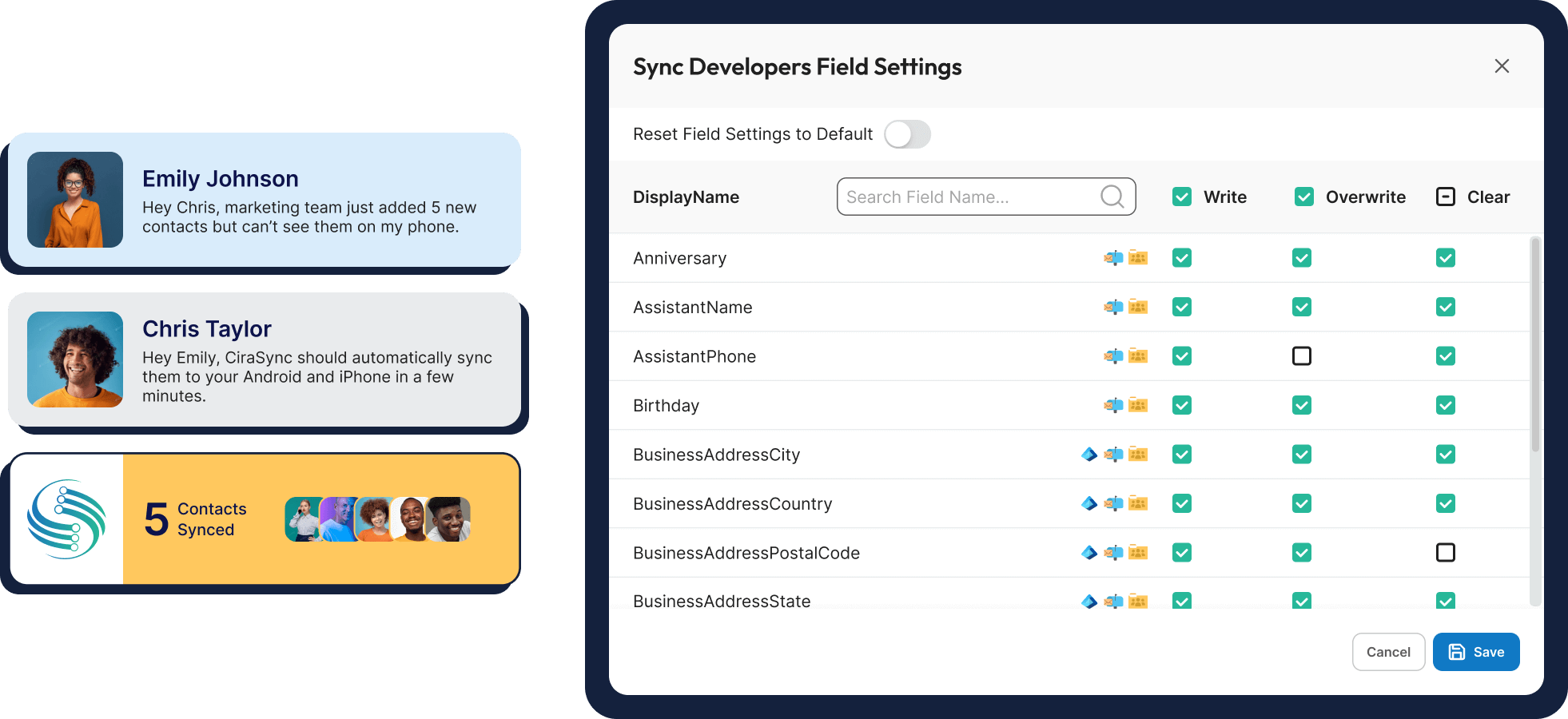
Once connected to your Microsoft 365 account, CiraSync extracts contact information and pushes it to designated users iPhone or Android based on your configured settings. This allows you to easily sync iCloud, Android and Global Address List contacts

The process to sync Microsoft contacts with iPhone or Android is fully automated and runs on your preferred schedule. CiraSync intelligently processes GAL data, mapping key fields like name, email, phone number, and job title to the corresponding fields on users’ smartphones. It also handles common data challenges like duplicates and conflicts automatically, ensuring only the most accurate, up-to-date information is synced when you sync the Global Address List to iPhone or Android.

soc2comliant
GDPR
[gtranslate]