

Sync QuickBooks Contacts to Microsoft 365 and Employee Smartphones
CiraSync connects QuickBooks to Microsoft 365 so customer and vendor contacts stay accurate across Outlook, the Global Address List (GAL), and every employee’s phone — automatically, without CSV exports or manual data entry.
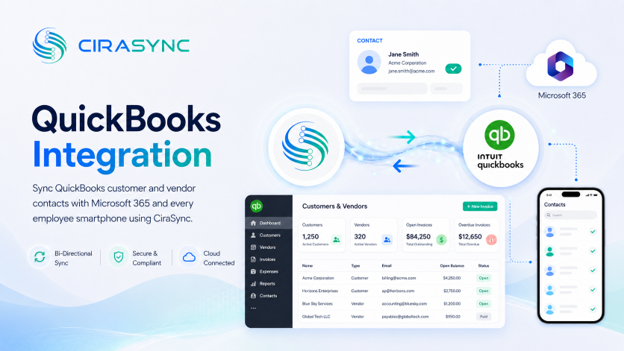
Two-Way: CiraSync Hub
One-Way: CiraSync Cloud, CiraSync On-Prem
What This Integration Does
CiraSync’s QuickBooks integration keeps contact data in sync between your accounting system and the tools your team uses every day.
- Two-way sync of QuickBooks contacts with the Microsoft 365 GAL, user mailboxes, Google, iCloud, or another CRM via CiraHub
- Automatic distribution of updated contacts to Outlook and iOS and Android devices via CiraSync
- Field-level mapping and filtering so the right contacts reach the right teams
- No manual exports, no duplicate entry, no version drift between finance and the rest of the organization
How It Works
Getting QuickBooks contacts into Microsoft 365 and onto employee phones takes three steps.
- Connect: Sign into QuickBooks and Microsoft 365 inside CiraHub to enable two-way sync between the two platforms.
- Map: Choose which fields sync, set the direction (QuickBooks to GAL, GAL to QuickBooks, or both), and apply filters and rules to control which contacts reach which users.
- Sync to Phones: CiraSync pushes the latest contacts to users‘ native Contacts apps on iOS and Android. No app installation required on employee devices.
Note
QuickBooks connects through CiraSync Hub. CiraSync Cloud handles secure, automated delivery of updated contacts to employee smartphones.
Who Benefits
Accounting and AP/AR
Finance teams need accurate vendor and customer contact details without chasing down updates from other departments. CiraSync eliminates the gap between QuickBooks and Microsoft 365, so billing contacts, vendor phone numbers, and customer records stay consistent wherever your team works.
Sales and Field Teams
When a customer calls, your sales and field reps need the right contact information on their phones. CiraSync automatically pushes QuickBooks contacts to iOS and Android so your team has current numbers and caller ID, even when they’re away from their desks.
IT
IT administrators get centralized control over which contacts sync, where they go, and who receives them. Audit trails, role-based rules, and automated delivery mean zero end-user setup and no ongoing manual effort required.
Outcomes
- Reduce data drift between QuickBooks and Microsoft 365 by keeping contact records in sync automatically
- Save hours every week by eliminating CSV exports, manual imports, and duplicate data entry across systems
- Improve response times with always-current vendor and customer numbers on employee mobile devices
- Simplify IT management with centralized control, automated sync, and no app installs for end users
Requirements
- CiraHub subscription
- QuickBooks subscription
- Microsoft 365 admin consent

