

CiraSync Pipedrive Integration
Connect Pipedrive to sync leads, deals, and contact information with Microsoft 365 or another endpoint and instantly update all employee smartphones. When a contact or organization updates in Pipedrive, it reflects across Microsoft 365 and on sales team devices, keeping pipeline accuracy intact with CiraSync.
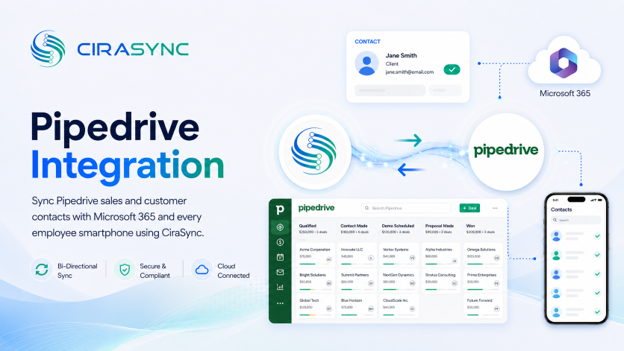
Two-Way: CiraSync Hub
One-Way: CiraSync Cloud, CiraSync On-Prem
What This Integration Does
- Two-way sync of Pipedrive contacts with Microsoft 365 GAL, User Mailbox, Google, iCloud, or another CRM (via CiraSync Hub)
- Automatic mobile sync through CiraSync
- Syncs contacts, organizations, and deals across connected endpoints
- Eliminates manual exports and imports for sales teams
How It Works
- Connect: Sign into Pipedrive and Microsoft 365 or another endpoint through CiraSync Hub.
- Map: Select fields such as contacts, organizations, and deals.
- Sync to Phones: CiraSync updates every smartphone automatically.
Note
Pipedrive integrates via CiraSync Hub, which handles bidirectional sync between Pipedrive and connected endpoints. CiraSync handles device distribution to employee smartphones.
Who Benefits
Sales Teams
Sales reps get accurate Pipedrive contacts pushed directly to their smartphones, so they always have the right caller ID and deal context when calling leads or clients.
Business Development
Business development professionals can trust that contact updates in Pipedrive flow through to Microsoft 365 without manual intervention, keeping outreach data current across every tool.
Field Sales and Outreach Teams
Field reps working outside the office get real-time contact and deal updates on their mobile devices, so they can reach the right person with accurate information from wherever they are working.
Outcomes
- Instant caller ID for leads and prospects
- More accurate sales pipelines
- No manual exports or imports
- Consistent contact data across Pipedrive, Microsoft 365, and employee smartphones
Requirements
- CiraSync Hub subscription
- Pipedrive subscription
- Microsoft 365 admin access

