

CiraSync Intapp (DealCloud) Integration
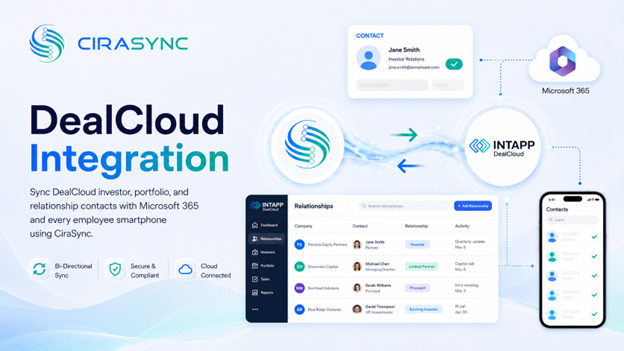
Connect Intapp (formerly DealCloud) to keep investor, portfolio, and relationship contacts synced with Microsoft 365 and instantly available on every smartphone. No CSV exports. No manual updates.
Two-Way: CiraSync Hub
One-Way: CiraSync Cloud, CiraSync On-Prem
What This Integration Does
CiraSync bridges Intapp (DealCloud) and Microsoft 365 so your team always has accurate contact data, whether they’re at their desk or on the go.
- Two-way sync of Intapp contacts with the Microsoft 365 GAL, user mailboxes, Google, iCloud, or another CRM via CiraSync Hub
- Automatic distribution of investor and portfolio contacts to employee smartphones via CiraSync Cloud or CiraSync On-Prem
How It Works
1. Connect: Log into Intapp and Microsoft 365
Sign into your Intapp (DealCloud) and Microsoft 365 accounts inside CiraSync. Admin consent is required for Microsoft 365.
2. Map: Select Fields and Sync Direction
Choose which contact fields to sync, such as funds, investors, and relationships, and set the direction that fits your workflow.
3. Sync to Phones: CiraSync Pushes Updates Automatically
Once configured, CiraSync pushes the latest Intapp contact updates to every authorized smartphone without any manual intervention.
Note
Intapp syncs through CiraSync Hub. CiraSync handles device-level distribution to smartphones.
Who Benefits
Private Equity and Venture Teams
Keep fund, investor, and portfolio company contacts current across the entire team. When a deal closes or a contact changes, everyone has the updated record on their phone automatically.
Investor Relations
Give IR teams instant access to accurate LP and stakeholder contacts on their mobile devices, without depending on manual exports or IT tickets.
Relationship Managers and Executives
Executives and relationship managers stay connected to their most important contacts, even when they’re away from the office or in back-to-back meetings.
Outcomes
- Accurate investor and portfolio contacts on every device, updated automatically
- Faster outreach with no time lost searching for current contact information
- All client and relationship data consolidated into Microsoft 365 for a single source of truth
Requirements
- CiraSync Hub subscription
- Intapp (DealCloud) subscription
- Microsoft 365 admin consent

