
Sync Exchange Contacts to Android Automatically
CiraSync makes it easy to sync contacts from Exchange to Android devices without manual exports.
Whether you need to sync Outlook contacts with Android phones or push your entire company directory to Samsung and Pixel devices, our automated solution eliminates CSV files and app dependencies.
Say goodbye to fragmented communication. Say hello to scale.
2,000+ Global Enterprises Trust CiraSync for Synced Peace of Mind










No Apps, No Code, Just Sync.
Connecting Made Effortless with CiraSync
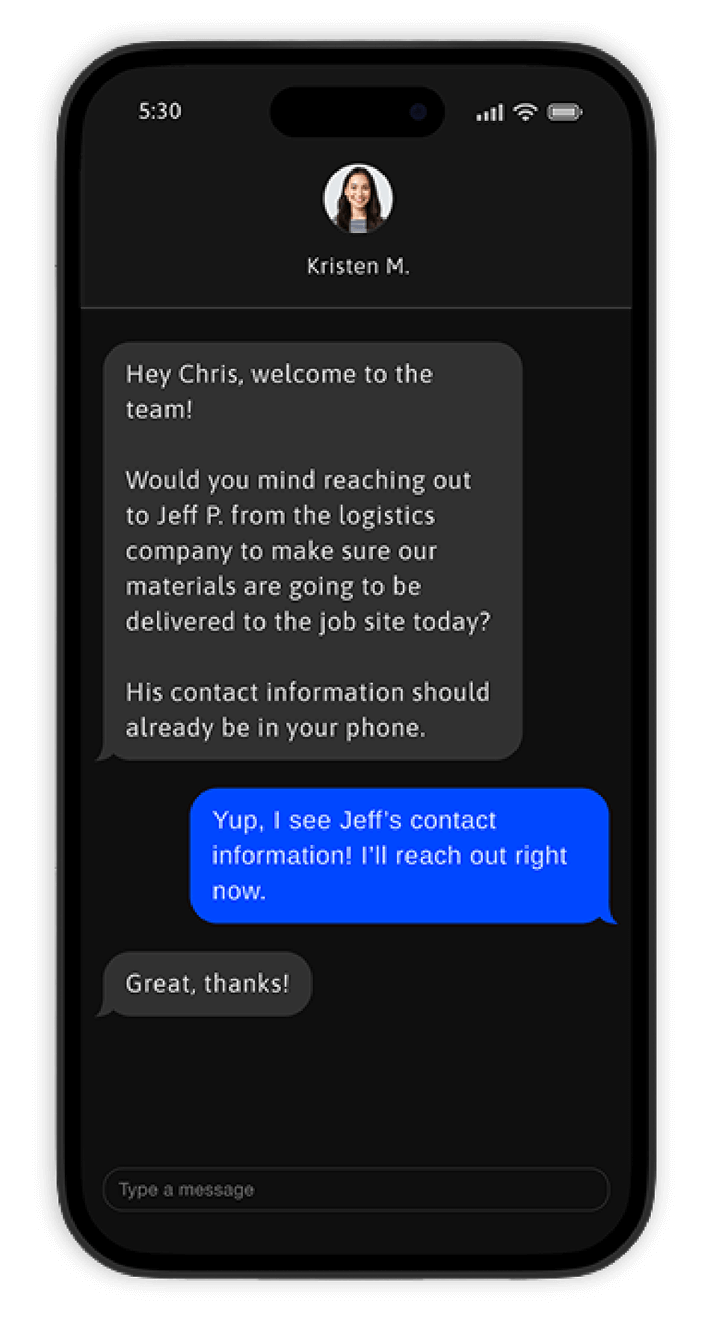
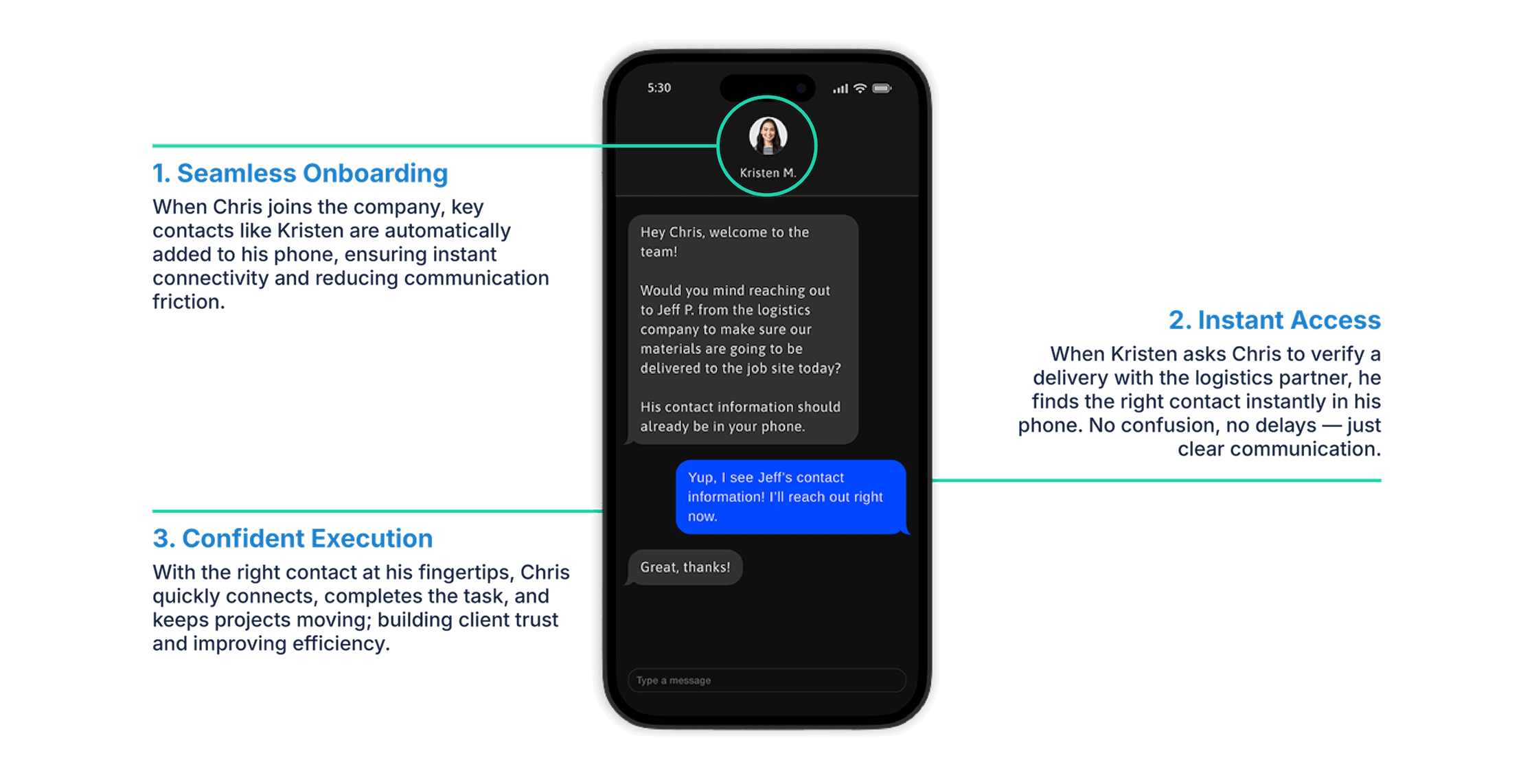
See how a new employee seamlessly connects with a vendor using CiraSync, simplifying communication from day one.
1. Seamless Onboarding
When Chris joins the company, key contacts like Kristen are automatically added to his phone, ensuring instant connectivity and reducing communication friction.
2. Instant Access
When Kristen asks Chris to verify a delivery with the logistics partner, he finds the right contact instantly in his phone. No confusion, no delays — just clear communication.
3. Confident Execution
With the right contact at his fingertips, Chris quickly connects, completes the task, and keeps projects moving; building client trust and improving efficiency.
Sync Your Exchange To Every Android In Minutes
CiraSync puts you in control of your organization’s contact management on Android. Our intuitive dashboard offers full control over the process to sync Exchange contacts with Samsung, Pixel, and other Android devices leveraging native Exchange ActiveSync built into every Android phone.
Leverage existing distribution lists for precise control over which contacts sync to specific users or groups. Real-time monitoring and detailed reporting provide a clear picture of your Exchange Global Address List Android sync status.
For organizations with compliance requirements, CiraSync ensures secure, audited syncs, supporting compliance with data protection regulations like GDPR.
Set It and Forget It – Sync That Scales with You
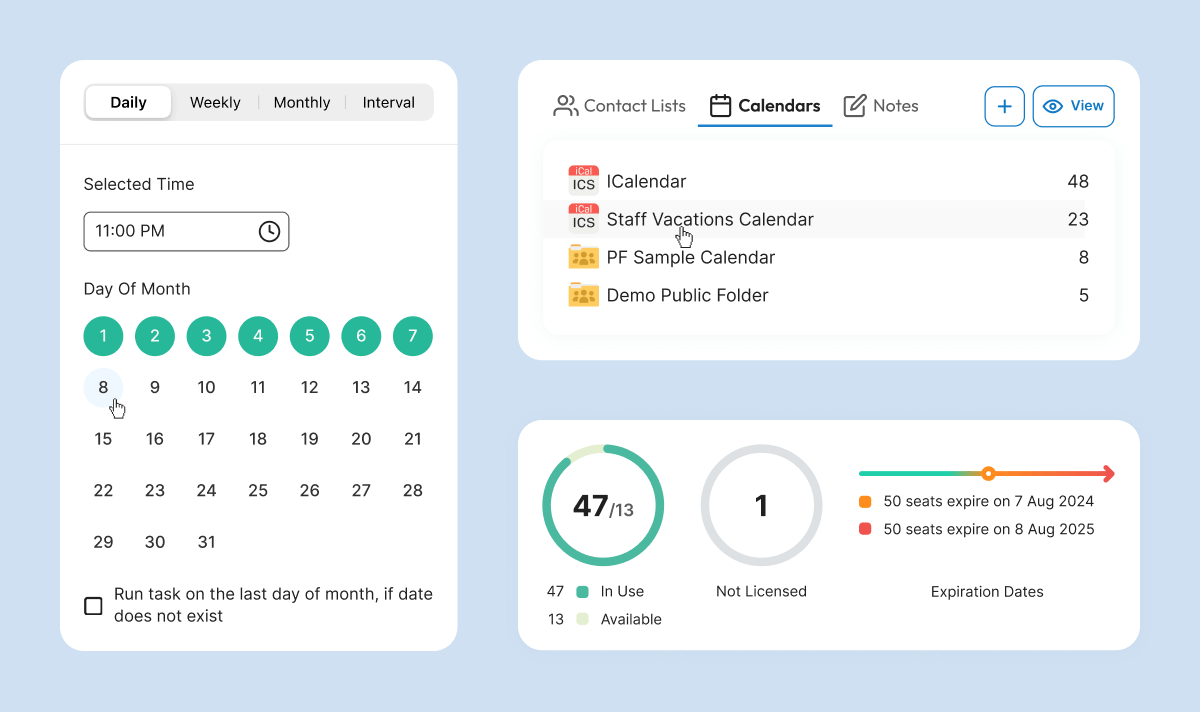
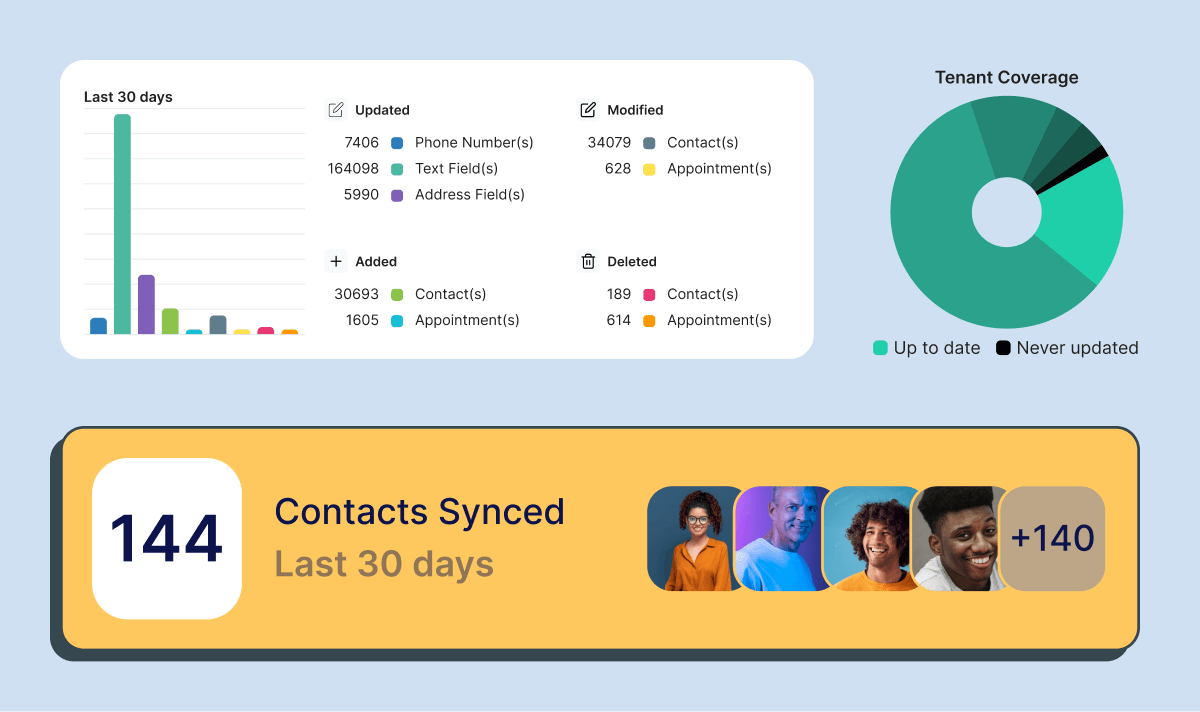
Every missed call or meeting could mean a lost opportunity. CiraSync eliminates that risk by continuously syncing Exchange contacts with Android, ensuring that your team always has the most up-to-date contact information. It doesn’t just update contact lists; it transforms how your business communicates.
With CiraSync, you’re not just staying connected—you’re staying ahead.
How CiraSync Syncs Your Exchange GAL on Any Phone
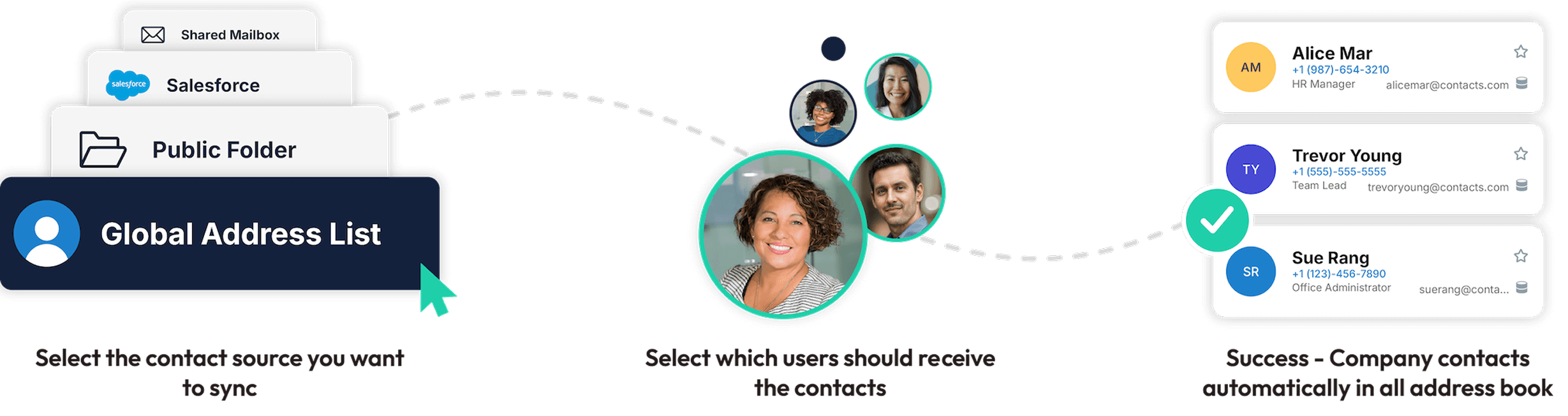
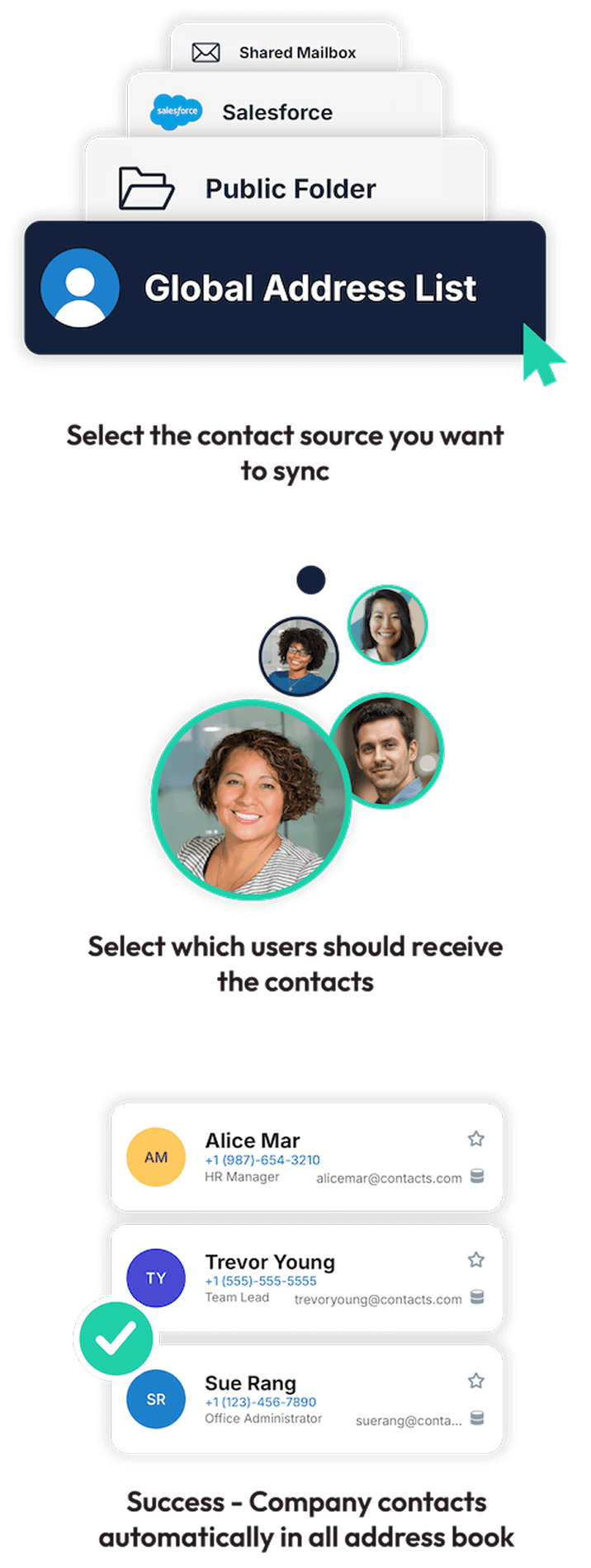
Once connected to your Microsoft 365 account, CiraSync extracts contact information and pushes it to designated users Android device based on your configured settings. This allows you to easily sync Android and Exchange contacts
The process to sync Exchange contacts with Android is fully automated and runs on your preferred schedule. CiraSync intelligently processes GAL data, mapping key fields like name, email, phone number, and job title to the corresponding fields on users’ smartphones. It also handles common data challenges like duplicates and conflicts automatically, ensuring only the most accurate, up-to-date information is synced when you sync the Exchange Global Address List to Android.
What Our Customers Say


Compare Cirasync Features With Some Our Top Competitors
|
 |
|
|---|---|---|
| Contact Syncing Global Address List Microsoft 365 Public Folder CRM |

|
|
| Calendar Syncing Instantly sync shared calendars to all employee phones |
|
|
| Security Compliance SOC II ImmuniWebGDPR |
|
|
| Auto License Updating Automatically detect when additional licenses need to be purchased for new users. Pro-rated fee on number of additional licenses needed |
|
|
| Contact Cleanup Clean contacts up at mass scale, emails, names, numbers or clear fields |
|
|
| Role Base Administration |
|
|
| Contact Problem Diagnostics Diagnose any contact errors that need attention at scale |
|
|
| Obfuscation Based on your privacy requirements, CiraSync is not allowed access to view your data unless authorized by you as a user. |
|
|
| Microsoft & Microsoft Azure Support Deep level support from Microsoft and Microsoft Azure |
|
|
| Scalability Update 4 or more mailboxes at 1 time |
|
How do I sync Outlook contacts with Android without using the Outlook app?
To sync Outlook contacts with Android without the Outlook app, you need a solution that syncs contacts directly from Microsoft Exchange into Android’s native Contacts app.
Android’s built‑in Exchange sync is limited and often excludes shared contacts and the Global Address List (GAL). CiraSync automatically syncs Outlook and Exchange contacts – including GAL and shared contacts – directly to Android system contacts, so they’re available for calling, texting, and all contact‑based apps.
Can I sync Exchange contacts with Android contacts (not just the Outlook app)?
Yes. CiraSync syncs Exchange contacts directly into Android’s native Contacts app, not just inside Outlook.
Native Exchange syncing on Android typically includes only personal contacts and has limited support for GAL or shared contacts. CiraSync ensures Exchange contacts appear as true Android system contacts, accessible across the device and all apps.
What’s the difference between syncing contacts from Exchange to Android vs using Exchange ActiveSync?
Exchange ActiveSync (EAS) provides basic mobile syncing for email, calendar, and personal contacts, but offers limited control and unreliable support for GAL or shared contacts on Android.
CiraSync is purpose-built for contact syncing, pushing Exchange and GAL contacts directly into Android’s native Contacts app with centralized management. In short, EAS is general mobile access – CiraSync delivers enterprise‑grade Exchange contact sync on Android.

