

In schools, calendars run everything. Classes, meetings, events, and coverage all depend on them. Yet shared calendars often break down, especially on mobile devices.
Updates get missed, schedules drift, and admins step in to fix it. This is where CiraSync helps schools keep calendars aligned.
Let’s start by seeing how your school typically uses shared calendars. We will also outline the challenges you are currently facing. Then, we will use CiraSync to solve the challenges.
How Schools Typically Manage Shared Calendars Today
Most schools manage shared calendars in a very manual way. An admin or staff member updates events as things change, and everyone else is expected to keep up.
Teachers often have one calendar, departments have another, and leadership teams use something separate again. When updates happen, they’re usually sent by email or shared in a spreadsheet.
Calendar invites help a bit, but they don’t always get accepted or updated, so schedules slowly drift out of sync.
Common Calendar Problems in Educational Institutions
1. Teachers are Missing Schedule Changes
Teachers usually rely on emails or calendar invites to stay updated, and that’s where things break down. They don’t see the messages and invites.
A last-minute timetable change or meeting update doesn’t reach everyone in time. You end up with teachers walking into the wrong room or finding out about a change after the fact.
2. Admin Teams Spending Time Fixing Calendar Issues
Admins become the fallback system for broken calendars. When something is wrong, they’re the ones getting called or emailed.
They resend invites, update shared calendars, and explain changes over and over. None of this work moves the school forward, but it eats up hours every week.
Instead of focusing on planning or coordination, admin staff spend time cleaning up scheduling problems that shouldn’t exist in the first place.
3. Confusion Around Substitutes, Room Bookings, and Special Events
Substitutes often come in with incomplete or outdated schedules. Rooms get double-booked because one calendar wasn’t updated. Special events are added late and don’t show up everywhere they should.
The result is confusion on the day things matter most. Teachers scramble, students wait, and admins rush to fix issues in real time.
4. Limited Visibility Across Departments
Each department tends to manage its own calendar, which feels efficient at first. Over time, it creates blind spots.
Leadership can’t easily see what’s happening across teams. Departments plan events without knowing what others have scheduled.
Conflicts only surface at the last minute. Without shared visibility, coordination becomes reactive rather than planned, and the school operates in silos rather than as one connected system.
In this, what is the solution to shared calendars at educational institutions?
What CiraSync Does for School Calendars
This is where CiraSync changes how calendars actually work in a school. it syncs
- Public folder calendars,
- Shared mailbox calendars,
- Shared mailbox calendars at another school,
- Group calendars, and
- Internet Calendars (iCal)
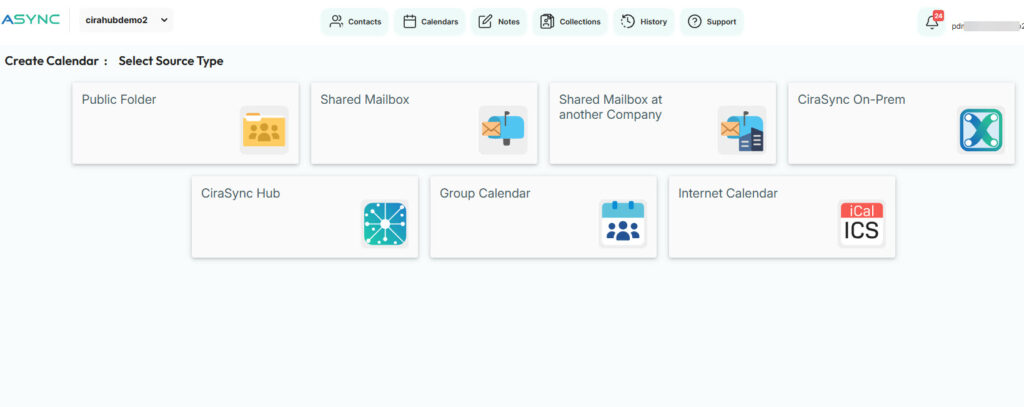
Instead of relying on people to accept invites or check yet another shared calendar, CiraSync centrally syncs shared school calendars directly to staff mobile devices.
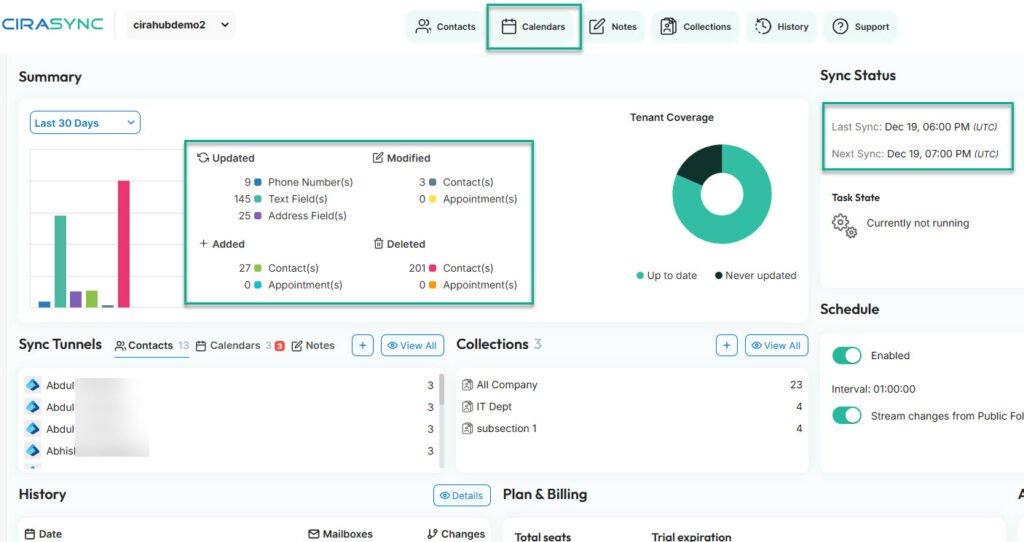
Once a calendar is set up, updates flow automatically. If an event changes, CiraSync updates everywhere without anyone needing to resend emails or manually fix entries.
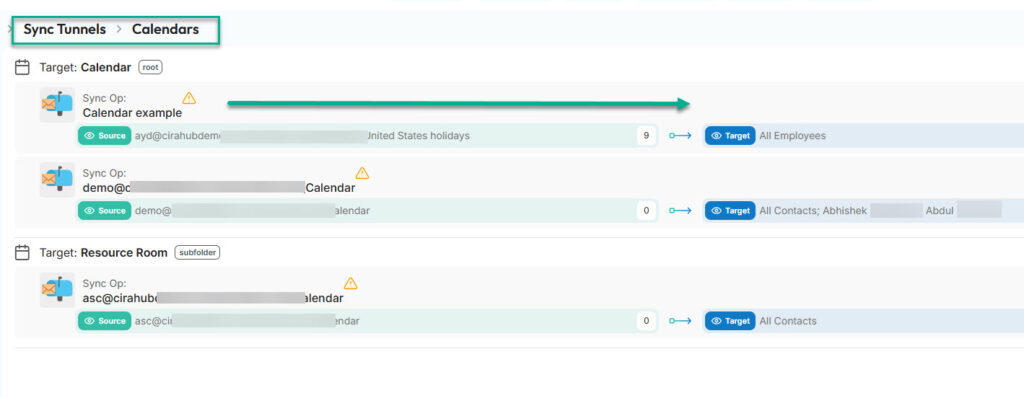
For staff, the experience is simple. The same shared calendars appear on their phones and tablets, whether they use iOS or Android. There’s no guessing which version is current.
IT teams handle the setup once and stay in control from there.
- You connect the shared calendars to CiraSync,
- You decide what events should sync, and
- You choose which staff or groups receive them.
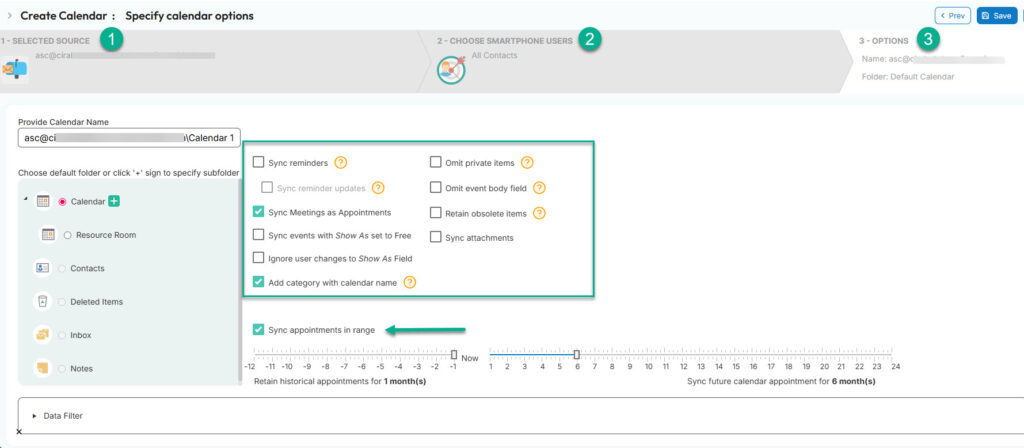
After that, everything runs automatically. Changes flow through without extra steps or follow-up messages.
CiraSync immediately removes a lot of daily friction. Fewer missed updates, fewer questions to IT, and far less manual calendar work across the school.
In one New York school district, IT teams were struggling to keep Office 365 calendars visible on staff smartphones.
Teachers and administrators missed updates simply because shared calendars did not sync reliably to mobile devices.
After rolling out CiraSync, those shared calendars were automatically pushed to staff phones, without manual steps or repeated reminders. The IT team set it up once, controlled what synced, and let the system handle the rest.
FAQ on Using CiraSync for Educational Institutions
Is CiraSync built for schools or only for businesses?
CiraSync is also built for schools, not only businesses. IT works well for schools because the problems are similar. Shared calendars, mobile access, and limited IT time. Schools use Microsoft 365 just like many businesses do, and CiraSync fits naturally into that setup.
How long does it take to set up CiraSync in a school?
IT can set up CiraSync for your school in less than 10 minutes. Once calendars are connected and rules are set, the system runs automatically.
Does CiraSync replace Outlook or Microsoft 365 calendars?
No. CiraSync doesn’t replace Outlook or Microsoft 365 calendars. It works on top of Microsoft 365 calendars and makes sure shared calendars sync properly to staff devices, especially mobile phones and tablets.
Using CiraSync, can IT control which calendars are shared with staff?
Yes. IT teams decide which shared calendars sync, what events are included, and which users or groups receive them. Nothing is pushed out by accident.
Do teachers need to install a CiraSync app or manage anything themselves?
No. Teachers don’t need to accept invites or manage settings. Once IT sets things up in CiraSync, calendars appear automatically on their devices and stay updated.
Does CiraSync work on both iOS and Android devices?
Yes. CiraSync supports both iOS and Android, which is important in schools where staff use a mix of personal and school-issued devices.
Can CiraSync help with substitute schedules and last-minute changes?
Yes. Because calendars stay current, substitutes and staff see the latest version of the schedule instead of outdated copies sent earlier by email.
Is CiraSync secure for educational environments?
Yes, CiraSync is secure for educational environments. It follows strict security practices and works within Microsoft 365 permissions. IT teams keep control over access and visibility at all times.
Is CiraSync a good fit for small schools or only large districts?
CiraSync is a good fit for small schools or large districts. Small schools benefit from less manual work, while larger districts benefit from consistency and control at scale. The value shows up as soon as shared calendars stop breaking.