


Executive Summary
The Illinois State Treasurer’s Office is dedicated to protecting the State’s treasury, ensuring the liquidity of all investments, and consistently generating returns equal to or exceeding industry standards. The IT department has been working on a mission-critical effort to modernize its legacy infrastructure from Windows Server 2008 to Microsoft 365, which supports improved performance and security. They selected CiraSync to synchronize contacts with the Microsoft 365 Global Address List.
Challenges
The IT department faced the challenge of finding a best-in-class solution to optimize performance, security, and maintainability. This was crucial, as the treasurer’s office actively manages approximately $30 billion. Part of this optimization includes a migration to Microsoft 365.
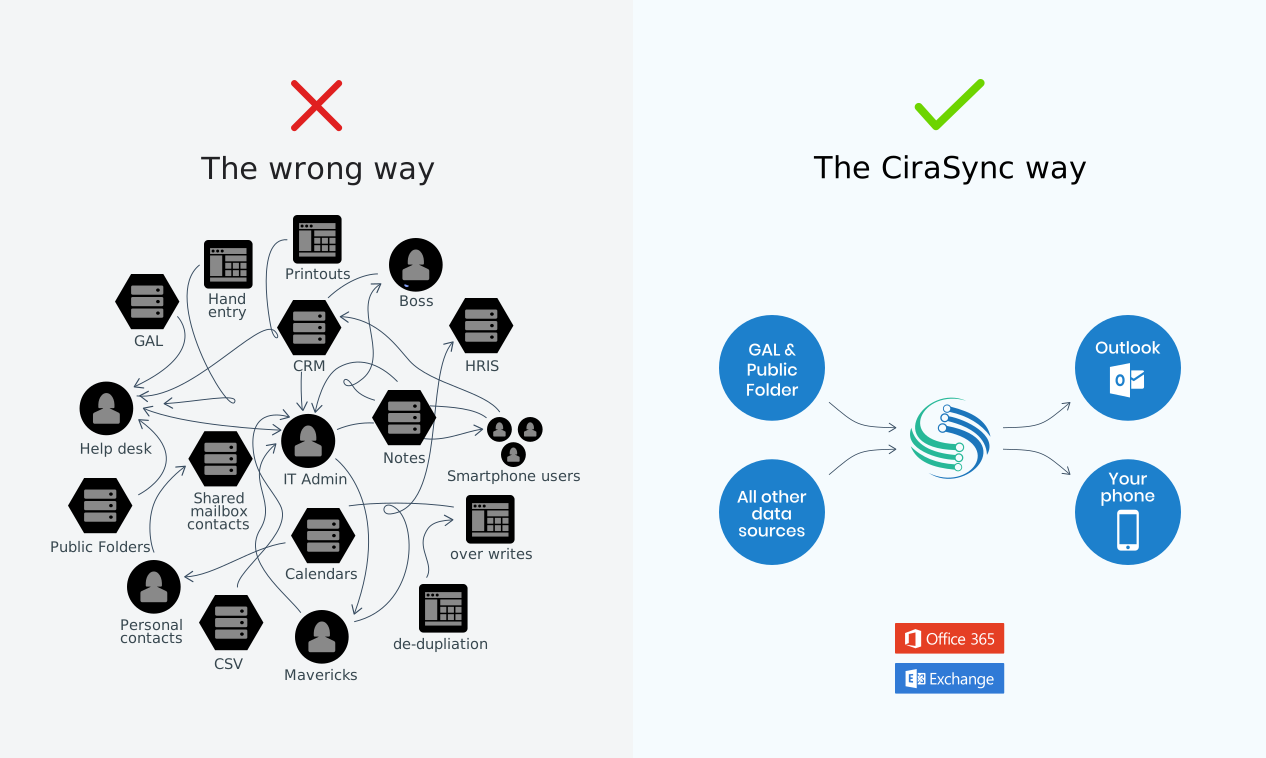
The department quickly discovered that a crucial contact synchronization feature was missing from Microsoft 365. They had to decide whether to maintain the on-premises server they used to synchronize internal contact names and numbers or to continue upgrading to a cloud-hosted system. “We had no option to send updates when new contacts were added or when we needed to delete them. We had to find a better way,” says Dawid Pabian , Senior Network Analyst, Illinois State Treasurer’s Office
«With CiraSync, there’s no need to maintain complicated software. It was quick to set up and worked perfectly from day one.»
Dawid Pabian, Senior Network Analyst, Illinois State Treasurer’s Office
Solution
According to Pabian, his team found that the secure, cloud-based CiraSync platform is everything they would expect from a robust, enterprise-grade solution. The department believes that its centralized management, single sign-on, and control make it the best-in-class solution for syncing contacts with the Microsoft 365 global address list. They plan to continue using CiraSync in the near future and have so far successfully synced all their smartphones.

