

CiraSync Copper CRM Integration
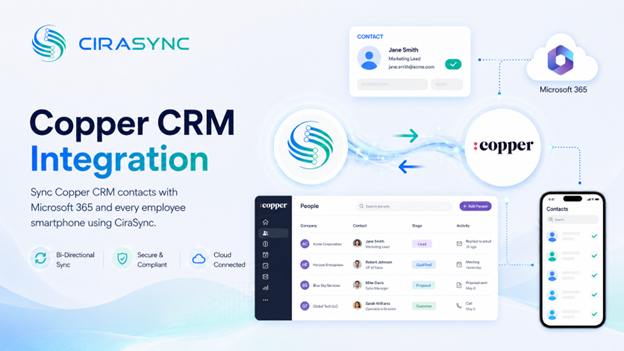
Connect Copper CRM to Microsoft 365 and push customer and lead contacts to every sales rep’s smartphone automatically. No manual exports, no data entry, no outdated contact lists.
Two-Way: CiraSync Hub
One-Way: CiraSync Cloud, CiraSync On-Prem
What This Integration Does
CiraSync bridges Copper CRM and Microsoft 365 so contact data moves automatically across your tools and devices. Sales reps always have the right contacts on their phones, without touching a spreadsheet or running a manual sync.
- Two-way sync of Copper CRM contacts with the Microsoft 365 Global Address List, individual mailboxes, Google, iCloud, or another CRM via CiraSync Hub
- One-way sync to Microsoft 365 and smartphones via a CiraSync Cloud subscription
- Automated smartphone updates delivered through CiraSync, with no mobile app required for recipients
How It Works
1. Connect
Sign into Copper CRM and Microsoft 365 inside CiraSync Hub. Authorization takes a few minutes and requires Microsoft 365 admin consent.
2. Map
Choose which contact fields and modules sync, and set the sync direction that fits your workflow.
3. Sync to Phones
CiraSync updates every device automatically on a scheduled basis. Contacts appear natively in each rep’s phone dialer and apps, no additional app install needed.
Note
Copper CRM connects through CiraSync Hub. CiraSync handles mobile delivery to end users.
Who Benefits
Sales Teams
Sales reps get up-to-date customer and lead contacts on their smartphones without manual work. When a contact is updated in Copper CRM, the change reaches every device automatically.
Service Teams
Support and account management staff can access current customer records on their phones, so they reach the right person faster when a situation demands it.
Field Representatives
Field reps working outside the office rely on their phone contacts more than anyone. CiraSync keeps their data current without requiring them to log into any system.
Outcomes
- Always-accurate customer contacts across Microsoft 365 and mobile devices
- Faster client communication for sales and service teams
- No duplicate data entry across Copper CRM and Microsoft 365
- Reduced IT overhead from eliminating manual sync processes
Requirements
- CiraSync Hub subscription (two-way sync) or CiraSync Cloud subscription (one-way sync)
- Active Copper CRM subscription
- Microsoft 365 admin consent
CiraSync is SOC 2 compliant and GDPR ready, so customer data stays protected throughout the sync process.

