

Sync Everbridge Contacts with Microsoft 365 and Smartphones
Keep emergency, safety, and operations contacts updated across Microsoft 365, Outlook, iPhone, and Android using CiraSync Hub and CiraSync. No manual exports. No app required.
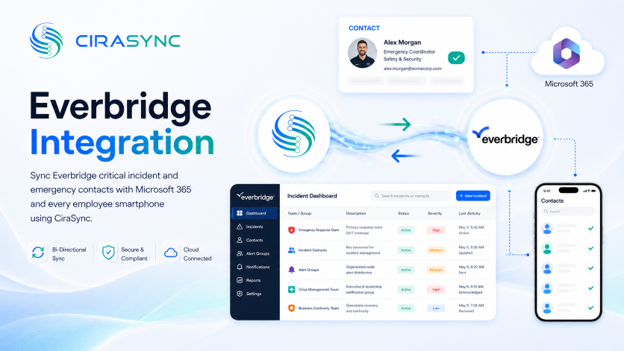
Two-Way Sync: CiraSync Hub
One-Way Sync: CiraSync Cloud, CiraSync On-Prem
What This Integration Does
CiraSync connects Everbridge to Microsoft 365 so that emergency and safety contact data stays current across every system and device your team depends on. Changes made in Everbridge propagate automatically, so no one is working from an outdated directory when it matters most.
- Two-way sync of Everbridge contact records with the Microsoft 365 Global Address List (GAL), user mailboxes, Google, iCloud, or another CRM via CiraSync Hub
- Automatic delivery of emergency contacts to every employee’s mobile device via CiraSync Cloud or CiraSync On-Prem
How It Works
1. Connect
Sign into Everbridge and Microsoft 365 through CiraSync Hub using your existing admin credentials.
2. Map
Select the contact fields to sync and choose one-way or two-way synchronization based on your organization’s workflow.
3. Sync to Phones
CiraSync pushes updated emergency contacts to every user’s smartphone automatically, with no action required from employees.
Note
Everbridge contact records sync through CiraSync Hub. CiraSync handles mobile distribution to iOS and Android devices.
Who Benefits
Safety and Security Teams
Safety and security professionals depend on accurate, up-to-date contact data during incidents. CiraSync ensures the right contacts are on every device before an emergency occurs, not after.
Emergency Response Personnel
First responder teams need reliable contact information in the field. CiraSync delivers Everbridge emergency contacts directly to smartphones, so critical details are always accessible without logging into a separate system.
IT and Operations Teams
IT and operations teams spend significant time managing manual contact updates across disconnected systems. CiraSync automates that process, reducing administrative overhead and eliminating sync errors before they create gaps in your emergency response plan.
Outcomes
- Faster emergency communication when every contact is current and reachable
- Safety contacts on mobile devices that update automatically as records change in Everbridge
- Elimination of outdated or missing contact data that delays incident response
Requirements
- CiraSync Hub subscription (required for two-way sync); CiraSync Cloud subscription for mobile distribution
- Active Everbridge subscription
- Microsoft 365 admin consent

