

ActiveCampaign
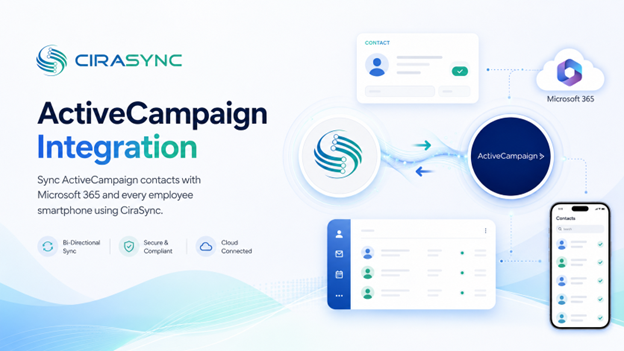
CiraSync connects ActiveCampaign to Microsoft 365, keeping marketing and sales contacts synchronized across your organization and automatically delivered to every employee’s iPhone or Android device.
Two-Way: CiraSync Hub
One-Way: CiraSync Cloud, CiraSync On-Prem
What This Integration Does
CiraSync bridges ActiveCampaign and Microsoft 365 so your contacts stay accurate, accessible, and up to date across every endpoint your team relies on.
- GAL and Mailbox Sync: ActiveCampaign contacts sync directly into the Microsoft 365 Global Address List (GAL) and individual user mailboxes. Every employee gets an up-to-date contact directory without any manual imports or IT tickets.
- Field and Tag Mapping: Map ActiveCampaign fields and tags to the corresponding Microsoft 365 contact fields. Control exactly what data moves, how it’s labeled, and which contacts are included based on tags, lists, or filters.
- Bidirectional Contact Updates: With CiraSync Hub, changes made in ActiveCampaign sync to Microsoft 365 and vice versa. Sales reps updating a contact in Outlook will have that change reflected back in ActiveCampaign automatically.
- Mobile Contact Delivery: CiraSync pushes contact updates from Microsoft 365 to employee iOS and Android devices. No app required on employee phones. Contacts appear natively in the device’s built-in contact app.
How It Works
- Connect: Authenticate ActiveCampaign and Microsoft 365 (or your other endpoint) inside CiraSync Hub. Setup takes minutes with admin credentials.
- Map: Configure field mapping, tag-based filters, and sync direction. Decide which contacts sync, which fields carry over, and whether the sync runs one-way or two-way.
- Sync: CiraSync runs on a schedule to detect changes in ActiveCampaign and push updates across your connected endpoints.
- Deliver to Phones: CiraSync automatically delivers updated contacts to employee smartphones. Changes in ActiveCampaign show up on your team’s phones without any action required from end users.
Note: ActiveCampaign connects through CiraSync Hub. CiraSync Cloud handles mobile contact delivery to iOS and Android devices.
CiraSync Hub vs. Cloud vs. On-Prem
| Feature | CiraSync Hub | CiraSync Cloud | CiraSync On-Prem |
|---|---|---|---|
| Sync Direction | Two-way | One-way | One-way |
| ActiveCampaign Support | Yes | Yes | Yes |
| Mobile Contact Delivery | Yes (via Cloud) | Yes | Yes |
| Best For | Teams needing bidirectional sync across multiple platforms | Organizations syncing ActiveCampaign to M365 and phones | High-security environments requiring local data control |
Who Benefits
- Sales teams who need CRM contacts available in Outlook and on their phones
- Marketing teams managing large ActiveCampaign lists who need contact data reflected across the organization
- Field and outreach teams who rely on mobile devices to stay connected to current contact records
Outcomes
- Cleaner marketing lists with no duplicate or outdated contact records
- Real-time sales contact visibility across Outlook, GAL, and mobile devices
- No more exporting or importing CSVs to keep systems in sync
- Reduced IT workload from manual contact management tasks
Requirements
- CiraSync Hub (required for two-way sync) and/or a CiraSync Cloud subscription (for mobile delivery)
- An ActiveCampaign subscription
- Microsoft 365 admin consent

