
This article provides a step-by-step guide on how to configure the Application Consent Settings in CiraSync, which is essential for ensuring a smooth integration with your organization’s Microsoft 365 data environment. By setting up these permissions, you enable CiraSync to access and synchronize crucial information like emails, calendars, and contacts, while simultaneously maintaining the security and compliance standards of your organization.
1: Begin by launching your web browser and navigating to the CiraSync portal. Log in with your credentials to access the dashboard, the central hub for managing your synchronization settings.
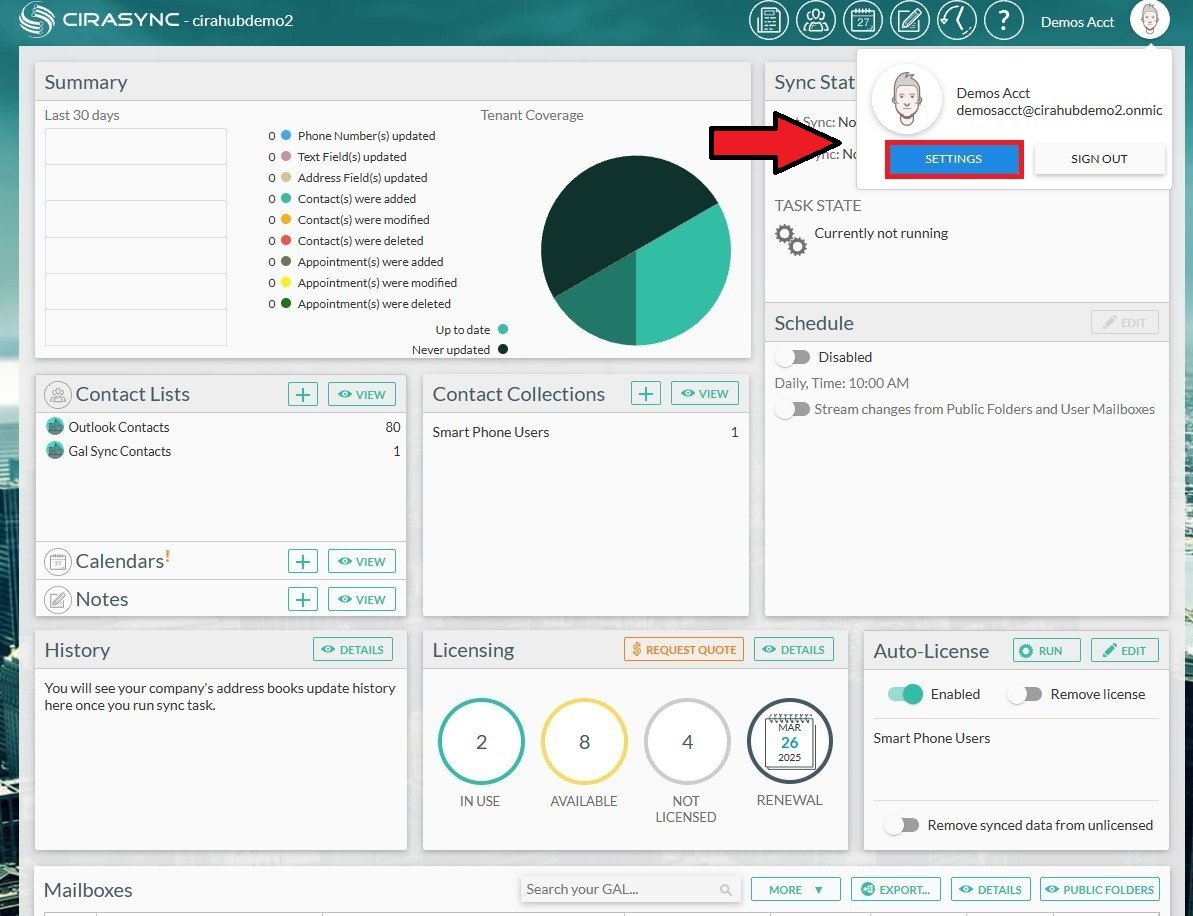
2: On the CiraSync dashboard, find and click on the ‘Settings’ option from the dropdown menu. This section allows you to adjust your account settings and configure various integration aspects of CiraSync.
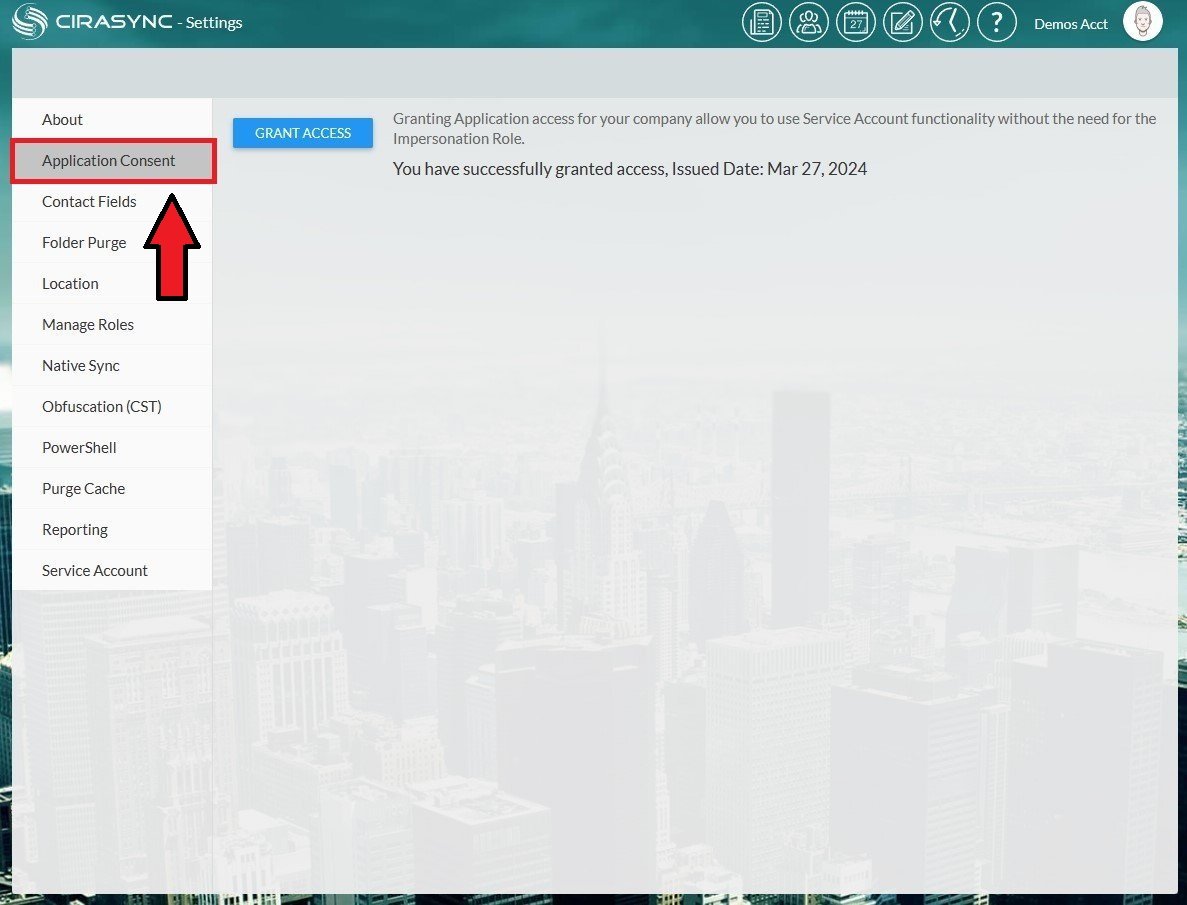
3: Navigate to the ‘Application Consent’ section within the CiraSync settings menu.
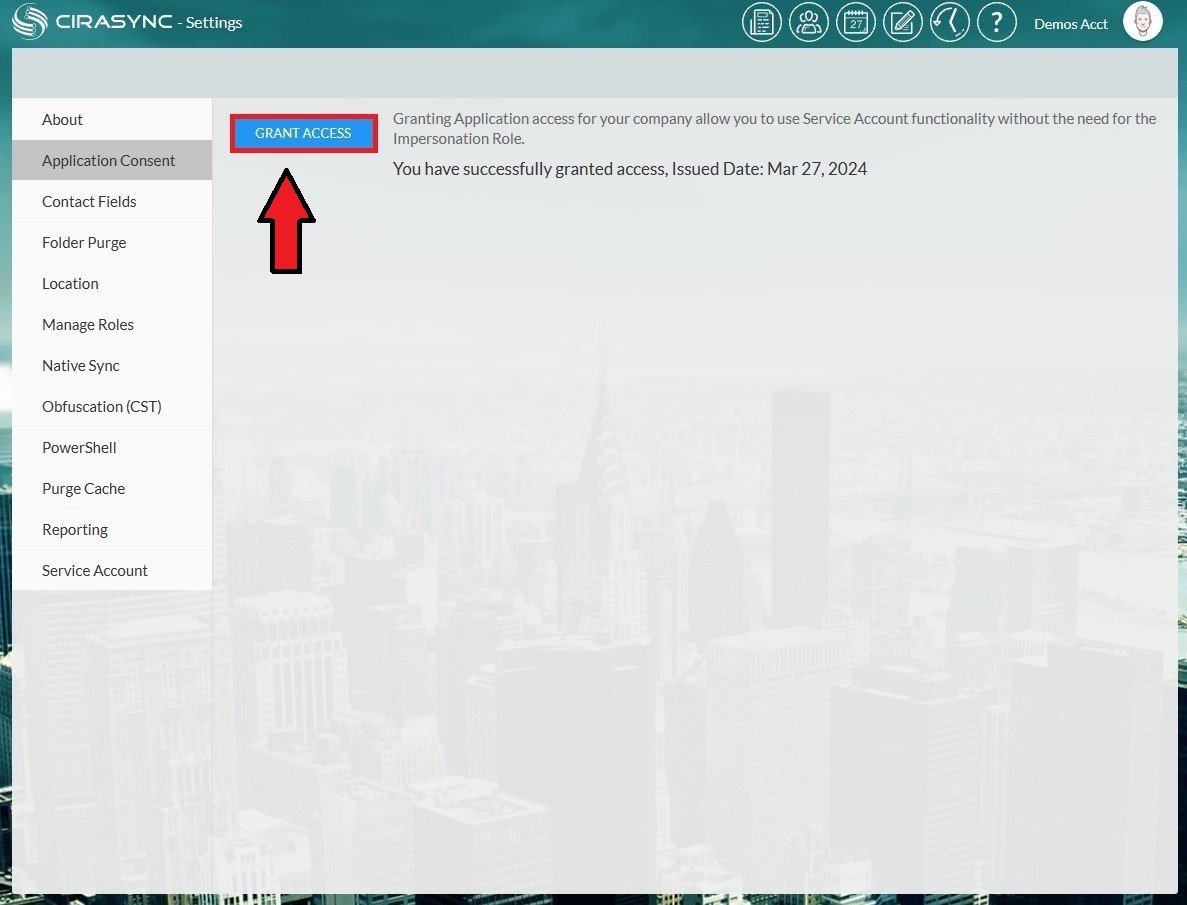
4: Proceed by clicking ‘Grant Access’ in the Application Consent section. Use an account with Global Admin privileges for this task to ensure CiraSync obtains the necessary permissions to perform its operations across your Microsoft 365 environment. Without this crucial step, CiraSync cannot access or sync data from Exchange Online, limiting its functionality.
5: After granting access, your CiraSync account will gain the appropriate permissions needed for effective data synchronization. This finalizes the setup, enabling CiraSync to securely and efficiently handle the synchronization of user mailbox data, calendars, and contacts.
Summary
Configuring the Application Consent Settings in CiraSync is a straightforward but essential process that directly impacts the efficiency and security of your data synchronization efforts. By following these steps, you ensure that CiraSync operates within the defined boundaries of access, maintaining the integrity and compliance of your organizational data.