

ConnectWise Contact Sync to Microsoft 365 & Smartphones
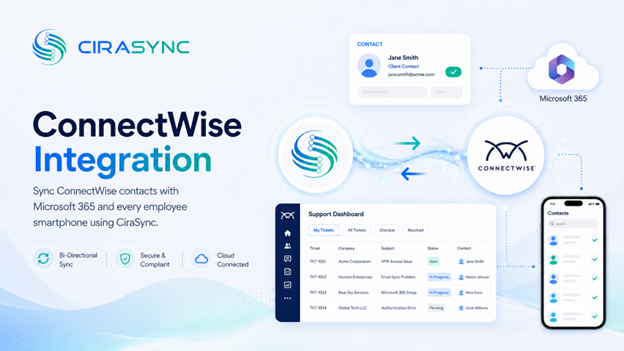
Two-Way: CiraSync Hub
One-Way: CiraSync Cloud, CiraSync On-Prem
ConnectWise holds your client records, ticket history, and support contacts. CiraSync gets that data where it needs to go: into Microsoft 365 and onto every employee smartphone, automatically.
No CSV exports. No manual updates.
What This Integration Does
ConnectWise through CiraSync Hub enables two-way sync of client and ticketing contacts with the Microsoft 365 Global Address List, user mailboxes, Google, iCloud, or another CRM. CiraSync Cloud handles automatic delivery of updated contacts to iOS and Android devices, so field technicians always have current information in their native phone contacts.
How It Works
1. Connect
Authenticate ConnectWise and your Microsoft 365 environment (or another endpoint) through CiraSync Hub.
2. Map
Choose which fields sync, set the sync direction, and apply filters to control exactly what gets pushed where.
3. Sync to Phones
CiraSync updates all iOS and Android devices automatically. Technicians see current client contacts without touching a settings menu.
Note:
ConnectWise connects through CiraSync Hub. CiraSync Cloud or CiraSync On-Prem handles mobile distribution.
Who Benefits
MSPs and Support Teams
MSP contact sync keeps client records consistent across ConnectWise and Microsoft 365 without duplicate entry. When a client record changes in ConnectWise, every technician’s phone reflects that update.
Field Technicians
Technicians get accurate client contact information directly in their native phone contacts. Faster lookups mean faster response times on-site.
IT Administrators
Administrators manage sync rules and permissions from a single dashboard. Granular field mapping and filtering give IT full control over what syncs and to whom.
Outcomes
- Client and contact lists stay current on technician smartphones without manual effort
- Faster ticket resolution through accurate, always-available contact data
- Duplicate work between ConnectWise and Microsoft 365 is eliminated
Requirements
- CiraSync Hub subscription
- ConnectWise Manage or ConnectWise Automate subscription
- Microsoft 365 admin consent

