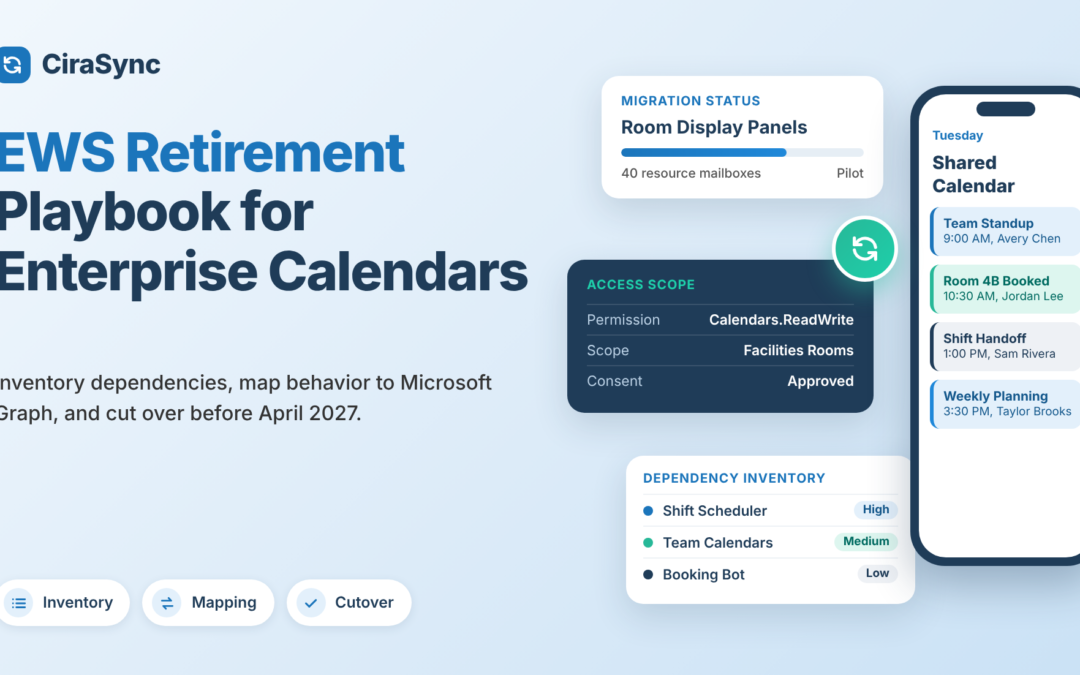


A conference room shows as free when it is booked. A shift schedule stops updating on a frontline worker’s phone. A shared team calendar still shows last week’s meeting times. Each gap looks small, and each one lands on the people who keep the business running.
Microsoft began phasing out Exchange Web Services (EWS) in Exchange Online in October 2026, with full disablement planned for April 2027. Any integration that still reads or writes calendar data through EWS is now working against a deadline. This playbook gives messaging architects, integration engineers, application owners, and IT directors a calendar-specific path: inventory the dependencies, map real calendar behavior to Microsoft Graph, redesign access, and cut over with named owners and acceptance tests. We built CiraSync to keep Microsoft 365 contacts and calendars current across the devices people work on, and that daily focus shapes the checklists below.
TL;DR
- EWS retirement is phased. Microsoft began disabling Exchange Online EWS in October 2026 and plans full disablement in April 2027. Temporary access is a bridge to a finished migration.
- Discovery comes first. Build one inventory from usage reports, application logs, Entra ID, vendors, and business owners.
- Map behavior, not just endpoints. Recurring events, shared calendars, resource mailboxes, time zones, and identifiers need explicit tests.
- Redesign access. Choose delegated or application permissions for each integration, scope mailbox access, and remove unneeded permissions.
- Sync needs two layers. Combine webhooks with scheduled reconciliation, and plan for subscription renewal and recovery.
- Cut over with owners. Pilot on synthetic calendars, keep one writer per calendar, and set sign-off rules and a fallback that stays valid after April 2027.
What EWS retirement changes for enterprise calendars
Microsoft is retiring the Exchange Online EWS endpoint in phases, and an integration that still works today has not finished its migration. The dated milestones below come from Microsoft’s own documentation.
| Date | Confirmed milestone | Source |
| 2018 | Microsoft announces EWS will receive no further functionality updates. | Microsoft Learn |
| 2023 | Microsoft announces EWS will be disabled in Exchange Online in October 2026. | Microsoft Learn |
| October 2026 | A phased, admin-controllable disablement begins. | Exchange team blog |
| April 2027 | EWS is fully disabled in Exchange Online. | Microsoft Learn |
The phased plan lets tenants keep EWS on for a named list of application IDs while they finish migrating. That means two tenants can sit in different states on the same day, depending on how each one configured the EWS setting and its allow list. Microsoft has also updated its tenant-level guidance since the August announcement, so check the current Message Center notice for your own tenant before you set a cutover date.
Three points of scope keep planning honest:
- Exchange Online only. The retirement applies to Microsoft 365 and Exchange Online. Microsoft states that EWS in Exchange Server has no changes.
- No Graph path to on-premises mailboxes. Microsoft Graph does not give direct access to on-premises Exchange mailboxes, so hybrid environments need separate plans for each side.
- Temporary access is a bridge. An allow-list entry buys time for testing and pilots. It does not count as a completed migration, and it ends in April 2027.
For calendar teams, the practical question is which scheduling workflows still depend on EWS today, who owns each one, and how much time each needs to move.
Discover dependencies before changing access
A dependency inventory is the first deliverable of a calendar migration, and it should come from evidence rather than product names. A tool that sounds modern can still call EWS, and a legacy tool may already use Graph.
Start with Microsoft’s EWS usage report in the Microsoft 365 admin center, then add the sources only your team can see. Administrators report that the report identifies callers by application ID rather than by name, and that infrequent jobs and indirect callers can fall outside its window. Fill the gaps with these sources:
- Application logs. Search in-house code, integration platforms, and scheduled jobs for EWS endpoints and managed API libraries.
- Entra ID. Review app registrations and service principals for EWS-related permissions, and check sign-in activity.
- Vendor confirmation. Ask each supplier in writing whether its product still calls EWS for Exchange Online, and request the application IDs it uses.
- Business owners. Ask who depends on room displays, scheduling bots, workforce tools, and shared calendars, since these often run quietly in the background.
- Quarterly and annual jobs. Add anything that runs less often than your reporting window.
Record every finding in one inventory. The template below uses a fictional example row.
| Integration | Business owner | Technical owner | Calendars in scope | Authentication | Call pattern | Criticality | Target date | Status |
| Contoso room display panels (fictional) | Facilities lead | Messaging engineer | 40 resource mailboxes | Application permission | Frequent reads, daily | High | Pilot in week 3 | Discovery |
| Add your integration | Name the person | Name the person | Count and type | Delegated or application | Reads, writes, frequency | High, medium, or low | Date | Not started |
Criticality drives sequence. Integrations that touch resource booking, shift schedules, or executive calendars move first, because a failure there shows up on someone’s schedule within hours. Every row needs a named business owner who can sign off on acceptance tests later.
Map calendar behavior, not just API endpoints
A one-to-one endpoint swap can pass a smoke test and still change what users see on their calendars. Microsoft publishes an EWS-to-Graph API mapping, and it belongs in your migration workbook. Pair it with a behavior review for each scenario your integrations touch.
The matrix below is a working starting point. Each row needs engineering confirmation against current v1.0 production documentation, because beta features do not count as supported.
| Calendar scenario | EWS operation | Graph capability | Behavior to verify |
| Event create, update, delete | CreateItem, UpdateItem, DeleteItem | Events on a user or calendar | Organizer and attendee update rules, and whether invitations send once. |
| Recurring series | Recurrence on calendar items | Series masters, occurrences, and exceptions | Edited and cancelled occurrences. Series masters and expanded occurrences come from different calls. |
| Incremental sync | SyncFolderItems, pull notifications | Delta queries, plus subscriptions for push | Calendar delta works inside a start and end window, so plan a rolling window and periodic reconciliation. |
| Push notifications | Subscribe, Unsubscribe | Create and delete subscription | Subscription lifetime, renewal, and recovery from missed notifications. |
| Availability | GetUserAvailability, FindAvailableMeetingTimes | Get free/busy schedule | Whether the Graph call covers the meeting-time suggestions your tool relies on. |
| Shared and delegated calendars | Sharing permission and invitation operations | Graph calendar sharing and delegation APIs | Owner view versus sharee view, and the permission each needs. |
| Resource mailboxes | Calendar access on room and equipment mailboxes | Events on the resource mailbox | Booking conflicts and response behavior. Microsoft’s mapping page has no row for this, so test it directly. |
| Time zones | GetServerTimeZones | Time zone choices | Daylight saving changes and the time zone name format your code stores. |
| Identifiers | ConvertId | Translate Exchange IDs | Graph IDs differ from EWS IDs, so convert any IDs stored in databases. |
| Reminders | GetReminders, PerformReminderAction | Reminder view, dismiss, and snooze | Per-user reminder state. |
Two gaps deserve early attention. First, recurring events carry the most hidden behavior, since a series master, an occurrence, and an exception are different event types. Microsoft’s own forum answers include a developer team surprised to find calendar view results typed as exceptions rather than occurrences, which shows why those cases need explicit tests. Second, identifiers change meaning between the two APIs, which breaks any integration that matches events by a stored EWS ID.
Build the matrix from your own inventory, and add a row for every scenario your business owners named in discovery.
Redesign authentication and least-privilege access
Moving to Graph is an access-design project as much as a coding one. EWS retirement covers the Exchange Online endpoint. Basic Authentication was a separate change, and many EWS apps already use OAuth, so an OAuth-based integration still needs its permissions and consent reviewed for Graph.
Work through four decisions for each integration in the inventory:
- Delegated or application access. Delegated access acts for a signed-in user and sees only what that user can see. Application access runs as a service identity with no user present, which suits resource calendars, shared calendars, and background distribution.
- Consent. Application permissions need administrator consent. Name the approver, record the business reason, and set a review date.
- Credential lifecycle. Assign an owner for every certificate or secret, track expiry dates, and rehearse rotation before the first production cutover.
- Mailbox scoping. Application permissions can reach every mailbox in a tenant by default. Microsoft’s RBAC for Applications in Exchange Online pairs an app with a resource scope so it reaches only the mailboxes it needs, and it replaces the older Application Access Policies.
One detail catches teams late. Exchange RBAC for Applications and Microsoft Entra permissions are additive, so a broad permission left in Entra can still grant access outside the scope you defined. After scoping an app, remove any unscoped permission it no longer needs.
Finish each design with a short access record that lists the permission, the scope, the approver, the credential owner, and the review date. That record becomes the basis for the cleanup step at the end of the migration.
Build reliable calendar synchronization
Reliable calendar sync combines push notifications with scheduled reconciliation, since neither one is enough alone. Webhooks tell the integration that something changed. Incremental queries confirm what changed and repair anything the webhooks missed.
Microsoft’s change notification rules for Outlook shape the design in four ways:
- Subscriptions expire quickly. Without resource data, the maximum lifetime is 4,230 minutes, which is under three days. With resource data, it is one day. Renew early and alert on failures.
- Lifecycle notifications are required for recovery. Apps need logic to detect removed subscriptions and missed notifications, then resume a continuous flow.
- Delegated permissions cover only the signed-in user’s mailbox. A delegated subscription cannot watch another user’s mailbox.
- Sharing scopes do not help here. Shared or delegated folder notifications need the corresponding application permission, because the Outlook sharing scopes do not support those subscriptions.
Microsoft also notes that a notification only points to a change. A follow-up GET returns the resource as it stands at retrieval time, so handlers should expect events to change between the notification and the read.
A dependable sync loop covers these steps in order:
- Receive the notification, validate it, and acknowledge it quickly.
- Queue the change so slow processing never blocks the webhook.
- Read the current event, following pagination until the result set is complete.
- Apply the change with a replay-safe key, so a repeated notification cannot create a duplicate event or a second invitation.
- Back off and retry when Graph throttles requests.
- Run a scheduled reconciliation that compares counts and recent changes against the source of truth.
- Monitor subscription age, notification gaps, queue depth, and error rates, and name an on-call owner.
Duplicate prevention deserves its own test plan. Two systems that write the same event, such as a legacy EWS integration and its Graph replacement, can send two invitations to every attendee. Decide which system owns each calendar and keep to it.
Teams that run this loop for many mailboxes, rooms, and phones can weigh the build against a managed option. CiraSync’s Buy vs Build resource lays out that comparison for contact and calendar sync.
Pilot, compare, and cut over
A pilot proves behavior on representative calendars before any production calendar changes. Pick a small set that includes a recurring-heavy team calendar, a shared calendar with delegates, a resource mailbox, and a calendar that spans time zones. Use synthetic data wherever possible, and give each pilot calendar a named business owner.
Run the new integration beside the old one in read-only comparison mode, then compare event counts, recurrence patterns, attendee lists, and time values. Keep one system as the only writer for each calendar during the pilot. Two writers produce duplicate invitations, and attendees notice those immediately.
The acceptance-test matrix below gives each scenario a pass rule and an owner. The rows use fictional calendars.
| Test | Scenario | Pass rule | Owner |
| Recurring series | Weekly team meeting with one moved and one cancelled occurrence | Series, moved, and cancelled occurrences match the source | Messaging engineer |
| Organizer changes | Organizer updates time and attendee list | Each attendee receives one update, with no duplicates | Application owner |
| Attendee responses | Attendees accept, decline, and propose a new time | Responses reach the organizer and stay consistent | Application owner |
| Time zones | Event crossing a daylight saving change, with attendees in two regions | Local start times match the source for every attendee | Messaging engineer |
| Shared calendar | Delegate creates and edits an event | Permissions hold, and the organizer shows correctly | Calendar owner |
| Resource booking | Two requests for the same room | One booking succeeds, and the conflict response matches policy | Facilities lead |
| Subscription recovery | Subscription expires, and a notification goes missing | Reconciliation repairs the gap within the agreed window | On-call engineer |
| Throttling | Burst of updates that triggers throttling | Retries succeed with no lost or duplicated events | Integration engineer |
Before cutover, set the rules in writing: the error threshold that stops the rollout, the business owner who signs off on each calendar group, the incident owner for the first two weeks, and the fallback. The fallback has to stay valid under Microsoft’s retirement policy. A plan that depends on returning to EWS indefinitely fails the moment the April 2027 shutdown arrives, so the fallback should be a pause and repair on the Graph path.
Move calendar groups in waves, starting with the lowest-criticality group. Hold each wave until its reconciliation report is clean and its business owner has signed off.
Evaluate vendors and close the migration
Every vendor on your inventory needs a written answer before you can mark its row complete. Ask for evidence, since a roadmap slide does not show which endpoint a product calls today. Use this vendor-readiness checklist for each supplier:
- Endpoint evidence. Does the product call Exchange Online through EWS, Microsoft Graph, or both today? Request the application IDs it uses.
- Permissions. Which delegated or application permissions does it need, and can it work inside a scoped mailbox set?
- Supported scenarios. Does the vendor confirm support for recurring events, shared and delegated calendars, resource mailboxes, and your time zone mix?
- Migration assistance. Who guides the move, what is the schedule, and what does the vendor need from your team?
- Observability. Can you see sync status, errors, and subscription health without opening a support case?
- Support commitments. What response times apply during cutover and the first weeks after it?
- Written validation. Is each claim confirmed in writing for your environment, rather than offered as a general statement?
For calendar distribution across teams, rooms, and mobile devices, a managed service can replace part of the custom sync code you would otherwise maintain. CiraSync’s Calendar to Calendar and Calendar to Phone solutions address those distribution needs, and the Security at CiraSync page covers the controls vendor risk teams usually ask about. Apply the same checklist to every vendor you evaluate, including us.
Close the migration only after acceptance. Remove old credentials and permissions, delete unused service principals, update the allow list to the minimum, archive the inventory and test results, and record what each business owner approved. A migration that leaves dormant permissions behind has only moved the risk to a new place.
Discuss your calendar distribution requirements
Planning a Graph migration and weighing how to keep shared calendars, room calendars, and mobile schedules current? Talk to us. We will walk through your requirements for managed calendar distribution, confirm which scenarios fit, and flag any that need written product validation first.
FAQ
Is Exchange Online EWS already disabled for my organization?
Possibly, and it depends on your tenant. Microsoft’s phased disablement began in October 2026, and full disablement follows in April 2027. Whether EWS is on for your tenant, and which applications may still use it, depends on your EWS setting and allow list. Check your admin settings and the latest Message Center notice instead of relying on the calendar date.
Does EWS retirement affect on-premises Exchange Server?
No. Microsoft states that the retirement applies to Microsoft 365 and Exchange Online, with no changes to EWS in Exchange Server. Microsoft Graph does not provide direct access to on-premises Exchange mailboxes, so hybrid environments need a plan for each side.
Is migrating an OAuth-based EWS app only an endpoint change?
No. An EWS app may already use OAuth, but Graph brings different permissions, consent steps, identifiers, and notification behavior. Review each of those areas, then retest recurring events, shared calendars, and sync recovery.
Does Graph support every EWS calendar scenario?
Microsoft’s EWS-to-Graph mapping covers many calendar scenarios, including free/busy schedules, reminders, calendar sharing, and change notifications. Confirm each scenario your integration uses against current v1.0 documentation, and treat beta features as unsupported for production until Microsoft promotes them.
How do I test recurring events and shared calendars before cutover?
Build a pilot with synthetic calendars. Include a recurring series with a moved and a cancelled occurrence, an event that crosses a daylight saving change, and a shared calendar edited by a delegate. Compare event counts, attendee lists, and local start times against the source, and confirm that each update sends one invitation.