


Managing a construction project is chaos, unless you’ve got the right tools.
Between job site delays, subcontractors changing numbers, outdated plans, and too many apps that don’t talk to each other, things can fall apart fast.
And it’s not just frustrating; it costs time, money, and sometimes entire contracts. That’s why the best construction teams rely on software that keeps everyone in sync, from office to field.
In this post, we’ll walk you through some of the best construction project management software in the market. We will also see what specific problem each tool solves.
Let’s get started!
TL;DR: Construction Project Management Software to Compare in 2026
- Procore: A leading option to evaluate for general contractors managing significant construction volume and large numbers of project collaborators; its Annual Construction Volume model includes unlimited users.
- Autodesk Forma (formerly Autodesk Construction Cloud): Particularly relevant for design-build and BIM-centric workflows, with product- and plan-specific licensing options.
- Buildertrend: All-in-one platform for home builders and remodelers, including client-facing portals.
- Fieldwire: Field-first task and drawing management with strong offline support.
- JobTread: Job-costing-focused platform for smaller residential contractors.
- Houzz Pro: Design-build and remodeling firms that also want marketplace lead generation.
- Joist: Mobile-first estimating and invoicing for solo and small-crew contractors.
- ClickUp: General-purpose project management adapted to construction workflows.
Need shared contacts or calendars kept current on every phone in the field? Treat that as a separate requirement from project management. CiraSync and CiraHub address contact and calendar synchronization; they do not manage schedules, budgets, or drawings.
8 Best Construction Project Management Software
1. Procore
Procore is one of the most popular construction project management tools used by contractors, architects, and owners. It helps teams manage every part of a project, like budgets, schedules, drawings, and documents, all in one place.
You can track progress in real time, share updates with your crew or clients, and reduce delays caused by miscommunication.
One of the biggest advantages is how easy it is to collaborate, even if your team is spread across different locations. It also integrates with other tools you might already use, such as QuickBooks or Microsoft Project.
2. Autodesk Forma
Autodesk Forma, formerly Autodesk Construction Cloud, connects planning, design, coordination, construction, and project data in Autodesk’s AECO industry cloud. It is particularly relevant for design-build and BIM-heavy workflows because Forma includes tools for model coordination, document management, field execution, cost management, and preconstruction.
Autodesk Forma uses product- and plan-specific subscription pricing. Forma Build, Forma Data Management, Forma Takeoff, and other Forma products have different licensing options, including per-user and, for some products, custom or unlimited-user arrangements. Verify current Autodesk pricing immediately before publishing specific figures. Reviewers on G2 rate it 4.4 out of 5 across 5,271 reviews, the largest review base of any platform on this list, though several reviewers note the field-execution tools were originally built for engineers and feel less refined for on-site crews than Procore’s equivalent. Confirm current plan structure and pricing directly with Autodesk before publishing specific figures, since Construction Cloud is sold across four separate pricing plans.
3. Fieldwire
Let’s continue with our list of the best construction project management software.
Fieldwire brings your entire job‑site team together in one app—foremen, project managers, subs, everyone—so you’re no longer juggling paper plans or separate spreadsheets.
You can upload drawings, mark them up on the go, assign tasks to workers with priorities and due dates, and track progress in real time from any device.
The app also supports field workflows like inspections, punch‑lists, and daily reports. So you reduce the “I thought this was done” confusion and get a clearer record of what actually happened.
4. Buildertrend
This article on the best construction project management software won’t be complete without Buildertrend.
Buildertrend is an all‑in‑one platform built for home builders, remodelers, and specialty contractors who want one place to manage their projects. It lets you handle everything from proposals and scheduling to budgets, client updates, and material orders.
You can assign tasks, track progress, and share updates with both your field crew and your clients so everyone stays in the loop.
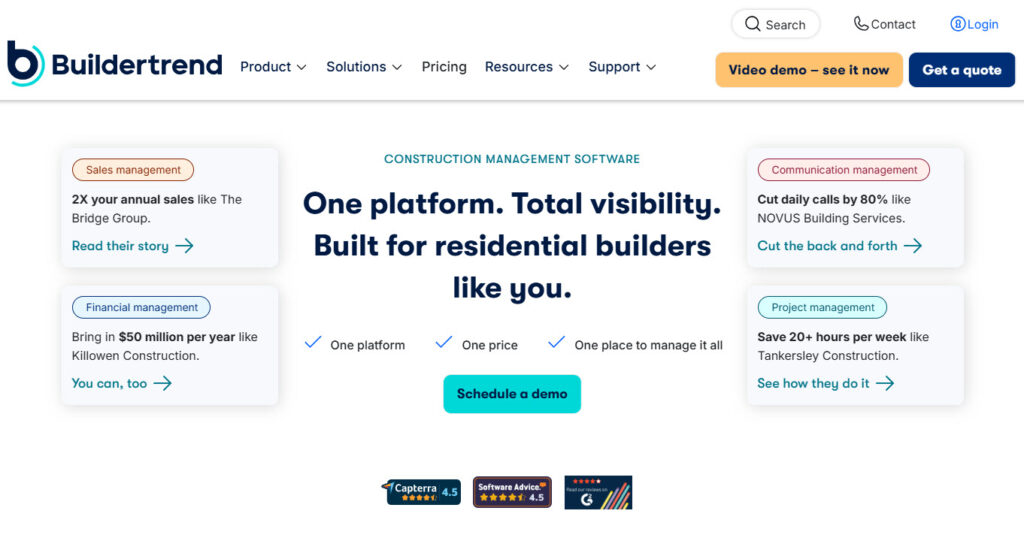
You can even give clients access via a portal so they feel part of the process. With built-in financial tools, you can maintain tighter control over costs and change orders, leading to fewer surprises.
5. JobTread
The next construction platform is JobTread.
You can build professional proposals faster and turn those into budgets, change orders, and purchase orders with fewer mistakes and more accuracy.
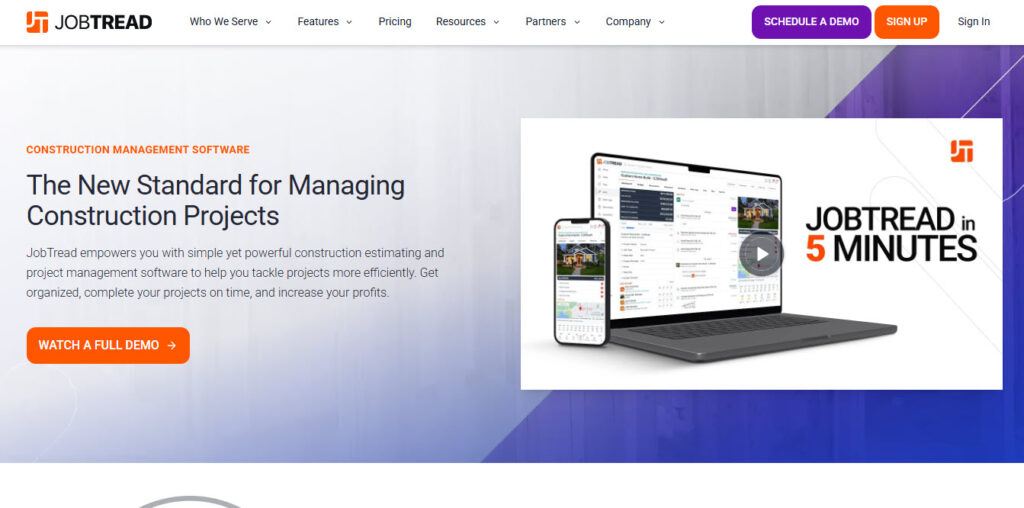
JobTread also keeps all your files, photos, and communications organized, which means crews on site and teams in the office aren’t guessing about what was agreed or what needs to happen next.
Its dashboards and reporting put important data right where you can actually use it, like job costs, progress updates, and vendor billing.
6. Joist
If you’ve ever wished you could get rid of mountains of paperwork while still looking professional to your clients, Joist might feel like that unexpected breath of fresh air. It’s a mobile-first estimating, invoicing, and payments app built especially for contractors

It’s a mobile-first estimating, invoicing, and payments app built especially for contractors. Think electricians, plumbers, painters, builders, landscapers, basically anyone who wants to spend less time behind a desk.
You can whip up detailed job estimates in minutes, send them (with your logo, if you like) straight from your phone, and convert those estimates into invoices. Clients can click to pay online right from their invoice.
You can then track what’s been paid and what’s still outstanding, and if someone views your estimate or signs a contract, you get a heads-up.
7. ClickUp
ClickUp works surprisingly well as a construction project management tool, even though it is not built only for construction.
Construction projects are messy. You are juggling schedules, crews, permits, drawings, RFIs, change orders, and budgets. ClickUp gives you one place to keep it all together.
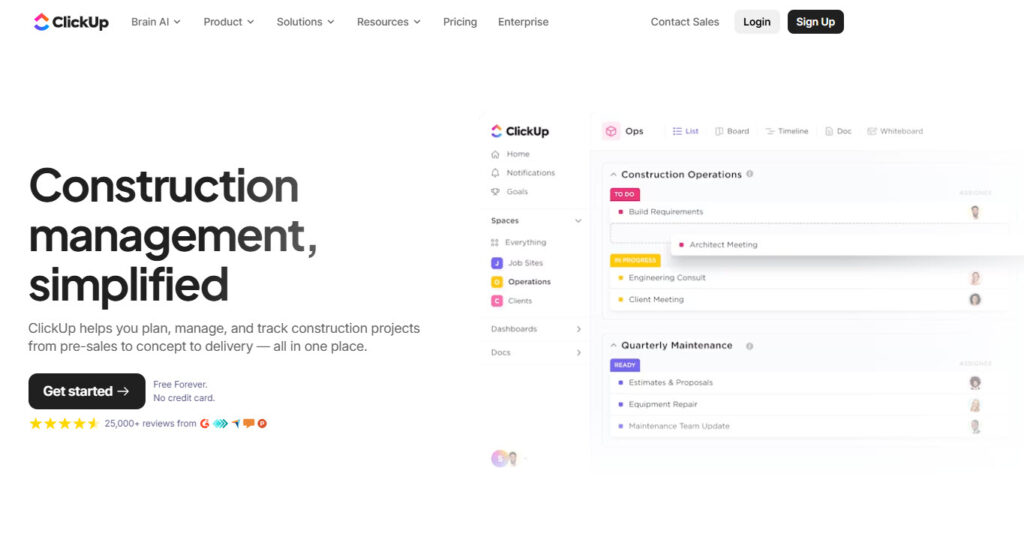
Scheduling is one of ClickUp’s strengths. Gantt charts, for example, map out timelines clearly, and delays are easy to spot. When something slips, you adjust dates and move on. Office teams and field crews stay aligned.
ClickUp also handles documentation better than most people expect. You can attach drawings, specs, photos, contracts, and reports directly to tasks. Everything stays connected to the work.
8. Houzz Pro
Last but not least on this list of top construction project management software is Houzz Pro.
It’s an all-in-one business software platform for builders, remodelers, architects, and interior designers. It brings together marketing, project management, client communication, and finances all under one login.

You can manage leads and follow-ups, create branded proposals and estimates, schedule tasks, and even let clients see project dashboards to reduce the back-and-forth emails.
The construction tool doesn’t stop there. You also get mood boards and 3D floor plans to help sell your ideas, plus online payments. There are also features for lead generation, targeted advertising, and even a premium profile or custom website
Use the Best Construction Project Management Tool
Finding the right construction project management tool is about choosing something that actually solves the messy, everyday problems your team faces:
- Missed calls
- Outdated drawings
- Scheduling delays and
- Unclear task ownership, all of it.
Whether you’re managing one job site or juggling ten, tools like Procore, CiraSync, Fieldwire, Buildertrend, and CiraHub bring different strengths to the table.
Some help you plan better, some make communication smoother, and others keep your systems connected behind the scenes.
The best setup? It’s probably a mix. Pick the tools that fit your workflow, not the other way around.
How to Choose Construction Project Management Software Solution
1. Map Your Workflow Before You Compare Tools
Start by mapping the path a project takes from award to closeout. List where information lives today, and who updates it. Most teams fail when the tool fights their current habits.
Pick a system that matches your processes, then standardize templates inside it. Focus on the few workflows that create the most rework and disputes.
If you solve those first, every other feature becomes easier to judge.
- RFIs, submittals, and drawing revisions
- Change orders and approvals
- Daily logs, photos, and safety notes
- Punch lists and closeout
2. Make Field Adoption Your Deciding Factor
Field adoption determines whether your data stays current or turns stale. Test the mobile app with a superintendent on a live job. Watch how fast they add a photo, tag a location, and share it.
If common tasks take too many taps, people will revert to texts. You want fast capture first, then clean reporting back in the office.
Offline mode also matters, since jobsite connectivity can drop without warning.
3. Treat Documents and Version Control as Non-Negotiable
Drawings change constantly, so version control must feel effortless.
A good platform shows the latest set by default, with a clear history. It should also track who viewed updates, so you can reduce coordination gaps. Check how the tool handles markups, links to RFIs, and attachments.
If search feels weak during the trial, it will feel worse at scale. Also, confirm storage limits, since large plan sets grow fast.
4. Check integrations like you are planning a handoff
Software rarely stands alone, so plan your integrations early. Think about accounting, payroll, estimating, and file storage before you buy.
Manual double-entry creates errors, and your team will blame the tool. Ask where the system acts as the source of truth for costs.
Then confirm exports, permissions, and API access for your reporting needs. A clean data flow helps you forecast, bill, and close projects on time.
- Accounting links, especially job costing and invoices
- Email and calendar connections for RFIs and meetings
- Cloud storage sync for drawings and specs
- Single sign-on for easier access
What Changed in 2026: AI in Construction Project Management
AI adoption in construction accelerated through 2025 and 2026, though the pace varies significantly by segment and how “adoption” is measured. Among commercial specialty contractors specifically, ServiceTitan’s 2026 Commercial Specialty Contractor Industry Report found that 38% now report measurable business impact from AI, up from 17% a year earlier, with the two most common applications being cost estimating and budgeting (24% of firms) and bid management (22%). Among general contractors more broadly, the Associated General Contractors of America’s 2026 Construction Hiring and Business Outlook (with Sage) found 61% of respondent firms were using AI or planning to increase investment in it, up from 44% the prior year – concentrated mainly in office and administrative functions, estimating, and preconstruction.
The more cautious finding is worth including alongside the adoption numbers: Autodesk’s construction research found that only 32% of construction leaders say they have met or are close to meeting their AI goals. Earlier Autodesk Construction Spotlight research also found confidence that AI would enhance the industry declining from 80% to 68%, highlighting the gap between AI enthusiasm and successful implementation – a sign that early optimism is meeting the harder reality of implementation. In practice, most of the platforms in this list are adding AI-assisted estimating, document review, and scheduling features at different paces; ask any vendor under evaluation for a live demonstration of the specific AI workflow rather than accepting a feature-list claim.
How Much Does Construction Project Management Software Cost in 2026?
There is no single pricing unit for this category, and that is itself the most important thing to understand before comparing quotes. Procore uses Annual Construction Volume-based pricing, while Buildertrend currently uses customized quote-based pricing informed by builder type, annual revenue, and business needs. Procore specifically charges an upfront annual fee based on Annual Construction Volume, with unlimited users, unlimited storage, and support included at no extra charge. Pricing structures vary substantially by vendor. Procore uses Annual Construction Volume-based pricing with unlimited users. Buildertrend uses custom pricing informed by builder type, annual revenue, and business needs. Fieldwire uses per-user tiered pricing. JobTread combines a base subscription with charges for additional internal users. Houzz Pro combines plan pricing with seat-based or custom team arrangements. Because billing units differ significantly between platforms, compare total expected annual cost rather than headline seat price alone.
This has a direct, non-obvious consequence: a platform’s “unlimited users” model is a real advantage for large, distributed teams with many occasional users (subcontractors, field crews) and a poor fit for a five-to-fifteen-person shop, which will typically get better value from a lower, per-seat platform even if the sticker price looks higher per user.
Licensing is only one part of total cost. Implementation, data migration, training, and integration work vary by fleet size, existing tech stack, and internal administrative capacity – do not publish a single “implementation costs X” figure unless it is tied to a specific, comparable, documented scope. For every price cited anywhere on this page, state the exact plan, billing unit, billing term, and the date it was last verified.
Which Construction Software Should You Evaluate?
- Large commercial GC, high annual volume, many occasional users: Include Procore in the evaluation and compare its Annual Construction Volume-based pricing against your actual construction volume, team structure, and number of collaborators.
- Design-build or BIM-centric workflow: Compare Autodesk Forma with Procore on model coordination, document management, field workflows, and BIM-related collaboration requirements.
- Home building or remodeling with client-facing portals: Evaluate Buildertrend and Houzz Pro against each other directly – Buildertrend for scheduling depth, Houzz Pro if marketplace lead generation and design tools matter as much as project tracking.
- Small residential contractor, cost-sensitive, job-costing focused: Evaluate JobTread against Contractor Foreman and Buildern before a larger platform.
- Field-first crews needing offline drawing access: Evaluate Fieldwire against your existing back-office software rather than as a replacement for it.
- Solo operator or very small crew: Evaluate Joist for mobile estimating and invoicing before a full PM platform.
- Already running a construction PM platform, but field contacts and shared calendars are out of date on employee phones: Evaluate CiraSync and CiraHub as a synchronization complement, not a PM replacement.
Frequently Asked Questions
Construction project management software is a digital tool that helps construction teams plan, manage, and track their projects from start to finish.
Who should use construction project management tools?
General contractors, home builders, remodelers, specialty contractors, and project managers should use construction project management tools.
What features should I look for in construction software?
When choosing construction software, look for scheduling, budgeting, task tracking, file sharing, mobile access, and integration with tools like QuickBooks.
How much do construction project management tools cost?
Construction project management tools cost around $50–$350+ per user per month, while others offer custom pricing for larger teams.
What is the best construction project management software in 2026?There is no single best platform for every construction business. Procore is the default choice for large commercial general contractors managing high annual volume; Autodesk Construction Cloud fits design-build and BIM-centric workflows; Buildertrend and Houzz Pro serve home builders and remodelers; and Fieldwire, JobTread, and Joist serve smaller or field-first teams. Choose based on your project size, workflow, and which pricing model (volume-based vs. per-user) actually fits your team structure.
Pricing varies significantly by vendor and pricing model. Procore uses Annual Construction Volume-based pricing with unlimited users, while Buildertrend uses customized quote-based pricing. Other platforms may charge per user, per month or use a combination of base subscription and user fees. Confirm current pricing and billing terms directly with each vendor before comparing total costs.
It depends on construction volume, required Procore products, and how many employees, subcontractors, clients, and other collaborators need access. Procore prices by Annual Construction Volume and includes unlimited users, so small contractors should compare a current Procore quote against per-user or lower-base-cost alternatives using their actual project volume and team structure rather than relying on a generic company-size threshold.
Procore is priced by Annual Construction Volume with unlimited users and is broadly used across general contracting workflows. Autodesk Construction Cloud is priced per user, is built around Autodesk’s BIM and design heritage, and is generally the stronger fit when 3D model coordination and clash detection are central to the project rather than added on top.
Does construction project management software sync Microsoft 365 contacts to employee phones?
A construction platform’s project directory and Microsoft 365 contact synchronization are different functions. If your requirement is for Global Address List, shared-contact, CRM, or shared-calendar data to stay current on employees’ devices, verify whether the PM vendor specifically supports that workflow. CiraSync is designed for Microsoft 365 contact and calendar synchronization and can therefore complement a construction PM platform rather than replace it. CiraSync is built for that specific synchronization use case and is designed to complement, not replace, a construction PM platform.
Adoption is accelerating but uneven. Industry surveys report meaningfully different adoption rates depending on the segment surveyed – for example, ServiceTitan’s 2026 report found 38% of commercial specialty contractors now see measurable AI impact, up from 17% a year earlier. Ask any vendor for a live demonstration of the specific AI capability rather than relying on a feature-list claim.
What features should I look for in construction project management software?
Prioritize scheduling, budgeting, drawing and document version control, punch lists and change-order tracking, mobile field access with offline support, and integration with your accounting system. Confirm the platform’s field adoption in practice, not just in a sales demo, since data quality depends on whether crews actually use it on site.
Buildertrend currently uses customized quote-based pricing. According to Buildertrend, pricing considers the company’s builder type, annual revenue, and business needs, while the platform includes unlimited users and projects. Request a current quote directly from Buildertrend rather than relying on older published tier prices.
Houzz Pro and JobTread are two relevant options to compare for small remodeling and design-build businesses, but they emphasize different workflows. Houzz Pro combines project management with design, CRM, financial, and marketing features, while JobTread emphasizes estimating, job costing, budgeting, scheduling, and construction management. Compare the workflows your business actually needs rather than treating either platform as universally best.