

Sync Salesforce Contacts and Leads to Outlook and Smartphones with CiraSync
Connect Salesforce to sync CRM contacts and leads with Microsoft 365 or another endpoint, and automatically update all employee smartphones for real-time communication.
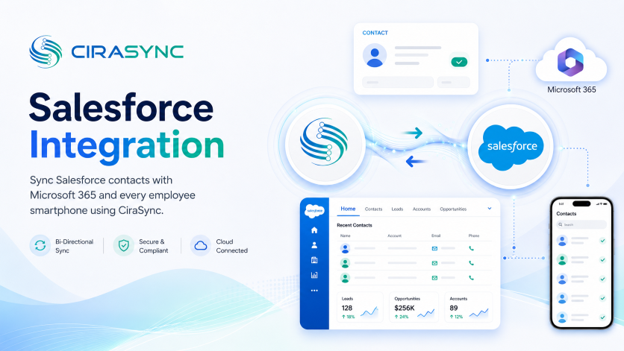
Two-Way: CiraSync Hub
One-Way: CiraSync Cloud, CiraSync On-Prem
What This Integration Does
- Two-way sync of Salesforce contacts with Microsoft 365 GAL, User Mailbox, Google, iCloud, or another CRM (via CiraSync Hub)
- Automatic one-way distribution of Salesforce contacts and leads to iOS and Android devices (via CiraSync Cloud or CiraSync On-Prem)
- Instant caller ID for outbound SDRs, so reps recognize and reach prospects without leaving their native phone app
- Field sales access to full lead records on mobile, even without CRM app installs
How It Works
- Connect: Authenticate Salesforce and Microsoft 365 or another endpoint in CiraSync Hub.
- Map: Select Salesforce objects (Contacts, Leads), define field mappings, and configure sync rules using Salesforce SOQL queries for precise filtering.
- Sync to phones: CiraSync instantly updates users’ native Contacts apps on iOS and Android, with no employee app installs required.
Salesforce Native Outlook Sync vs. CiraSync
| Feature | Salesforce Native Sync | CiraSync |
|---|---|---|
| Syncs to iOS and Android natively | No | Yes |
| Two-way sync with Microsoft 365 GAL | No | Yes |
| IT-managed, no end-user install | No | Yes |
| SOQL-based filtering | Limited | Yes |
| Syncs Leads as well as Contacts | No | Yes |
| Works with Exchange On-Prem | No | Yes |
Who Benefits
Sales Teams
Sales reps get accurate Salesforce contacts and leads pushed directly to their smartphones. No manual exports, no copy-paste between systems. Outbound SDRs see caller ID instantly when a lead calls back, and field reps access full contact records from their native phone app without opening Salesforce.
Service Teams
Customer-facing teams stay current with the latest contact data from Salesforce without relying on IT requests or CSV uploads. When account details change, every team member’s device reflects the update automatically.
IT Admins
IT teams configure sync rules once in CiraSync and manage everything from a central dashboard. No end-user onboarding, no per-device setup, and no ongoing manual intervention. SOQL filtering gives admins precise control over which records reach which users.
Outcomes
- Sales reps always have current prospect and customer contact data on their phones
- Manual CSV exports and directory update requests are eliminated
- Pipeline accuracy improves because contact changes in Salesforce propagate immediately
- IT overhead is reduced through centralized, automated sync management
- Compliance and governance are supported through auditable, IT-controlled sync rules
Requirements
- Salesforce Professional, Enterprise, Unlimited, or Developer edition
- Microsoft 365 tenant (for M365 GAL or User Mailbox sync)
- CiraSync Hub, CiraSync Cloud, or CiraSync On-Prem
- Admin credentials for both Salesforce and Microsoft 365

