

Total Synergy Integration
Connect Total Synergy to keep AEC project contacts, clients, and consultants in sync across Microsoft 365—and on every architect’s or engineer’s smartphone—without manual exports or app installs.
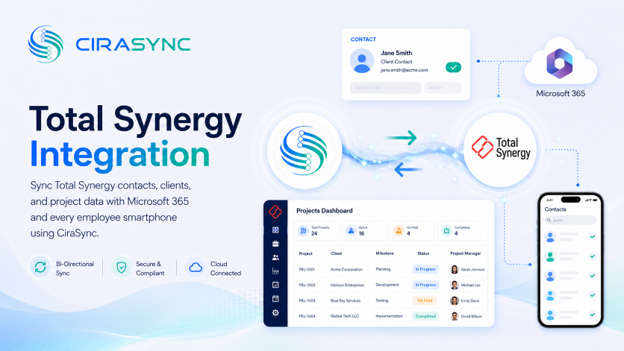
Two-Way Sync: CiraSync Hub
One-Way Sync: CiraSync Cloud & On-Prem
What this integration does:
- Two-way sync of Total Synergy contacts with the Microsoft 365 Global Address List (GAL), User Mailbox, Google, iCloud, or another CRM (via CiraHub)
- Automatic distribution of updated project contacts, client records, and consultant details to Outlook and iOS/Android smartphones (via CiraSync)
How it works:
- Connect: Sign into Total Synergy and Microsoft 365 in CiraHub to enable sync
- Map: Choose contact objects (project contacts, clients, consultants), map fields, and set sync direction and filters
- Sync to phones: CiraSync pushes the latest contacts to users’ native Contacts apps
Note:
Total Synergy connects through CiraSync Hub; CiraSync Cloud or CiraSync On-Prem handles secure, automated delivery to smartphones.
Who benefits:
- Architects & Design Teams: current project client contacts on smartphones for on-site access
- Project Managers & Consultants: a shared, accurate view of project contacts across Microsoft 365 and Total Synergy
- Finance & Operations: vendor and client records stay aligned between Total Synergy and Microsoft 365 automatically
- IT Teams at Multi-Office AEC Firms: centralized control over contact sync across offices in Australia, the US, and the UK
Outcomes:
- Eliminate manual CSV exports and duplicate entry between Total Synergy and Microsoft 365
- Give field staff and architects current project contacts on their phones with no app required
- Keep the Microsoft 365 GAL aligned with Total Synergy contact data automatically
- Reduce data drift across AEC project, client, and consultant records
Requirements:
- CiraHub subscription (for two-way sync) or CiraSync Cloud/On-Prem subscription (for one-way sync to phones)
- Total Synergy subscription
- Microsoft 365 admin consent

