If your organization uses Active Directory and Microsoft 365, you need a way to keep identities in sync. That is where Microsoft Entra Connect comes in.
It links on-prem Active Directory to Microsoft Entra ID so users can access cloud apps with the same accounts they use internally.
This article breaks down what Entra Connect does, how it works, and when to use it.
What is Microsoft Entra Connect?
Microsoft Entra Connect links your on-premises Active Directory to Microsoft Entra ID so identities stay consistent across environments. You install it on a server, connect your directory, and choose how users, groups, and credentials sync to the cloud.
IT teams use it to support hybrid identity setups where on-prem systems still matter, but cloud apps handle daily work and access.
How Does Microsoft Entra Connect Work?
Microsoft Entra Connect runs as a sync service on a Windows server inside your environment. You point it to your on-premises Active Directory, then connect it to Microsoft Entra ID using an admin account.
The tool reads user, group, and attribute changes from Active Directory and pushes those updates to Entra ID on a schedule you control.
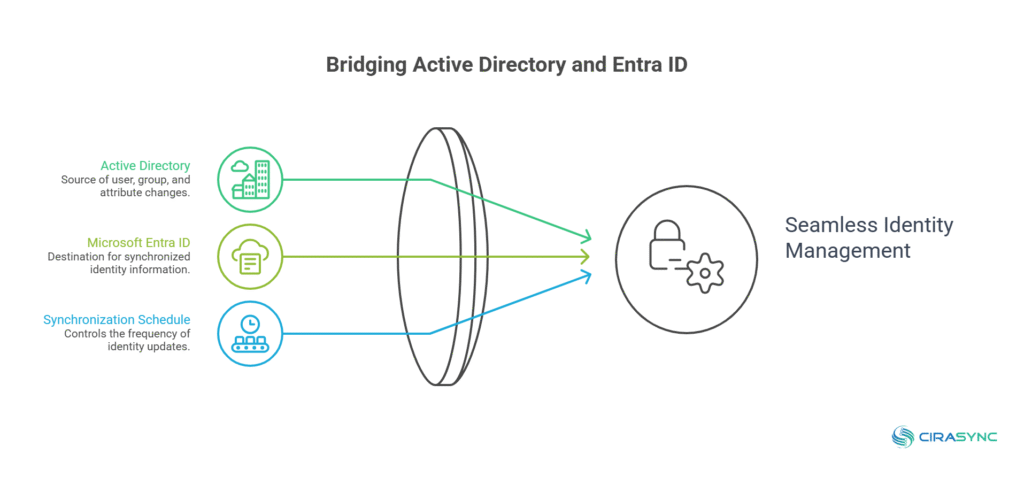
When someone signs in, authentication flows through the setup you choose, such as password hash sync or pass-through authentication. Over time, the sync engine keeps both directories aligned as changes happen.
Common Use Cases for Microsoft Entra Connect
1. Supporting Hybrid Identity Environments
Many organizations still rely on on-premises Active Directory while moving apps and collaboration tools to Microsoft 365. Microsoft Entra Connect bridges that gap.
IT teams keep Active Directory as the source of truth while Entra ID handles cloud access. Users sign in with the same credentials across on-prem systems and cloud apps, which reduces confusion and login issues.
2. Centralizing User Authentication Across Cloud Apps
Entra Connect helps IT teams manage authentication from one place instead of juggling separate identity stores.
You create or update users in Active Directory, and those changes flow into Entra ID. Users then access Microsoft 365, SaaS apps, and internal tools with the same account.
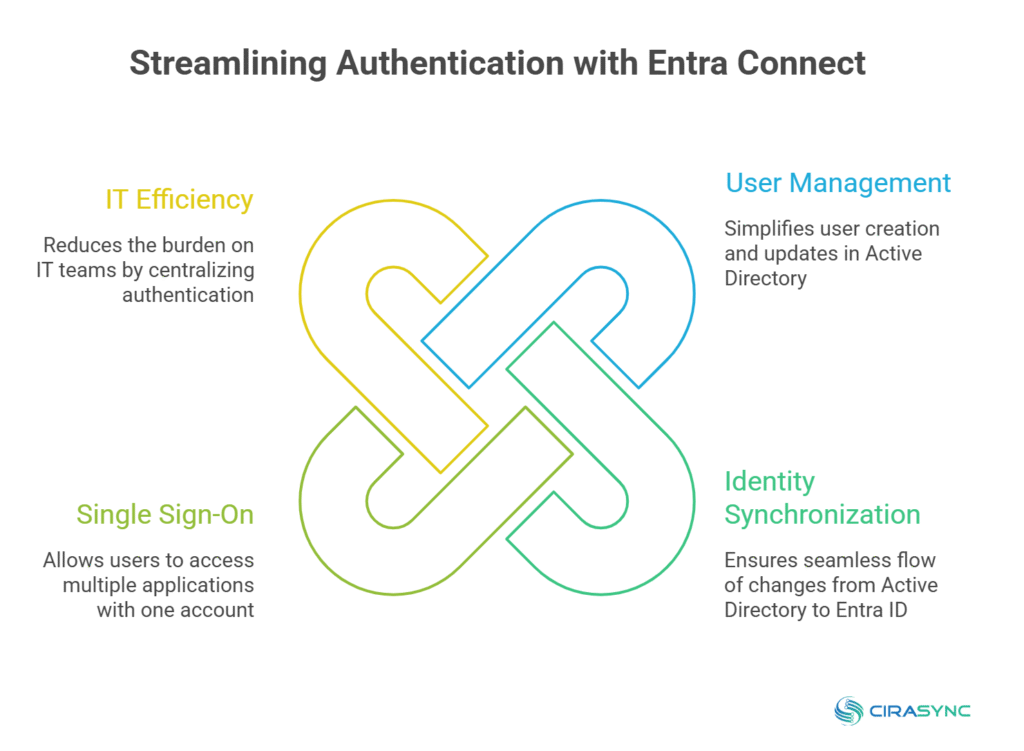
This approach simplifies onboarding and offboarding, since IT teams avoid duplicating work across systems. When an employee leaves, disabling the account in Active Directory cuts access everywhere.
3. Managing Password Sync and Sign-In Methods
Organizations often use Entra Connect to control how users sign in to cloud services. IT teams choose options like password hash sync or pass-through authentication based on security and compliance needs.
Users keep a familiar sign-in experience, while IT teams avoid managing separate password policies for cloud and on-prem environments.
This reduces help desk tickets tied to password confusion and expired credentials. And over time, it gives IT teams flexibility to adjust authentication methods without redesigning the entire identity setup.
4. Keeping User and Group Data Consistent
Entra Connect helps maintain consistency across directories as teams grow and change. When IT updates job titles, departments, or group memberships in Active Directory, those updates sync to Entra ID.
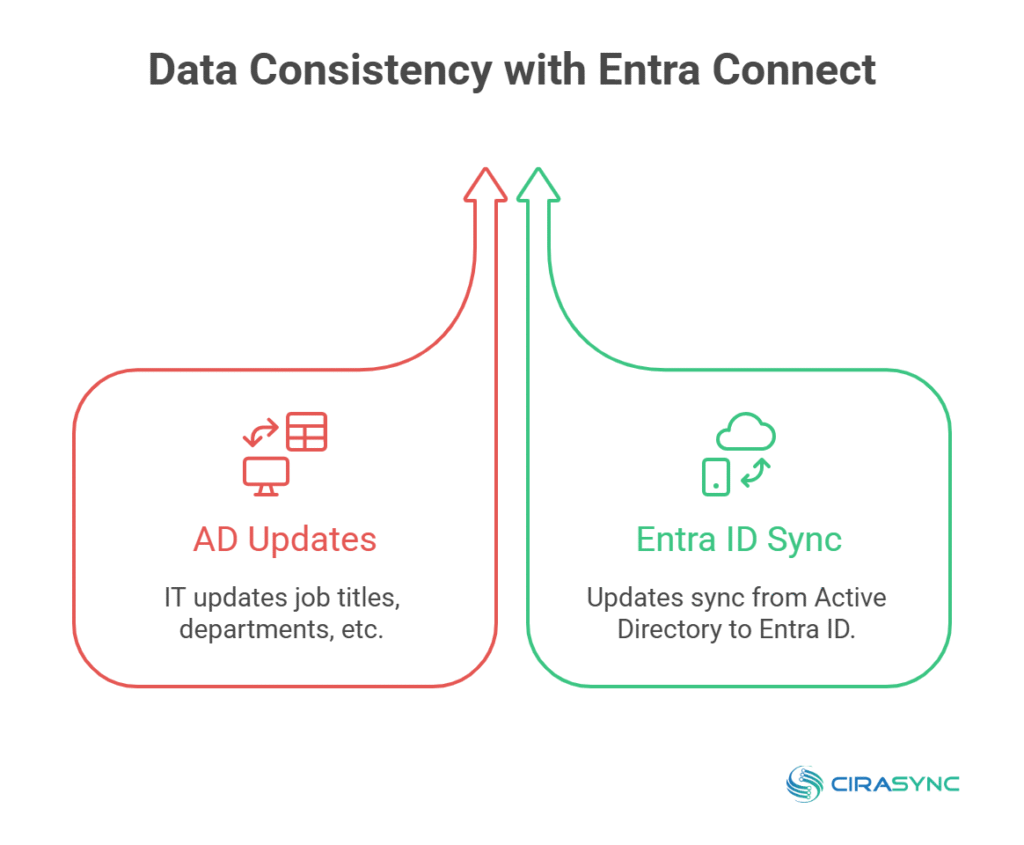
Cloud apps that rely on group membership or user attributes stay accurate without manual cleanup.
This matters for access control, app assignments, and license management. Without a sync tool, small data mismatches add up fast.
5. Enabling Gradual Cloud Migration
Organizations do not move to the cloud all at once. Entra Connect supports a phased approach.
IT teams keep existing identity processes while shifting workloads to Microsoft 365 or other cloud platforms. Users notice fewer disruptions because accounts, passwords, and access rules stay familiar.
This approach lowers migration risk and gives teams time to modernize systems at a controlled pace.
What’s Changing in 2026: Microsoft’s Move to Cloud Sync
Microsoft is steering hybrid identity toward Entra Cloud Sync. In April 2026 it announced a phased transition away from the older Entra Connect Sync, with customer notifications beginning July 2026 – Microsoft will contact each tenant when its transition window opens, starting with environments Cloud Sync already fully supports. There’s also a near-term action item: organizations running Entra Connect Sync must upgrade to version 2.5.79.0 or later by September 30, 2026, or synchronization will stop working. Hybrid sign-in itself isn’t going away – this is a shift in how the sync runs, toward a lighter, cloud-managed model.
Entra Cloud Sync or Entra Connect Sync. Which should you use?
Choose Entra Cloud Sync if you’re starting fresh or your environment is straightforward – it’s Microsoft’s recommended direction and avoids a future migration.
Stay on Entra Connect Sync (upgraded to 2.5.79.0+) if you depend on advanced scenarios Cloud Sync doesn’t yet cover, such as device sync for certain hybrid-join setups, pass-through authentication at scale, or complex attribute/sync-rule customization.
Check Microsoft’s supported-scenarios comparison before deciding, since Cloud Sync’s coverage keeps expanding.
Microsoft Entra Connect vs Microsoft Entra Cloud Sync: What’s the Difference?
Microsoft Entra Connect and Microsoft Entra Cloud Sync both sync identities from on-prem Active Directory to Microsoft Entra ID, but they fit different setups.
Entra Connect runs a full sync engine on a dedicated Windows server. IT teams control sync rules, authentication methods, and advanced hybrid scenarios directly from that server.
On the other hand, Entra Cloud Sync removes most of that infrastructure. It uses lightweight agents and pushes more management into the cloud. You give up some flexibility, but you gain simplicity, easier maintenance, and fewer moving parts.
| Category | Microsoft Entra Connect | Microsoft Entra Cloud Sync |
| What it is | Full sync engine installed on a Windows server | Agent-based sync service that runs through lightweight provisioning agents |
| Best for | Complex hybrid identity needs and advanced configuration | Simpler hybrid sync needs with lighter infrastructure |
| Infrastructure | Requires a dedicated server footprint to run the sync engine | Uses agents and cloud-managed provisioning, with less on-prem overhead |
| Configuration depth | Offers more knobs and options for identity scenarios | Keeps configuration simpler and more standardized |
| Typical choice when… | You need specific Entra Connect capabilities or deeper control | You want to reduce sync server management and keep things straightforward |
Final Thoughts
Microsoft Entra Connect plays a specific role in hybrid identity setups. It gives IT teams control when on-prem Active Directory still drives user management and access.
It works best when environments need deeper configuration and tighter integration with existing systems. Before choosing it, you should understand your identity complexity, your long-term cloud plans, and whether simpler sync options already meet your needs.
Frequently Asked Questions
Microsoft Entra Connect syncs identities from on-prem Active Directory to Microsoft Entra ID so users can access cloud and on-prem systems with one account.
What does Microsoft Entra Connect do?
Entra Connect reads users, groups, and attributes from Active Directory and syncs them to Entra ID on a schedule you control.
Are Azure AD Connect and Microsoft Entra Connect the same?
Yes. Microsoft renamed Azure AD Connect to Microsoft Entra Connect. The product and core functionality stayed the same.
What replaced Azure AD Connect?
Nothing fully replaced it. Microsoft Entra Cloud Sync offers a simpler alternative for some environments, but Entra Connect still supports advanced hybrid scenarios.
What are the requirements for Microsoft Entra Connect?
You need a supported Windows Server, on-prem Active Directory, network connectivity to Entra ID, and appropriate admin permissions.
Not immediately – but Microsoft is transitioning customers to Entra Cloud Sync starting July 2026, and Connect Sync must be upgraded to 2.5.79.0+ by September 30, 2026 to keep working.
Cloud Sync for new or simpler environments (Microsoft’s recommended path); Connect Sync for advanced scenarios Cloud Sync doesn’t yet support.