IT teams often want to know how CiraSync handles Microsoft 365 data, especially when it’s syncing contacts and calendars to mobile users.
This guide breaks down what CiraSync accesses, how it stays secure inside the Microsoft Cloud, and the compliance standards it meets so you can confidently assess its safety.
For those who prefer watching instead of reading, check out this video explaining the CiraSync Data Flow Architecture.
What CiraSync Actually Accesses
When you first look at a sync tool, it’s normal to wonder how much of your Microsoft 365 data it touches.
With CiraSync, the scope is actually pretty narrow. The platform uses the Azure Consent Framework, which means it only works with the specific permissions you approve during setup. It never asks for passwords, and it never stores them.
Every login goes through Microsoft’s own authentication page, so access stays inside your tenant’s security boundaries.
The worker reads only the data it needs to complete the sync tasks you configure. That usually means contacts, shared mailboxes, public folder contacts, and shared calendars.
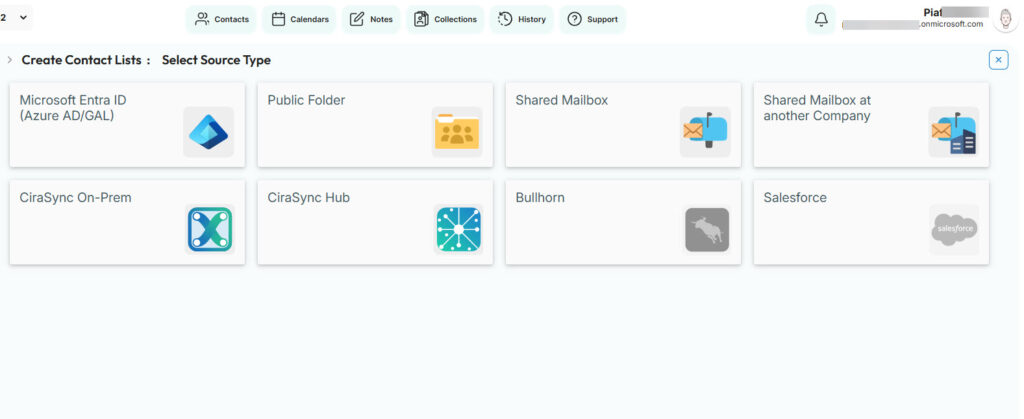
To do that job, the worker pulls the necessary entries from Azure Active Directory and Microsoft Exchange using encrypted HTTPS connections.
It compares the source and destination, updates the correct mailboxes, and stops there. No emails. No message bodies. No visibility into anything outside the sync targets you define.
CiraSync does temporarily cache some of this data so it can process updates efficiently, but the cache sits inside a secure Azure database and is automatically wiped after 60 days. If an organization wants even tighter control, they can purge the cache after every single sync.
The important point is that everything stays in the Microsoft Cloud, and CiraSync processes only what you tell it to process, nothing more.
Compliance Standards CiraSync Meets
CiraSync was designed with strict data-handling rules in mind, so compliance isn’t an afterthought.
We position ourselves as a Data Processor under GDPR, which means we only process information according to the sync rules the customer sets. CiraSync doesn’t repurpose or resell data, and everything stays inside the Microsoft Cloud.
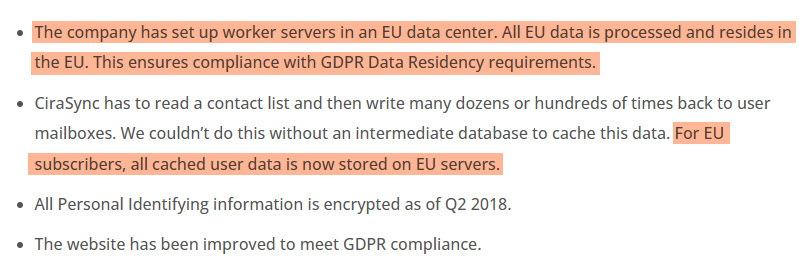
For European customers, all processing happens in Microsoft’s EU data centers, and all personal identifying information is encrypted, which aligns with the GDPR requirement for regional data storage and secure handling.
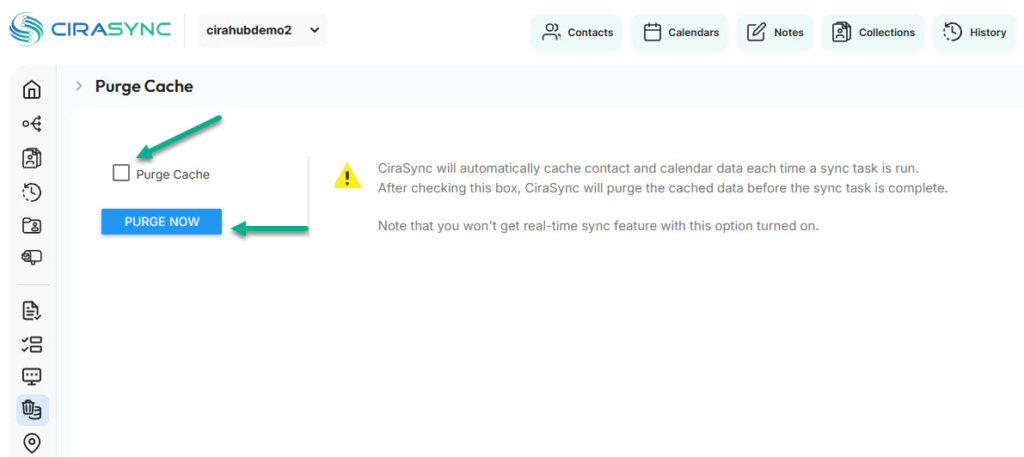
GDPR also gives users rights like data portability and the right to be forgotten. CiraSync supports both. If someone asks for their personal data, the company can provide it in a readable format. If they want it deleted, customers can immediately purge cached data and even configure the system to wipe the cache after every sync.
Learn more about CiraSync and GDPR
In addition to GDPR compliance, CiraSync has successfully completed a SOC 2 Type II audit. That means our internal controls (around security, confidentiality, processing integrity, availability, and privacy) have been independently evaluated over an extended period.
See how CiraSync handles security
Securing Your CiraSync Service Account
CiraSync needs a service account so it can perform sync operations reliably, but the setup is intentionally restricted to keep the environment secure.
The recommended approach is to create a dedicated mailbox-enabled account in Microsoft 365 and assign it only the permissions required for syncing. You don’t give it global admin rights. You don’t use a personal mailbox.
It’s a locked-down operational account whose sole purpose is running automated updates.
We also instruct admins to turn on Multi-Factor Authentication for this account and then create an App Password, since automated services can’t complete MFA challenges interactively.
Because the architecture runs inside Azure, the service account operates within a protected network instead of the open internet
Frequently Asked Questions
No. CiraSync never sees or stores Microsoft 365 passwords. Login goes through Microsoft’s own authentication page, so credentials never touch CiraSync’s systems.
Can CiraSync see internal emails?
No. CiraSync only reads the specific contacts and shared calendars needed for the sync tasks you configure. It does not access email bodies, messages, or anything outside the defined sync scope.
How does offboarding work securely?
Offboarding is basically handled by Microsoft 365. When a user is removed or disabled in Azure AD, CiraSync stops syncing to that mailbox because the worker only acts on existing accounts inside the tenant. Cached data can also be purged immediately if needed.
What happens if a device is lost? How does CiraSync handle it?
CiraSync doesn’t interact with the device directly. Since all updates live in the mailbox and sync through Microsoft’s native pipeline, IT can wipe or block the device through standard Microsoft 365 mobile management without involving CiraSync at all.
Does CiraSync store customer data permanently?
No. CiraSync workers temporarily cache the data needed for sync tasks, but this data sits inside a secure Azure database and is automatically purged after 60 days. Customers can also choose to purge it after every sync for even tighter control.
Where does CiraSync process our organization’s data?
All processing stays inside the Microsoft Cloud. For EU customers, the data is handled exclusively within Microsoft’s EU data centers to meet GDPR data-residency requirements.
Does CiraSync give anyone human access to our data?
No. CiraSync processes data automatically according to your sync rules. The architecture does not involve human review of your contact or calendar entries.
How secure is the network that CiraSync runs on?
CiraSync servers run inside a protected Azure VNET with private 10.x addressing, and the only public-facing endpoint is the dashboard, which is shielded behind Cloudflare. All data flows stay within Azure’s secure environment.