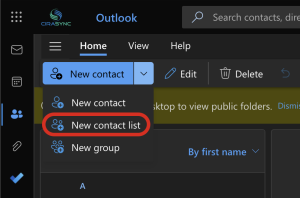
Keeping Outlook contacts and calendars synced across every smartphone in a company sounds simple, but anyone who has tried it knows it isn’t.
Outlook wasn’t built to push the Global Address List or shared calendars to mobile devices, so teams end up relying on
- Manual steps,
- Scripts or
- Hoping employees update their phones on their own.
This post compares those Outlook-native manual methods with CiraSync, a tool that automatically syncs contacts and calendars to mobile devices.
What “Native Manual Methods” Really Look Like
If you’ve ever tried to keep Outlook contacts or calendars consistent across a whole company, you know how messy it gets. The process feels more like a patchwork than a system.
You end up mixing several workarounds, and none of them fully solves the problem.
This is undoubtedly one of the outdated processes you use:
2.1 Relying on users to update their own mobile devices
This is by far the default. IT updates the GAL, HR updates employee details, and everyone else is expected to manually add contacts to their phone whenever they need one.
Some people do it. Many don’t. And no one remembers to update the contact if the number changes or someone switches departments.
2.2 PowerShell scripts to maintain shared contact folders
A few admins try automating what Outlook can’t do natively. Scripts clone GAL contacts into a shared folder or public folder to at least give users a central list.
It might help desktop Outlook users, but phones still don’t sync those folders automatically. You just shift the manual work from IT to employees.
2.3 Searching the GAL or Outlook and saving contacts one by one
You see this all the time with field teams. They need someone’s number, so they search the GAL, open the contact, tap “Save to phone,” and move on. It works for that moment.
The problem is that the saved contact becomes a frozen snapshot. Any future changes in the GAL never reach their phone. That’s how old extensions stay alive for years.
2.4 Shared Excel sheets or SharePoint lists
This is surprisingly common in construction, engineering, and service teams. Someone maintains a spreadsheet with internal numbers or external partners, and employees check it on their phone.
Then they manually add whoever they need. It’s slow, error-prone, and impossible to keep aligned with actual corporate directories.
We could go over more manual methods, like
- Emailing vCards around the company,
- Exporting and importing personal PST or CSV, or
- Using public folders for desktop usage.
What CiraSync Automates That Manual Methods Can’t
When you look at all the manual work people do to keep Outlook data on their phones, it becomes obvious that nothing in the native Microsoft stack was designed to sync contacts or shared calendars to mobile devices at scale.
CiraSync steps in where Outlook stops.
It creates an automatic, always-on bridge between Microsoft 365 and every smartphone in the organization.
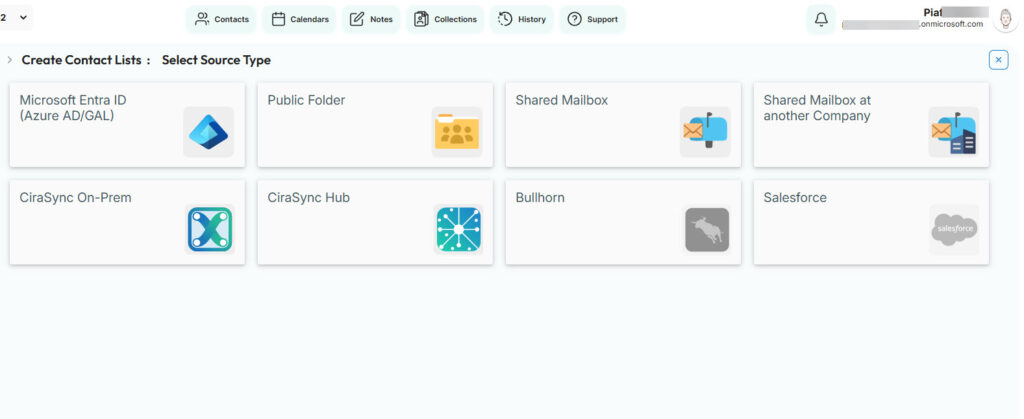
The moment a phone number, title, distribution group, or shared calendar changes in Microsoft 365, CiraSync pushes the update to every assigned device without anyone lifting a finger.
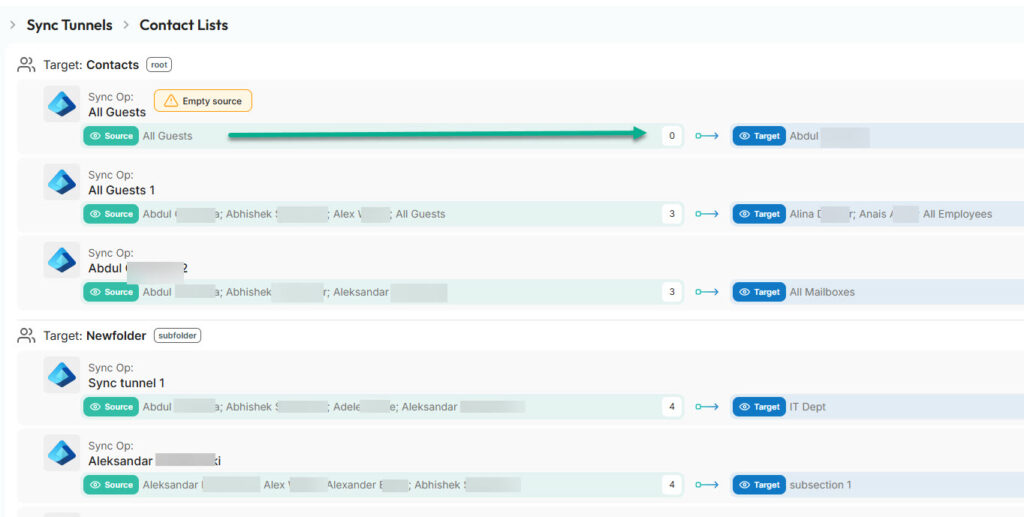
This removes the guesswork that comes with manual syncing. Instead of asking users to copy contacts one by one or hoping a script works after the next Microsoft update, IT gets predictable, centralized automation.
- GAL updates flow to mobile devices and
- Shared calendars stay accurate across teams.
And it all runs in the background, so employees never have to think about whether their phone is out of date. It just stays synced.
Frequently Asked Questions
No. Outlook syncs personal contacts to phones, but it does not sync the Global Address List. Employees must save contacts manually, or IT needs a separate tool like CiraSync to automate it.
Can shared Outlook calendars sync to smartphones without a third-party tool?
They sync only if users add the calendar manually on each device. And updates are not always consistent. CiraSync keeps shared calendars synced automatically.
Why do manual contact updates fall behind so quickly?
Because they depend on users remembering to save or update contacts. Most people never do it, so phone numbers and job titles stay outdated.
Can PowerShell scripts replace CiraSync?
Not for mobile sync. Scripts can help maintain shared folders in Outlook, but phones don’t sync those folders. You still need a dedicated service to push updates to devices.
Does CiraSync support department or group-based syncing?
Yes. You can sync contacts or calendars to specific teams, departments, or distribution groups without affecting the rest of the company.
How often does CiraSync update mobile devices?
CiraSync can sync hourly or daily, depending on your settings. Changes in Microsoft 365 flow to every assigned device automatically.
Is CiraSync secure for enterprise environments?
Yes. It uses Microsoft’s authentication system, OAuth consent, and permission controls, and follows the compliance standards described in your official documentation sources.
What happens if a user leaves the company?
Offboarding is automatic. When the user is removed from Microsoft 365 or the sync group, CiraSync stops pushing updates to their device.
Does CiraSync work on both company-issued and personal (BYOD) phones?
Yes. As long as the user is part of the Microsoft 365 tenant, CiraSync can sync their contacts or calendars to iOS and Android.