8 Best Practices for Contact Sync in Construction Companies!
Construction projects move fast, and communication usually breaks the moment contact lists fall out of date. Crews switch sites, subcontractors change numbers, and suddenly no one knows who to call.
This guide walks you through 8 top practices for syncing construction contacts. This will help your team keep contact data clean, organized, and always available for the people who need it most.
1. Standardize How Contacts Enter the System
If you’ve ever worked on a project where every foreman saves numbers differently, you already know how messy this gets.
One person enters “Mike – HVAC,” another types “Michael, AC,” and someone else saves the subcontractor’s company name only.
When dozens of projects run at the same time, those tiny inconsistencies stack up and turn into delays. A simple standard helps a lot. Define required fields like full name, role, company, phone, email, and project association.
Create quick rules for formatting, like using the same naming style and avoiding abbreviations that only make sense to one person. It sounds basic, but once everyone uses the same system, finding the right contact becomes much faster. And people stop calling the wrong “John from plumbing.”
2. Use a Single Source of Truth for All Teams
Construction teams don’t mean to create chaos, but it happens anyway.
- Someone keeps a spreadsheet.
- Someone else has a personal contact list on their phone.
- The office uses a different directory.
You end up with three versions of the truth, and none of them are correct.
When a company relies on one central directory for every employee, subcontractor, and vendor, everything gets easier.
Project managers don’t have to text five people to find a number. Field workers aren’t stuck hunting through old group chats.
The goal is simple: one place to store it, one place to update it, one place everyone trusts.
3. Automate Sync Across Devices and Locations
Even if you organize contacts perfectly, it doesn’t matter if updates never reach people in the field. Construction schedules move fast, and manual updates fall behind almost immediately.
You change a subcontractor’s number in the directory, but half the team still has the old one on their phones. That’s where automation steps in.
With a construction contact sync tool like CiraSync, the process becomes hands-off.
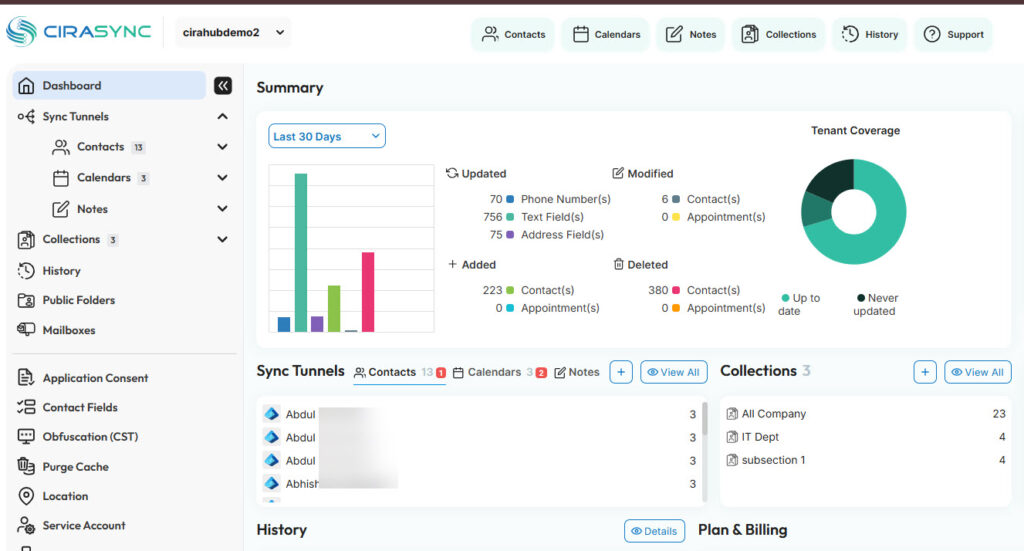
You update a contact once in Microsoft 365, and CiraSync pushes the correct information to every employee’s smartphone in the background. No apps to install, no “did you update your contacts?” reminders, no manual imports.
It syncs
- Shared mailboxes,
- Public folder contacts,
- The Global Address List,
- And even project-specific directories.
The nice part is that it works for people who jump between sites because their phones always reflect the latest data. So instead of field workers dealing with outdated numbers, they just open their contact list, and everything is already correct.
4. Segment and Organize Contacts by Project
Segmentation is our next best practice for contact sync in construction companies.
When you’ve got multiple sites running at once, a giant, unfiltered contact list becomes a nightmare. Field teams don’t need every electrician, plumber, or supplier the company has ever worked with.
They need the people tied to their project.
Creating segments by site, trade, region, or crew makes everything quicker. A project manager can open their phone and immediately see only the contacts they actually use.
It also reduces errors since workers aren’t scrolling past ten versions of the same subcontractor.
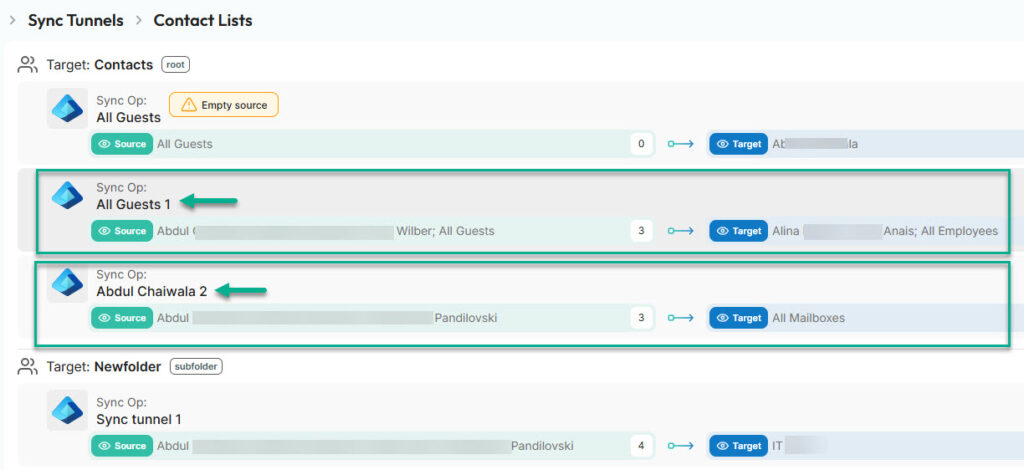
With CiraSync, for example, you can assign a folder to a specific group, and it lands on their smartphones automatically. It keeps each project clean, reduces mistakes, and helps crews find the right person without scrolling through hundreds of unrelated names.
5. Provide Role-Based Access
Not everyone needs the entire directory.
- Office staff might need vendor contacts, but an equipment operator probably doesn’t.
- Foremen need subcontractor lists, while executives might only want high-level contacts.
Role-based access keeps sensitive info protected and prevents people from drowning in unnecessary data.
It also helps compliance because you’re only sharing what’s required for each job. The fewer random lists floating around, the easier it is to keep everything clean and secure.
And when someone moves into a new role, updating their access becomes a quick, predictable step rather than a scramble.
6. Set a Regular Update and Audit Schedule
Let’s continue with a few more best practices for contact sync in construction companies.
Even the best system falls apart if no one maintains it. Construction companies work with rotating crews and subcontractors, so contact details change constantly.
A simple audit schedule helps keep things under control. Maybe it’s a monthly check to remove inactive subcontractors, update numbers, and merge duplicates. Or a quick weekly review during peak project seasons.
The goal is to avoid the slow buildup of outdated info that eventually leads to missed calls or delays.
7. Create an Offboarding and Onboarding Workflow
New hires usually show up ready to work, but they often spend the first day asking for phone numbers.
An onboarding workflow fixes that. As soon as someone joins, they get the exact contacts they need for their project, their role, and their team.
Offboarding matters just as much. When someone leaves a site or the company, their access should disappear right away so outdated lists don’t keep circulating.
It’s a small process, but it prevents a lot of confusion later since everyone always knows who’s active and who isn’t.
8. Train Field Teams on Contact Management Etiquette
Last but not least on our best practices for construction contact sync is training.
Most people mean well, but habits in the field vary a lot.
Some workers save personal versions of contacts. Others forget to report changes. A bit of training helps keep the directory clean.
It can be as simple as reminding teams to avoid creating duplicate entries, to update the central directory instead of their phones, and to flag incorrect numbers as soon as they notice them.
When everyone follows the same basic rules, contact lists stay accurate for much longer.
Sync Construction Contacts to Smartphones
Construction projects move fast, and clean contact management plays a bigger role than most people think.
When teams use consistent entry rules, clear project-based segments, automated syncing, and simple workflows, communication gets smoother, and delays drop.
You can even put it to the test yourself.
If you want to see how automated syncing looks in a real environment, try CiraSync now. And if you still have questions about CiraSync or need help mapping out a setup that fits your company’s projects, reach out to us.
We are always happy to help.
Frequently Asked Questions
Contact sync is so important for construction companies because crews move constantly and projects shift fast. If contact lists aren’t accurate, you lose time chasing numbers, coordinating subcontractors, and correcting avoidable mistakes.
How often should construction teams update their contact directory?
Most companies do monthly audits, but busy projects may need weekly checks. The idea is to keep numbers current before delays happen.
What’s the biggest cause of outdated contacts on job sites?
Everyone keeping their own version. Personal contact lists, spreadsheets, and group chats drift apart over time and no one notices until something breaks.
What is the best tool for syncing construction contacts to mobile devices?
CiraSync is the best tool for syncing construction contacts to mobile devices. It updates contacts in Microsoft 365, then pushes them to employees’ smartphones automatically. No apps to install and no manual export or import steps.