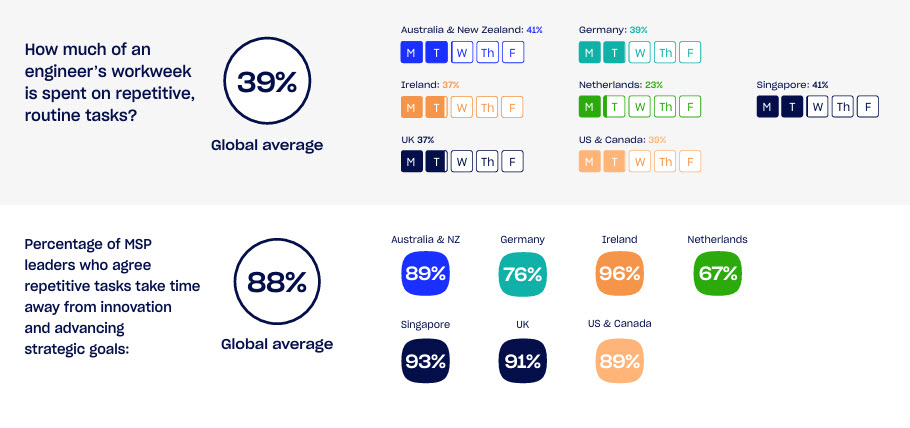
MSP leaders say their engineers spend around 39% of the week on repetitive, manual tasks, and 88% admit those tasks regularly get in the way of more strategic work.
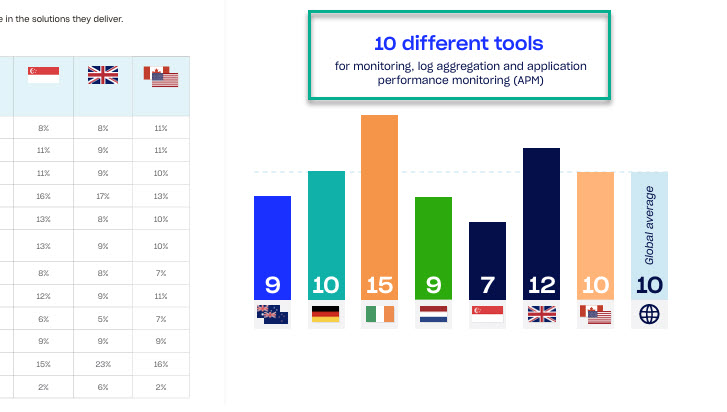
On top of that, the same LogicMonitor research found MSPs juggle about 10 different tools just to monitor and support customer environments. This adds even more overhead and context switching.
If you are running an MSP, that probably feels a bit too familiar:
- Tickets keep coming in,
- Onboarding a new client can take weeks, and
- Your team is stuck clicking through the same workflows again and again.
Good MSP software should do three things for you: cut that manual work, reduce the number of tools your engineers use, and generate more income.
In this guide, we will walk through the best MSP software across key categories like RMM, PSA, contact and calendar syncing, backup, security, documentation, and more.
Let’s free up your team instead of slowing them down.
TL;DR
- The best MSP tools are:
- 1. NinjaOne
- 2. CiraSync
- 3. ConnectWise PSA
- 4. Atera
- 5. N-able RMM
- 6. Auvik
- 7. Syncro XMM
- 8. Hudu
- To choose the best MSP software, focus on key factors like scalability and integration, core functionality (RMM/PSA), automation, security, support, cost, and vendor reputation.
8 Best MSP Software
1. NinjaOne — Best all-in-one MSP platform
Our first MSP software is NinjaOne.
NinjaOne gives MSPs a unified console to handle device monitoring, endpoint management, patch deployment, and alerting without extra complexity. It lets you drill into system health, run scripts, and resolve issues remotely in just a few clicks.
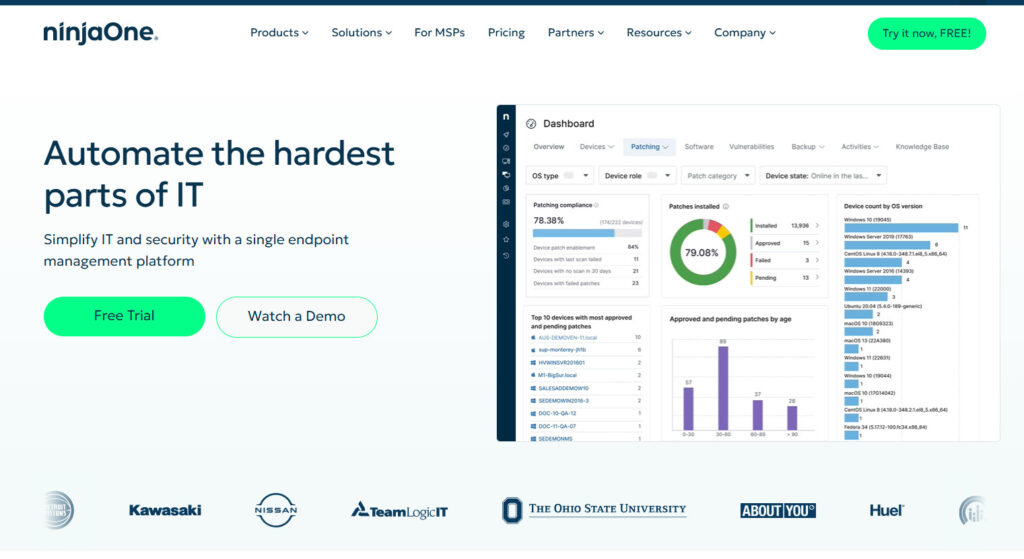
The automation engine helps you standardize tasks so technicians spend less time on manual fixes.
You also get reliable reporting, fast agent performance, and clean dashboards that make it easy to spot problems early. It’s technical where it matters, but still straightforward enough for any new tech to pick up quickly.
2. CiraSync — Best for Syncing Contacts and Calendars to Mobile Devices
CiraSync is next on our list of the best MSP software.
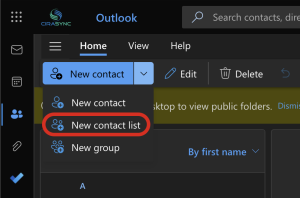
CiraSync solves a very specific headache MSPs’ clients complain about all the time: Our contacts and calendars are not syncing to employees’ phones.
The Entra ID sync tool plugs straight into Microsoft 365 and keeps everyone’s work contacts, shared mailboxes, and company calendars fully updated on iOS and Android without anyone lifting a finger.
You don’t need to install anything on end-user devices, which most MSPs appreciate because it reduces support tickets right away. It runs with Azure Admin Consent, uses OAuth 2.0, and keeps all data inside the customer’s tenant, so security teams stay comfortable.
Once it’s set up, it quietly keeps everything in sync, and clients simply stop asking why caller ID isn’t working or why they can’t find the right number on their phone anymore.
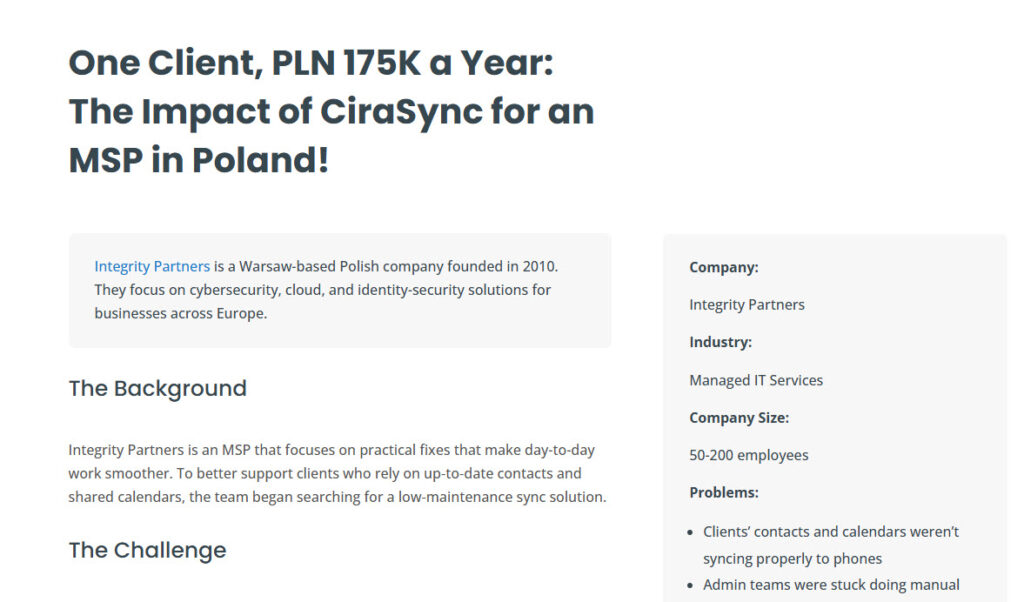
A good example is the Integrity Partners case study, where their team used CiraSync to streamline contact management for one client and added $47,000 to their revenue.
If you want to learn how MSPs partner with CiraSync, you can explore our MSP program and see how you can use it to serve your clients and generate more income for your MSP.
3. ConnectWise PSA — Best PSA
ConnectWise PSA gives MSPs a central system to handle tickets, projects, contracts, billing, and technician workflows without losing track of anything.
It ties your service desk, time tracking, and invoicing together so every hour and every task lands in the right place automatically.
You can build custom workflows, set escalation rules, and keep SLAs under control without constantly babysitting the queue. Most teams like how it connects with RMM tools and pulls device data straight into tickets, which cuts the back and forth during troubleshooting.
It also handles recurring agreements, usage-based billing, and client reports in a way that keeps operations predictable.
4. Atera — Best for AI MSP Software
Atera is the next MSP tool we want to cover.
It gives MSPs a single platform that mixes classic RMM capabilities with built-in AI tools that actually speed up daily work. You can monitor devices, patch systems, and run scripts, but the real appeal is how the AI engine suggests fixes, writes scripts, and helps technicians respond faster.

It cuts the back-and-forth on routine issues and lets smaller teams handle a bigger workload without feeling stretched. The interface is simple enough that a new tech can get comfortable quickly, yet it still gives you detailed views of system health when you need to dig deeper.
Atera’s automation, ticketing, and remote access all live in the same place, which keeps things organized.
5. N-able RMM – Best RMM
N-able RMM gives MSPs a fast, reliable way to monitor endpoints, push patches, and respond to issues before clients even notice something’s wrong. It has a lightweight agent, clear dashboards, and automated checks that make it easy to see which devices need attention right now.
You can run scripts remotely, deploy software in bulk, and set up policies that keep environments stable without manual effort every week. It alerts are organized, patches flow smoothly, and the workflow stays consistent across all clients.
It also integrates well with security add-ons, backups, and automation modules if you need a deeper toolkit. For MSPs that want a true day-to-day engine for endpoint monitoring, N-able RMM is one of the most dependable choices.
6. Auvik – Best for Network Visibility and Monitoring
Auvik is a cloud-based network monitoring and management tool. It helps you see what’s happening on your network, in real time, without digging through logs or guessing where the problem is.

Once it’s connected, Auvik automatically discovers every device on your network. Switches. Routers. Firewalls. It then builds a live network map that updates as things change. You don’t have to maintain it.
Auvik keeps an eye on performance around the clock. Bandwidth spikes, latency issues, failing links, you’ll know before users start complaining. Alerts are already set up, but you can adjust them to fit how your team actually works.
7. Syncro XMM – Best All-in-One RMM + PSA
Syncro XMM is an all-in-one IT management platform built mainly for MSPs and IT teams. It’s for those who are tired of juggling ten different tools just to get work done.
Syncro blends Remote Monitoring & Management (RMM), Professional Services Automation (PSA), and Microsoft 365 management into a single system.
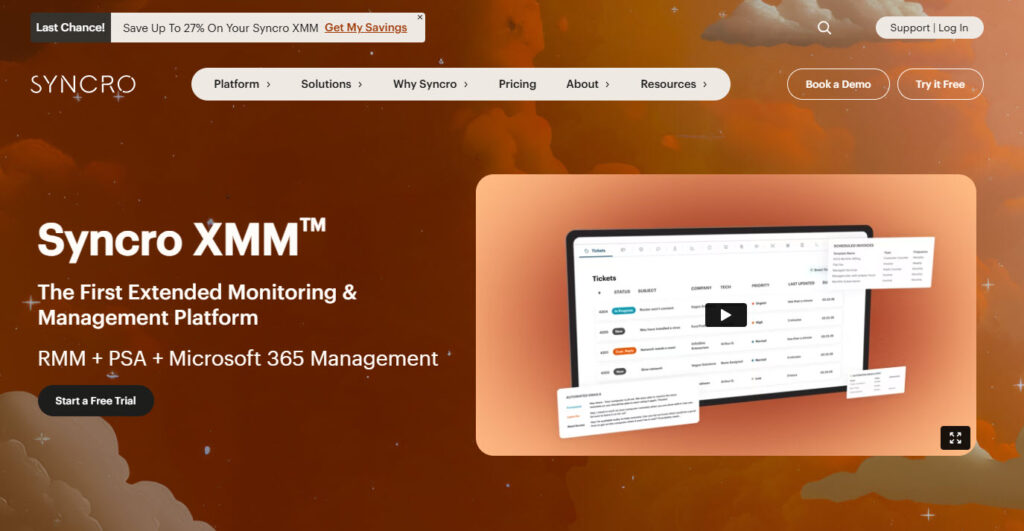
Instead of flipping between separate apps for monitoring devices, tracking tickets, billing clients, and managing users, Syncro puts all of that into one pane. You can see alerts, take over a remote machine, push patches, and even automate repetitive tasks.
The RMM side gives you real-time visibility into endpoints and networks, so you actually know when something’s going wrong.
8. Hudu – Best for MSP Documentation
Let’s continue with our next MSP software: Hudu.
If you’ve ever hunted for passwords, asset info, SOPs, or IT notes across twenty tabs, then Hudu might feel like someone finally said “Enough.”
It’s a documentation and knowledge platform built mainly for managed service providers (MSPs) and IT teams who want one place for the stuff that actually matters.
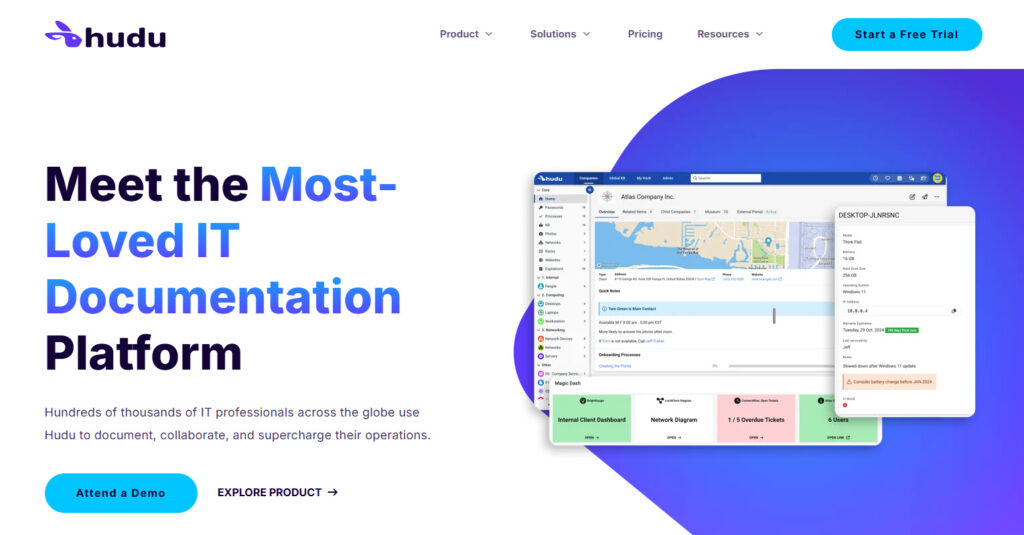
You can store passwords securely (yes, with a built-in vault and OTP, all encrypted), document assets and infrastructure, build checklists and SOPs, and keep knowledge base articles.
It’s also practical for multi-company setups. Each client has its own space, passwords stay separate, and permissions keep everyone linked. So as your MSP grows or your internal teams get bigger, you don’t end up with the dreaded “who has access to what?” question.
Use the Best MSP Software
If you look at the tools we have talked about, you can already see a simple pattern.
- NinjaOne is the central place where you watch everything,
- N-able RMM helps you stay on top of endpoints,
- ConnectWise PSA keeps tickets and billing under control,
- Atera brings in AI to speed up repetitive work, and
- CiraSync removes that annoying “why is this contact not on my phone” problem your clients keep reporting.
None of them tries to do everything. Together, they solve very specific, very real pains you deal with every single week.
You do not need to rebuild your whole stack tomorrow.
A more realistic move is to pick one weak spot and fix it with the right tool. Maybe that is standardizing on a PSA, or finally getting contact and calendar sync under control with CiraSync, so your clients stop complaining about caller ID.
Once that piece works, you move to the next one.
If you are unsure where to start, ask yourself one simple question: “Which problem is costing my team the most time or making us look bad to clients?” Your first choice should solve that.
Frequently Asked Questions
What is MSP software?
MSP software is a set of tools managed service providers use to run daily operations. That usually means monitoring devices, handling tickets, documenting systems, automating tasks, and billing clients. Some tools do one thing well. Others try to do everything in one place.
Do you need an all-in-one MSP platform?
Not always. All-in-one platforms can simplify things, especially if you’re small or growing fast. That said, some MSPs prefer best-of-breed tools instead. It really depends on how complex your setup is and how much time you want to spend managing your stack.
What’s the difference between RMM and PSA software?
RMM focuses on monitoring and managing devices. Think alerts, patching, and remote access. PSA handles the business side. Tickets, time tracking, invoicing, and contracts. Many MSP tools include both. Some don’t.
How do you choose the best MSP software for my business?
To choose the best MSP software, start with your biggest pain points. Too many alerts? Look at RMM. Billing headaches? PSA matters more. Poor documentation? That’s a separate tool entirely. Also, be honest about your team size and skill level. A powerful tool isn’t helpful if no one wants to use it.
Do MSP tools integrate with each other?
Many MSP tools integrate with each other. Integrations with RMMs, PSAs, documentation platforms, and security tools are common now.